Participant
October 17, 2018
Answered

Color issue in premiere 2019

  • October 17, 2018
  • 4 replies
  • 2137 views

I have problem with the color of the file in premiere pro 2019

I try to import file from Red prores, and canon 80d but still different color from quicktime to premiere pro.

sorry for order, but reed from 1 to 4.
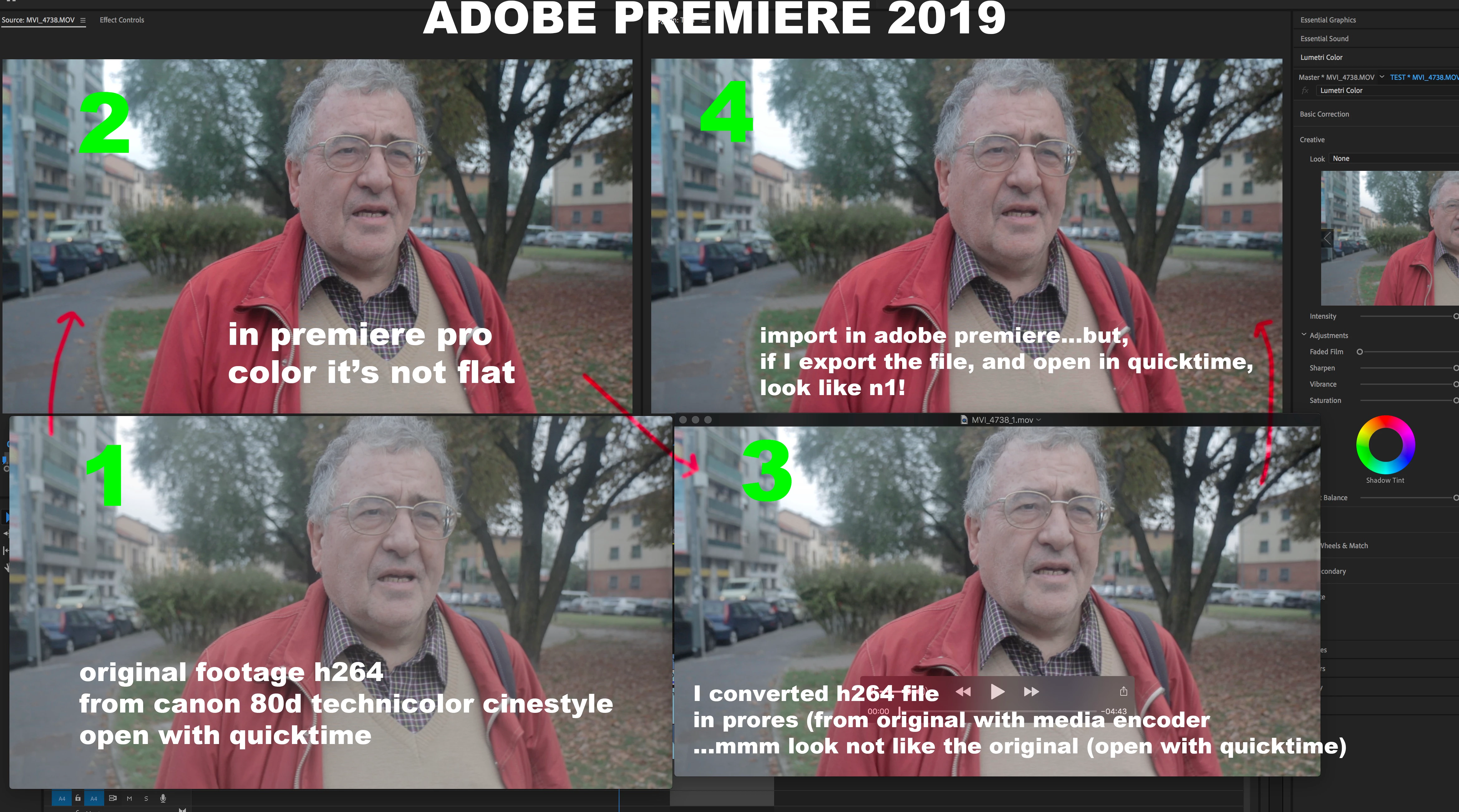
This topic has been closed for replies.
Correct answer francis-crossman10980533

QuickTime player and most web browsers are using a different gamma interpretation from what is specified by the ITU for Rec709, so you cannot trust the colors that you see there.  I recommend using VLC player for viewing files outside of PPro.

4 replies

francis-crossman10980533
Inspiring
October 18, 2018

QuickTime player and most web browsers are using a different gamma interpretation from what is specified by the ITU for Rec709, so you cannot trust the colors that you see there.  I recommend using VLC player for viewing files outside of PPro.

Legend
October 17, 2018

"Variants of this question have been covered to death on this and every other color grading forum. The answer is always the same.  The only way to get a [proper] image you can trust is to run SDI [or HDMI] out to an accurately calibrated reference monitor.  Grading by viewing the image in the GUI just doesn't work."  - Jamie LeJeune

The above was posted in the Blackmagic forums about DaVinci Resolve, but it applies to all NLE's.

You must have one of two viewing environments set up.

1. A dedicated I/O card (AJA Kona, Blackmagic Intensity, etc.) to a calibrated monitor.

2. An export from Premiere Pro played from hardware to a calibrated monitor.

How it looks on the calibrated monitor is all that matters.

Ann Bens
Community Expert
Community Expert
October 17, 2018

Quicktime is known for having a gamma issue.

Ann Bens
Community Expert
Community Expert
October 17, 2018
kinartosAuthor
Participant
October 17, 2018

thx

Grigor Poghosyan
Participating Frequently
October 17, 2018

Do you have your screen correctly color calibrated ?

kinartosAuthor
Participant
October 17, 2018

it's not a screen calibration, I look the file from the same monitor (imac pro 5k) If I put the file in DaVinci resolve, look flat and good like if I open the file with quicktime.