
Known Participant
April 24, 2024
Answered

Color Management is way off - what's the issue?

  • April 24, 2024
  • 2 replies
  • 588 views

Hi Everybody,


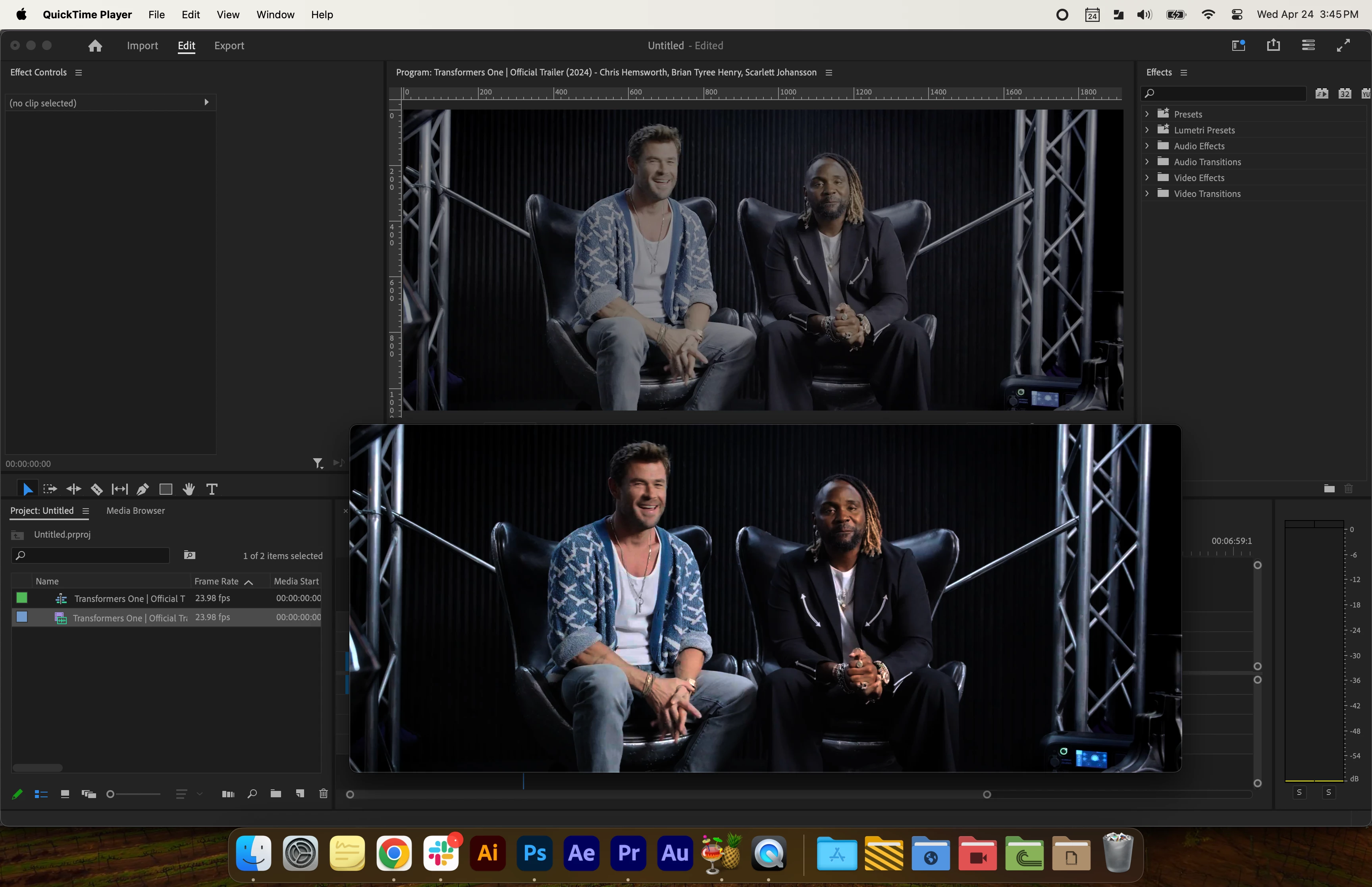
I don't want to report this as a bug as it's most likely something explainable, but I tried importing an MP4 with excellent color and upon import the color is terrible, really washed out. (image attached).


I looks fine in the browser window or Quicktime, but in Premiere (and ANY Adobe product I've tried) it looks awful.  Can somebody please tell me why this is happening? I can't find any resolve.


This topic has been closed for replies.

2 replies

R Neil Haugen
Legend
April 24, 2024

You don't show your color management settings, so not much I can help with.


Color Workspace, Lumetri panel, the SETTINGS tab ... the one named settings. That's where all the CM controls live now.


I'm guessing you don't have those set for what you need. Drag/drop a screengrab of the ENTIRE panel of settings directly onto the text area in your reply.

Everyone's mileage always varies ...
Max DTAuthor
Known Participant
April 24, 2024

Those two switches did the fix, now I just need to find why Photoshop and After Effects are doing the same thing. I imagine it's similar. Thanks you guys!! 😄

R Neil Haugen
Legend
April 24, 2024

Color management is far more complicated than it used to be due to the emergence of both wider dynamic and color space cameras and of course media types. Several media types, with mulitple possible color spaces in the file or in use of the file.


So yea, it takes a bit of learning.

Everyone's mileage always varies ...
Ann Bens
Community Expert
Ann BensCommunity ExpertCorrect answer
Community Expert
April 24, 2024