Known Participant
Nov 15, 2026 9:31 AM UTC
Question

Color Mode Object Selection Mask

Hello everyone!

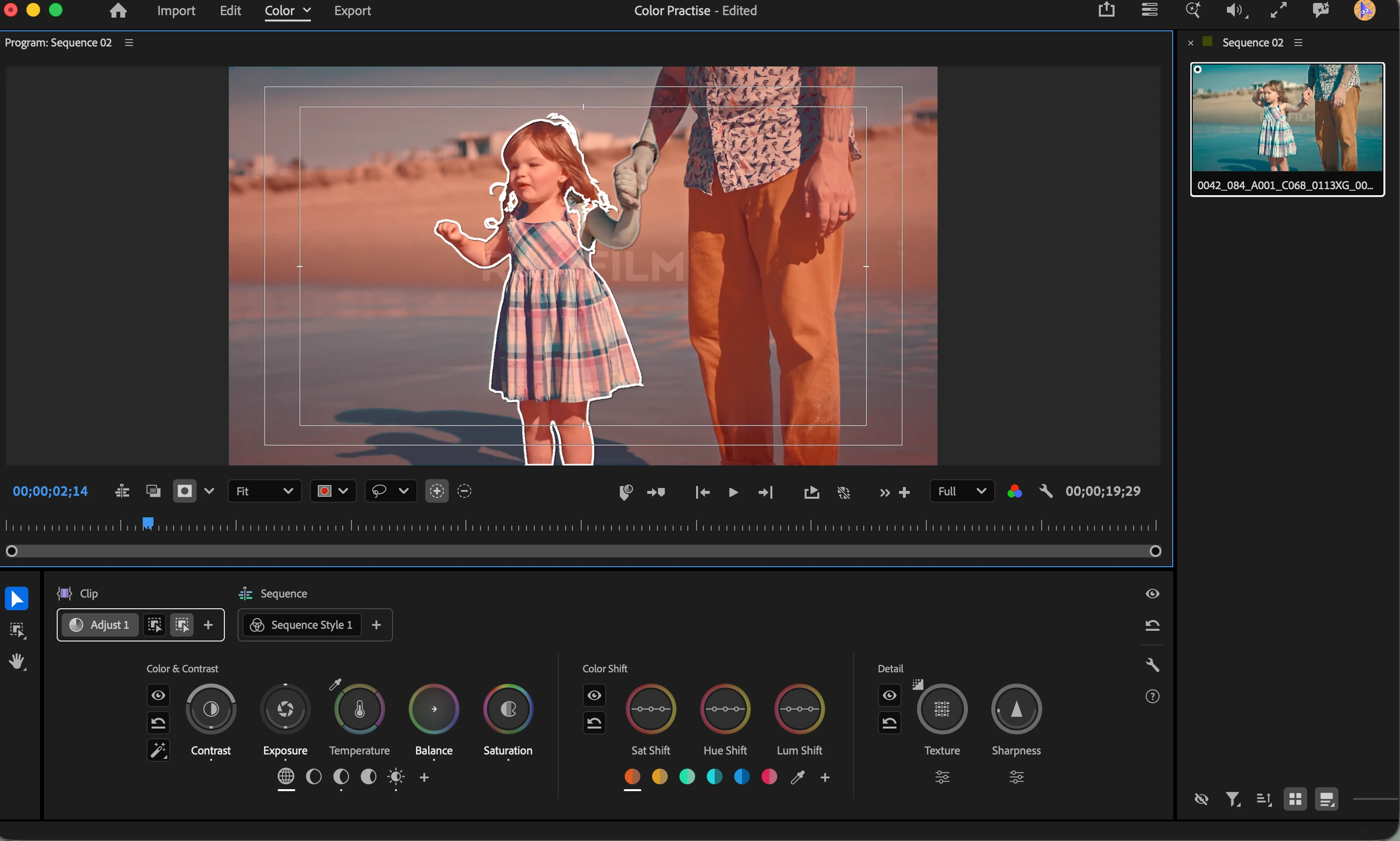
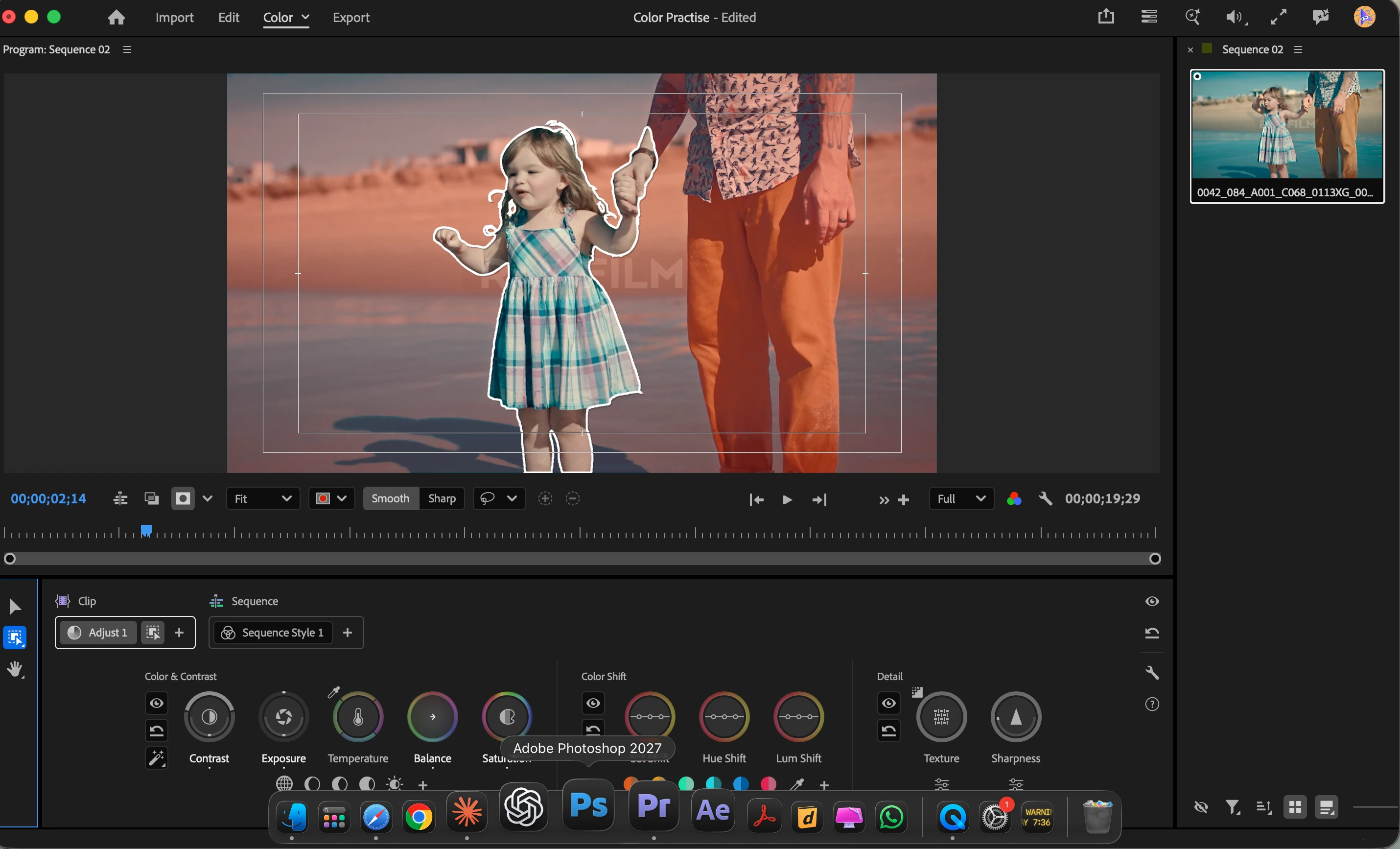
I want to mask the little girl out and add further exposure and saturation. Though the object mask tool does a great job, it selects the father’s hand as well. When I try to subtract it, it removes the girl’s hand as well (image 2). 
I know I could use a pen tool to get precise masks. Is there another way?

Thanks
 

    1 reply

    CORCTON34033231
    Community Expert
    Community Expert
    Nov 15, 2026 9:04 PM UTC

    Hi Adooby-doobie,

    Yes — you don’t need to redraw the whole mask with the Pen tool. In Color Mode you can combine masks on the same Clip operation:

    1. Keep your Object Mask as it is.
    2. 2. Add a second mask on the same operation — for example a rough Ellipse around just the girl — and set that mask’s Blend Mode to Intersect. The adjustment will then only apply where the two masks overlap, so the father’s hand is cut out. You don’t need to be precise with the ellipse, because the Object Mask already defines the girl’s outline.
    3. 3. Or draw a shape over only the father’s hand and set its Blend Mode to Subtract, which removes just that area.
     

    You can set the Blend Mode in the Effects Control panel (right-click the mask and choose Edit Properties). If the girl moves, right-click the mask and choose Track so it follows her.

    Adobe’s guide: Create isolated adjustments using masks in Premiere

    https://helpx.adobe.com/premiere/desktop/correct-color/color-mode-fundamentals/isolated-adjustments-using-masks.html

    Hope that helps!


    Translate