blumooon
Inspiring
November 25, 2017
Answered

Color Panel Issue - "crashes" Program

  • November 25, 2017
  • 2 replies
  • 1311 views

Against my better judgement, I kept 2018 CC. Apart from the jenky "essential graphics" panel they are forcing down our throat, I am having a serious issue with the "color" panel in my program.

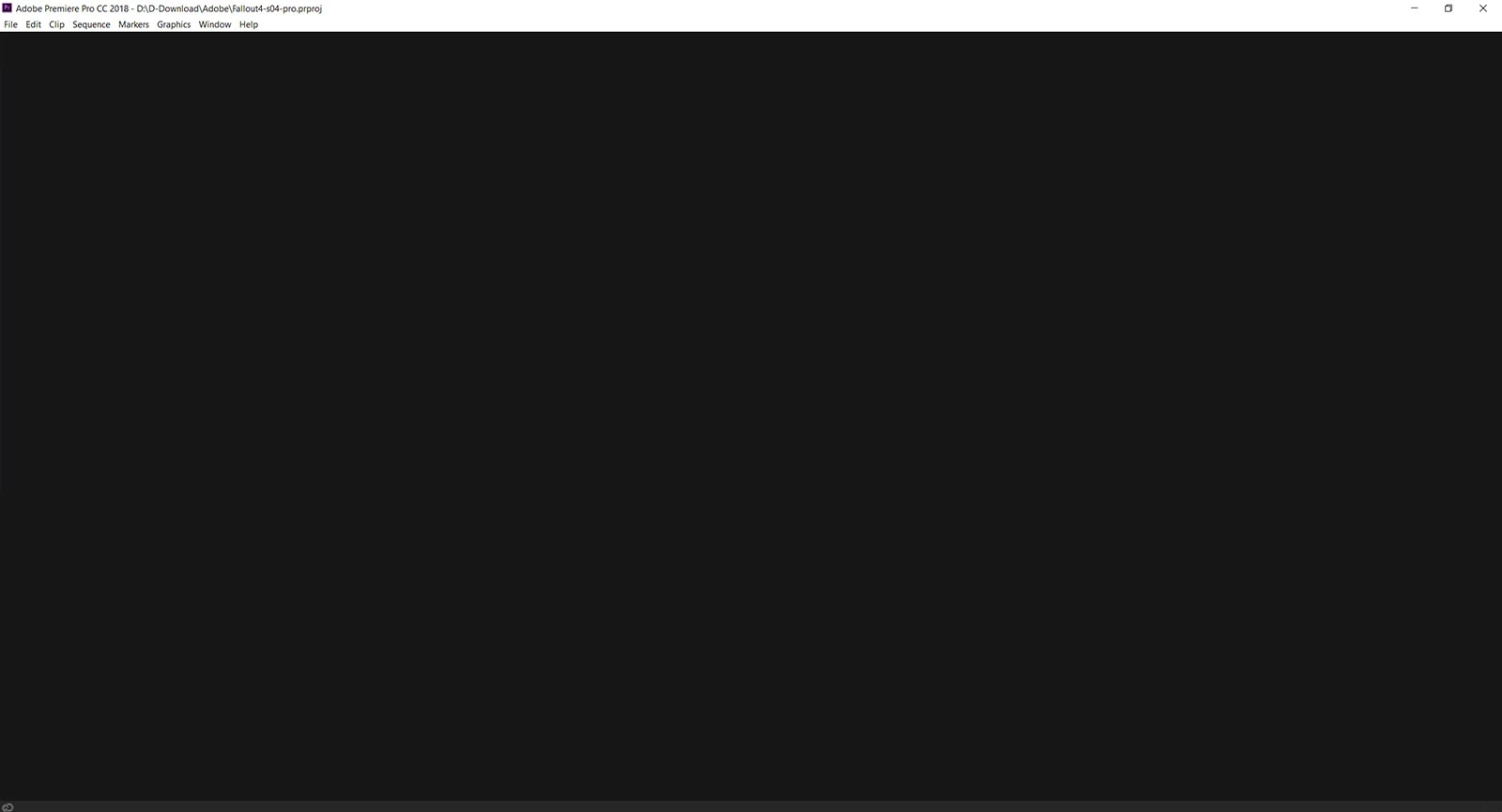
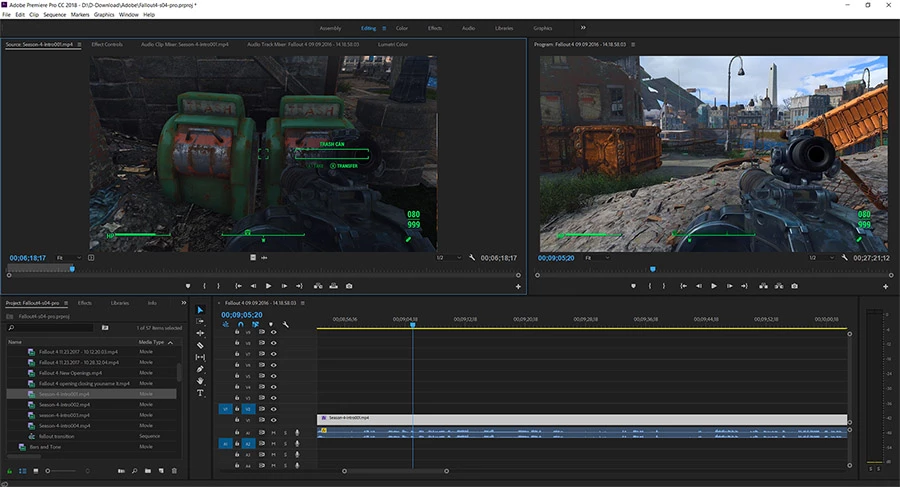
When I click on the color panel, the entire program turns black and I can't do anything but save my project (thank god!). I can close it, then re-open and everything is working again until I click on the "color" panel, it "crashes" for lack of better terms. I have since moved a Lumitri panel into my editing panel, but I really don't want to have "work-arounds" for a program I pay for monthly. Anyone else having this issue?

Stats:

i7-6700k

32GB DDR4

GTX1070

ATX Gaming Board.

Samsung 28" 4K UHD Screen (with a 27" 1080 as the #2 screen)

Screen shot of before and after. Help?!?
This topic has been closed for replies.
Correct answer R Neil Haugen

That's been posted about several times. Go to the Workspace menu option to "Reset to Saved Layout" ... and you may need to do it a couple times to get it to 'stick'.

If that doesn't work, trash your preferences files.

Neil

2 replies

Participating Frequently
September 24, 2018

Has anyone found a permanent solution to this problem? I have tried the "fix", and it works for maybe 24 hours. I have done this "fix over 10 times now. Yes, it works for a few more hours but happens again.

Is anyone at Adobe addressing a long-term fix for this issue?

R Neil Haugen
Legend
September 24, 2018

At IBC in Amsterdam a week ago, they released the preview and blog postings for their next release version. When that happens, typically (historically speaking) the 'drop' of the version comes somewhere from two weeks to two months after the previews are released. So ... we're in that window for the new release in another week to a month or six weeks. I hope this is finally nailed down for everyone in that release, whenever it drops.

Neil

Everyone's mileage always varies ...
R Neil Haugen
R Neil HaugenCorrect answer
Legend
November 25, 2017

That's been posted about several times. Go to the Workspace menu option to "Reset to Saved Layout" ... and you may need to do it a couple times to get it to 'stick'.

If that doesn't work, trash your preferences files.

Neil

Everyone's mileage always varies ...
blumooon
blumooonAuthor
Inspiring
November 26, 2017

Thank you Neil it worked for a short time.

I trashed my preferences then built my workspace back up and....

Low and behold, the Color panel goes dark again. So I have to stick with the default if I want the program to run correct. I have sent in help to Adobe for this problem... its my 3rd now for 2018. At this point, I can say its less than complete and I feel like they maybe rushed this.. out? My co-worker is also experiences issues that we never had in 2017, and it is easily our 4th or 5th work-around or "guess Ill have to do this now..." since it's release. Maybe I will make recommendations to the company I work for to move their media software from Adobe to a different one... I guess that is why we have a R&D division. They can find a better one where we are not spending more time trouble-shooting than working.

Anyone use any different program they would recommend?

Again thanks R Neil, appreciate the help.

R Neil Haugen
Legend
November 26, 2017

This kind of thing is puzzling. For what seems the largest percentage of the user base, 2018 is rather stable. But for some folks it's right ... nasty. What the ... hay.

Neil

Everyone's mileage always varies ...