Participant
September 18, 2020
Question

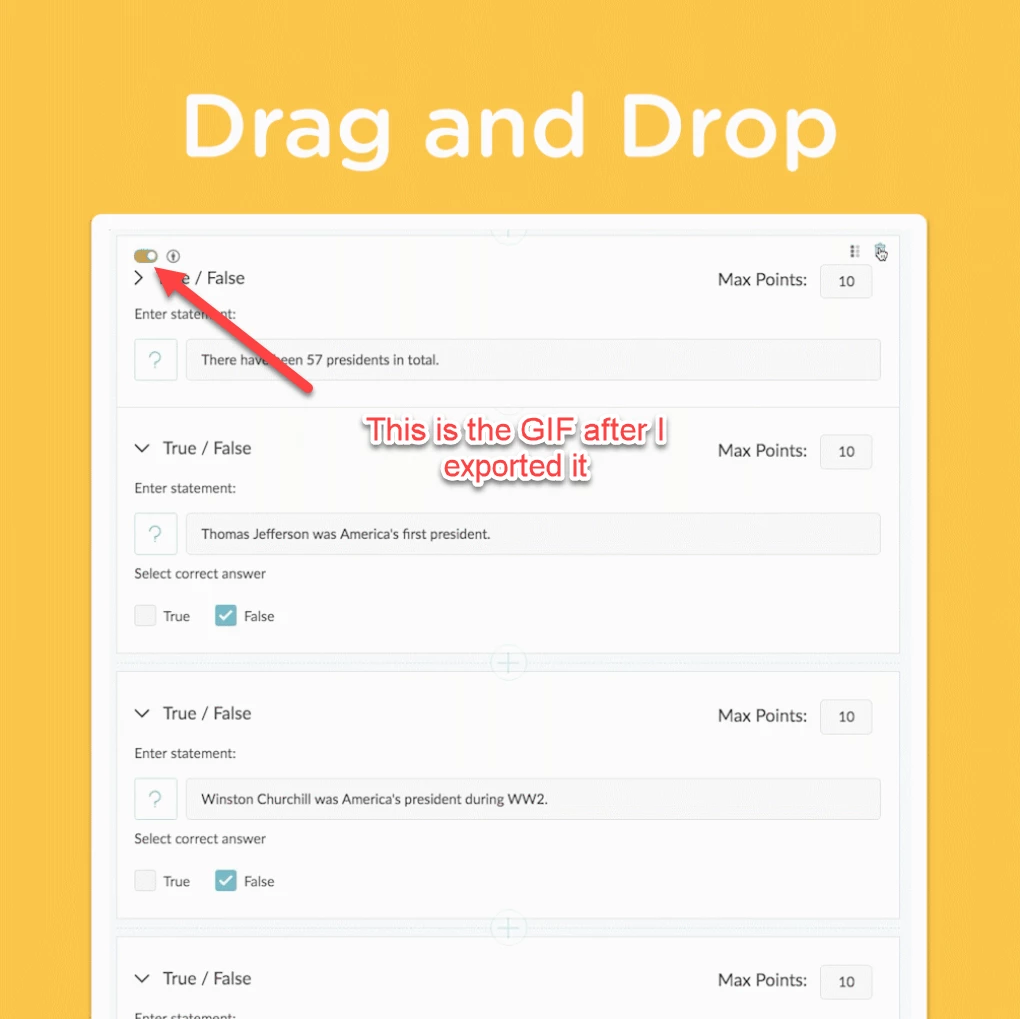
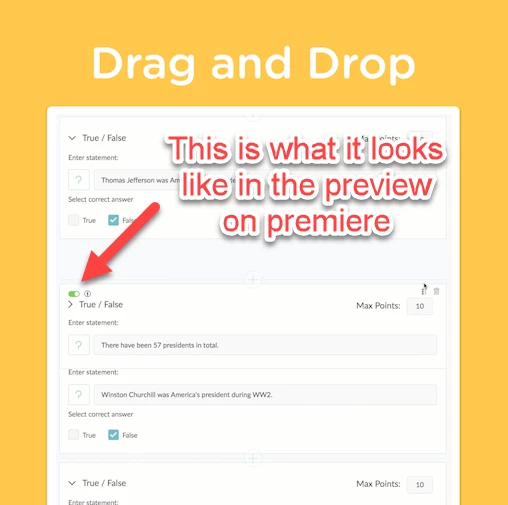
Colors change from green to yellow after I export a GIF

  • September 18, 2020
  • 2 replies
  • 3995 views

I've been struggling with this all morning.  When I see the clip in the preview, the switch is green.  When I export the file as a GIF, the color shifts to yellow.  It doesn't do this for any file type except animated GIF.  Please help me I don't understand what is going on.
  

This topic has been closed for replies.

2 replies

name is already taken
Known Participant
September 18, 2020
Jacob5EAFAuthor
Participant
September 18, 2020

I found it was much easier to export it as an MP4, then throw it into photoshop and convert it as a GIF.  I don't think premiere is geared toward making GIFs

name is already taken
Known Participant
September 18, 2020

oh, I assumed you were passing it to adobe media encoder, rather than rendering it right from PR. You could try that too. Instead of pressing encode press Queue.

Jeff Bugbee
Community Expert
Community Expert
September 18, 2020

Looks like your color palatte is off on the GIF. Can you show your export settings?

Jacob5EAFAuthor
Participant
September 18, 2020