
Question
Colour balances blown in new update
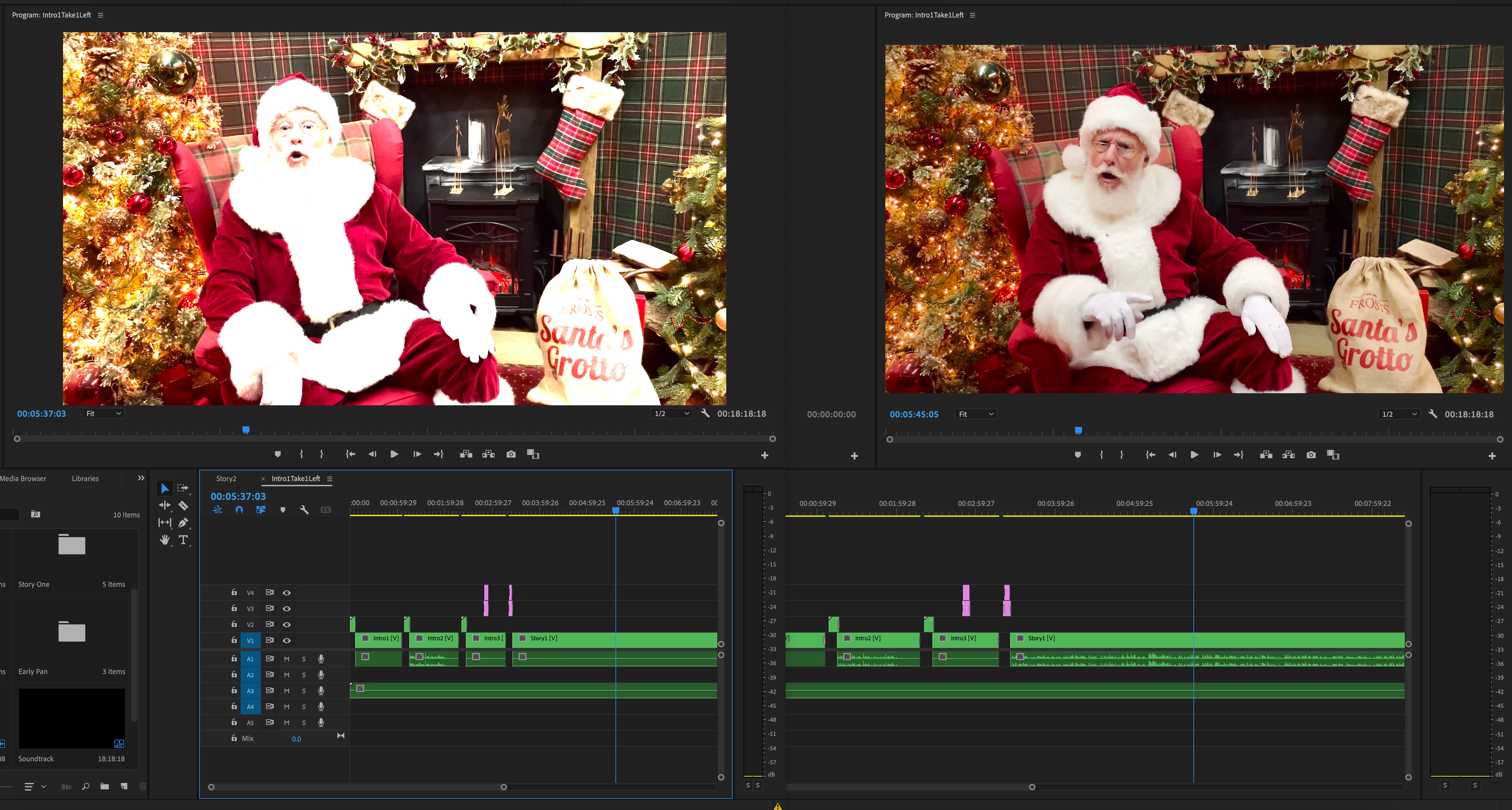
I have updated to the new v22 Premier Pro... and this screengrab shows my issue! the old version is on the right, with my older edit. Now I have a newer edit (so can't revert back to earlier version easily) but the colours in the new version have completely blown out. I'm using the Fast Colour Corrector but the settings are the same in each version. Can anyone tell me if I've missed a button? Really up against it on deadlines now! Thanks in advance for any guidance.


 AdChoices