Question
Colour Key Problems
Hi there,
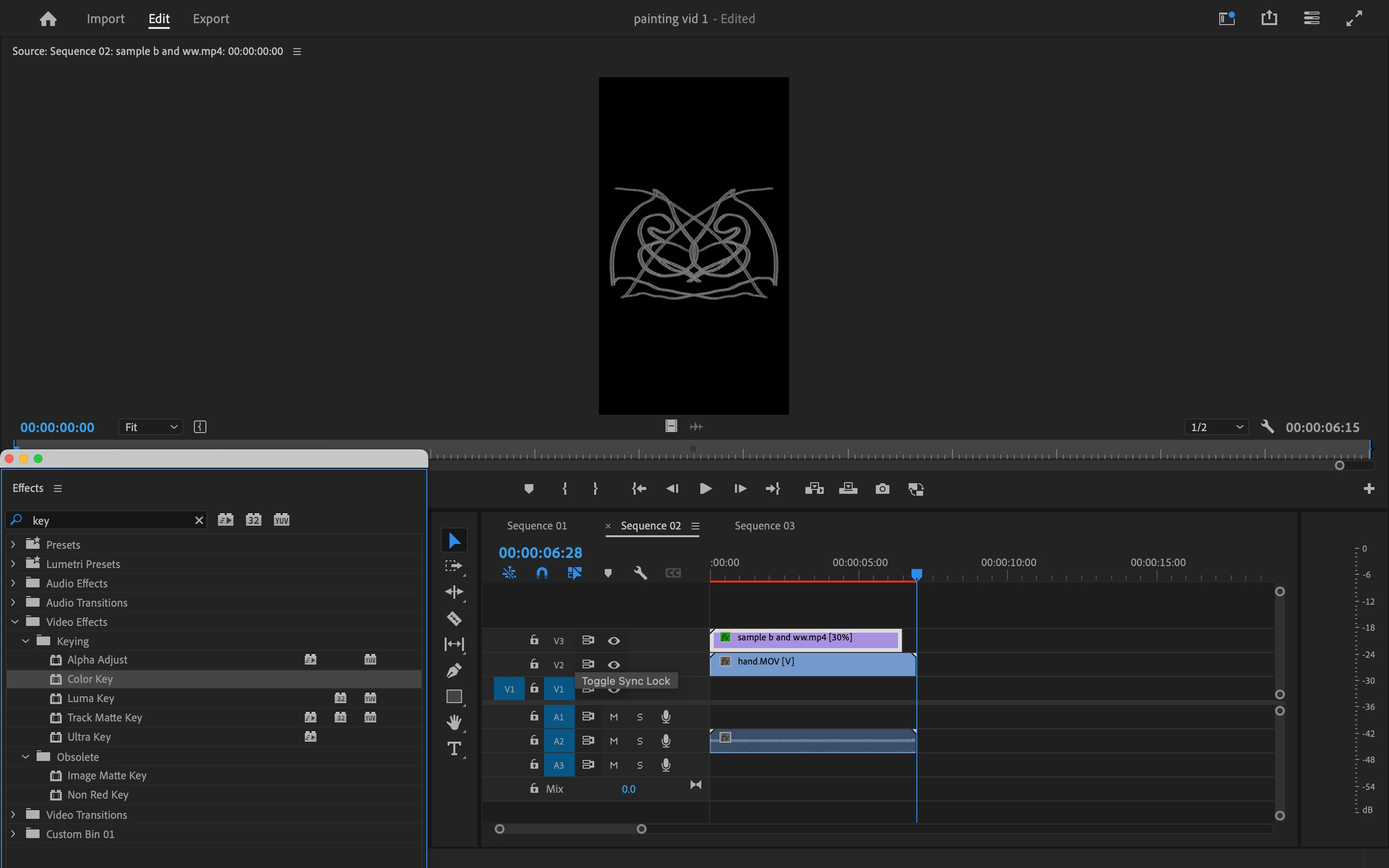
Does anyone know why i can't access the colour key? I have found it in the effects menu, but I can't use it to edit my video. I drag it onto the clip but it doesn't do anything.
Hi there,
Does anyone know why i can't access the colour key? I have found it in the effects menu, but I can't use it to edit my video. I drag it onto the clip but it doesn't do anything.
Already have an account? Login
Enter your E-mail address. We'll send you an e-mail with instructions to reset your password.
 AdChoices