Participant
December 30, 2019
Answered

Compatitibility problem?

  • December 30, 2019
  • 2 replies
  • 1958 views
Hello.
 
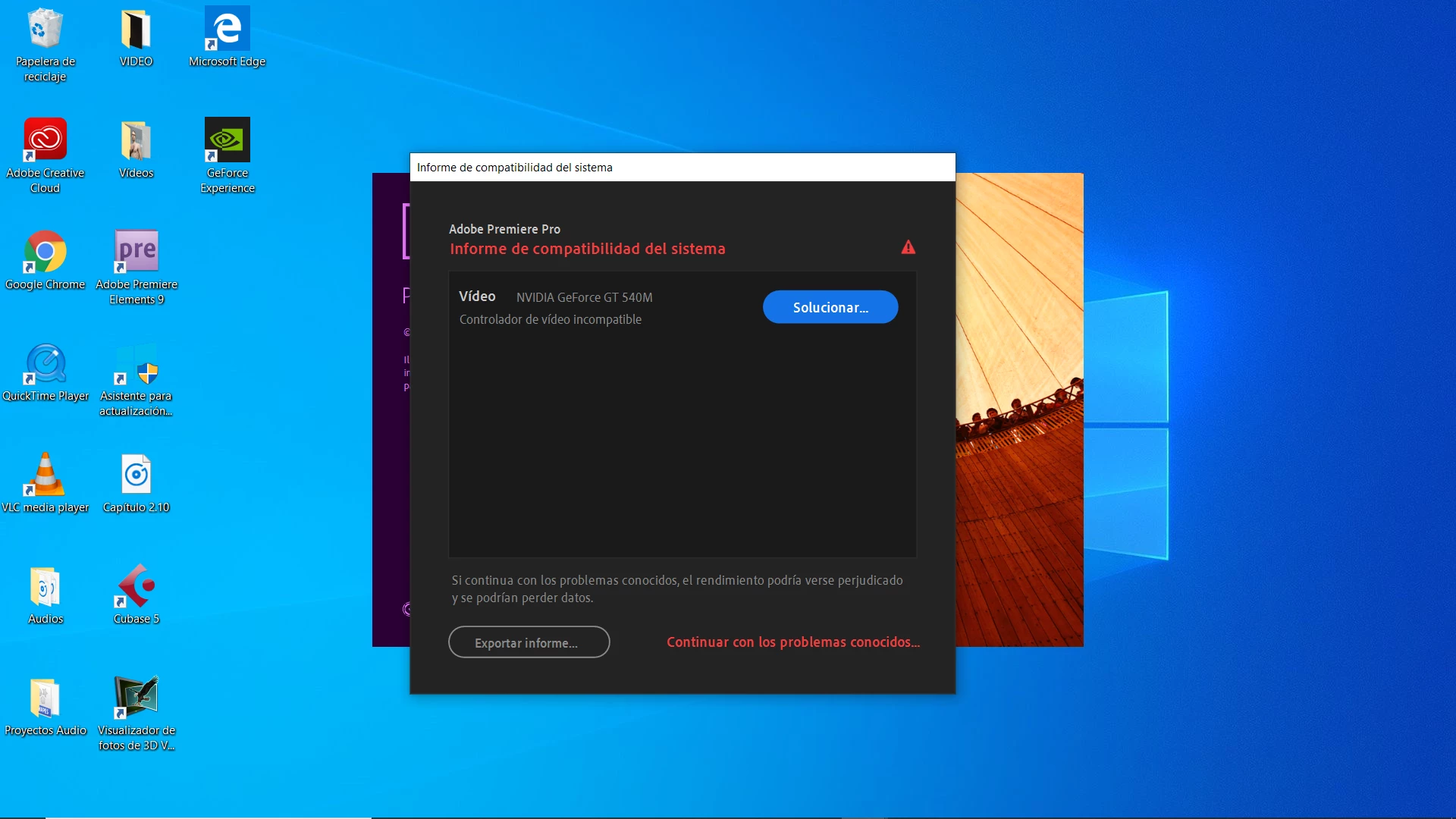
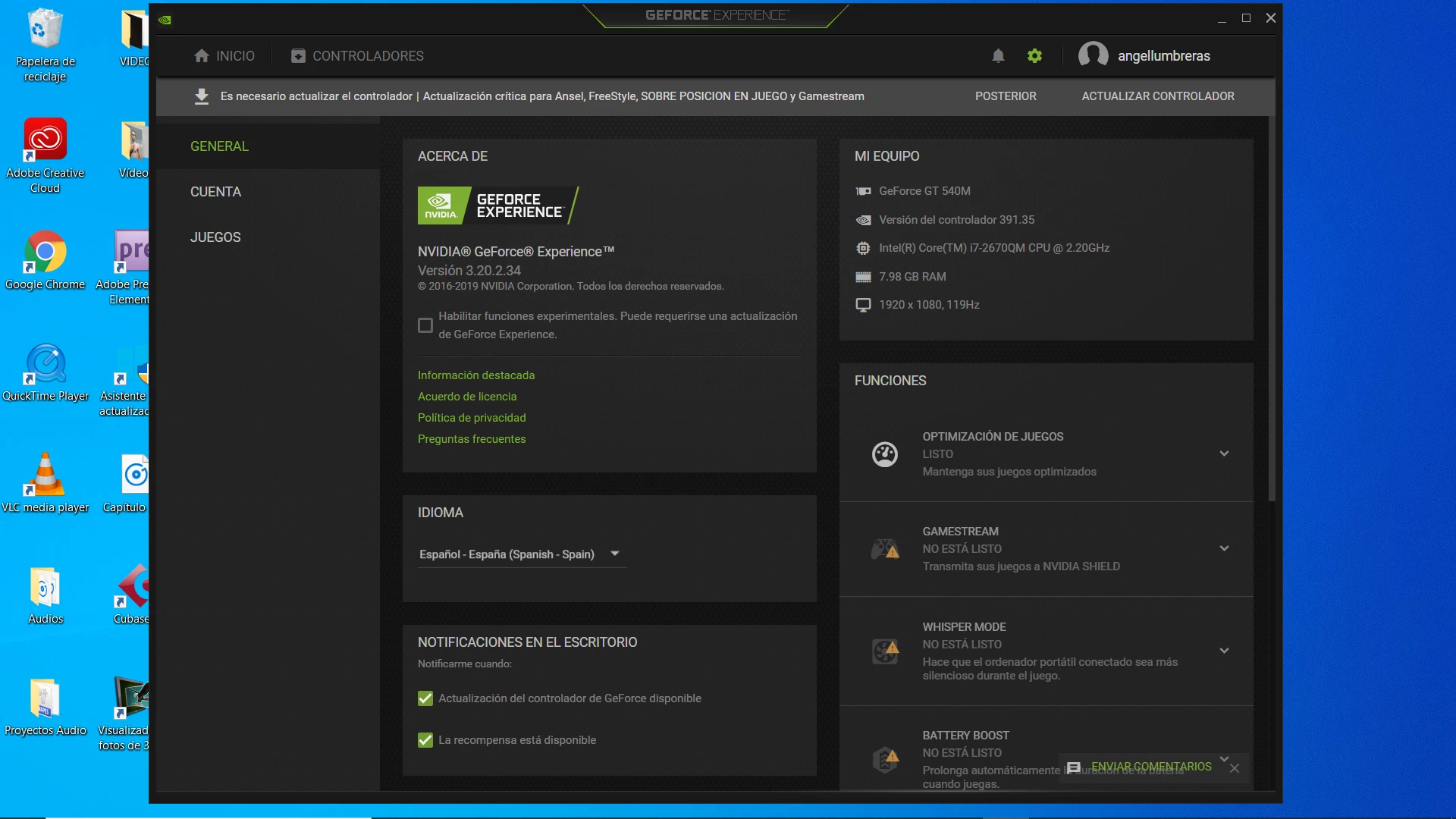
Can You help me, please? I have installed Adobe Premiere Pro in my personal computer, but I have a great problem. When I open program, an error apears.  (I have included an capture). I have updated the drivers of my GeForce GT540 M in official Nvidia page but the alert continue. Also Adobe Premiere pro, goes veryslowly, then i don´t to work correctly. I need a answer please.
Regards.
 
Ángel.


This topic has been closed for replies.
Correct answer Ann Bens

In short: your card is not supported by Adobe, too old. Last driver is from 03-2018.

Also your machine is underpowered to edit HD. Need at least 16 gig of Ram.

2 replies

December 30, 2019

Moving to the Premiere Pro forum from Get Started

Participant
December 30, 2019

Ok. I will waite an answer...


Ann Bens
Community Expert
Ann BensCommunity ExpertCorrect answer
Community Expert
December 30, 2019

In short: your card is not supported by Adobe, too old. Last driver is from 03-2018.

Also your machine is underpowered to edit HD. Need at least 16 gig of Ram.

Participant
December 30, 2019

This is a sistem compatitibility report of Adobe Premiere Pro. Can I help me please?


-----------------------------------------------------------------


GLSL Version: 1.20 NVIDIA via Cg compiler
Monitors: 1
Monitor 0 properties -
   Size: (0, 0, 1920, 1080)
   Max texture size: 16384
   Supports non-power of two: 1
   Shaders 444: 1
   Shaders 422: 1
   Shaders 420: 1

--- GPU Computation Info ---
Found 1 devices supporting GPU computation.
CUDA Device 0 -
   Name: GeForce GT 540M
   Vendor: NVIDIA
   Capability: 2.1
   Driver: 9.1
   Total Video Memory: 2048MB
   * Not chosen because of old driver.
GPU Sniffer result: 14

____________________________________________________________________________
In Process GPU Initialization Log:
Initializing GPU Tech:
 Try CUDA: 0
 Try OpenCL: 0
 Try Metal: 0
 Try Vulkan: 0
 KernelLoadAction: 2
 UseOpenGLContext: 0000000000000000
 UseDeviceContext: 0000000000000000
 UseD3D11Context: 0000000000000000
Finished gpu initialization in 127853 ms
____________________________________________________________________________
    Debug database settings:
        All settings default value
____________________________________________________________________________
    Notable Preferences:
        Enable hardware decoding: 1
        Last used renderer name: Software
        Enable display color management:  Not set (will use default value)
        Enable Extended Dynamic Range Monitoring:  Not set (will use default value)
        Write clip markers to XMP:  Not set (will use default value)
        Enable growing files:  Not set (will use default value)
        Missing font replacement:  Not set (will use default value)