Participating Frequently
August 30, 2012
Question

Connecting to Dynamic Link server failed

  • August 30, 2012
  • 4 replies
  • 50691 views

I am using an HP Desktop computer:

- 24 GBs RAM

- Quad Core i7

- NVIDIA GTX-580 GPU

- Windows 7 Professional

I have Master Collection CS6 and I'm not sure if Dynamic Link ever worked properly for me. But I am experiencing 2 issues:

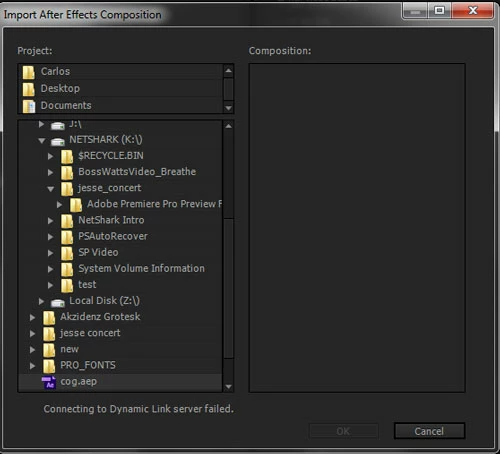
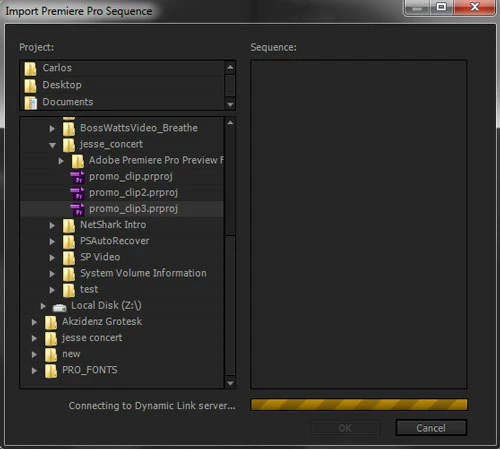
1). When I use Media Encoder, I want to use "File" > "Add After Effects Composition..." or "Premiere Pro Sequence..." and can't progress further. When I try to bring in the Premiere Pro sequence, I get a loading bar, but it never loads the sequence. When I try to bring in the After Effects composition, I get the message "Connecting to the Dynamic Link server failed."

2). When I open a squence in Premiere Pro that has a clip that is Dynamically Linked to After Effects, the clip will show in the timeline as media not found or available. I have to try and relink it to make it work. This would be a huge hassell if I have many clips that are dynamically linked.

I have tried virus scans, reinstalling the software and checking to make sure the firewall is not blocking the Adobe protocols. Nothing seems to work. I unfortunately have never been able to use Dynamic Link until I got a computer that was speedy enough that would allow me to run Premiere and After Effects at the smae time! 🙂 Is anyone else having this issue and is there a solution?

Here are some screen shots:
 

    This topic has been closed for replies.

    4 replies

    maxiaznarez
    Participant
    October 3, 2017

    hi, is there a solution for Dynamic Link between AE and PR for macOS? Is really annoying to work each composition separately... I spend my life rendering!

    Participating Frequently
    April 27, 2013

    I guess the easiest way is to find the path C:\Program Files (x86)\Common Files\adobe\dynamiclink and set the file dynamiclinkmanager.exe as "Run As Administrator"  and then set your AfterFX.exe as "Run As Administrator", that would solve the problem

    Participant
    April 21, 2013

    I've been searching/troubleshooting for days, none of the firewall, new shortcuts in folder, antivirus, you name it I tried it even wiped my system which seemed to work at first..

    What did it for me in the end was I had Dxtory (a software recorder, for recording gameplay) running on startup, and somehow it interfered with only Premiere projects in Media Encoder, I could still import AE projects go figure.

    Check all the programs you have running or use sometimes, if they have some sort of hook into other programs/deal with video/codecs this could be your problem too!

    Thanks to everyone trying to solve this problem!

    -JonOfAllGames

    Participating Frequently
    August 31, 2012

    Adobe should know whether this is working or not by now. One of the main reasons I went with Adobe as my editing software was the dynamic link. If it is a bug or defect, they need to post an update/fix quickly. I have a project I want to work on that DL would fit nicely into the workflow.

    Has anyone else ran across this issue? Is there a solution? I will try to call Adobe tech support today and see what they have to say - no matter how long I may be on hold.

    Jeff Bellune
    Legend
    August 31, 2012

    If you haven't yet, please try deactivating your Adobe software, rebooting, then launching and re-activating the Master Collection.  That procedure has fixed licensing issues that affected presets and codecs; it may help reset the dynamic link stuff.

    Jeff

    Participating Frequently
    August 31, 2012

    Thanks Jeff. I tried it and it did not work. The only other thing I will try before calling Adobe today will be to create a new user account and see if it works on that account. If not - then I know the issue may be something I can't fix on my end. Anyone else having this issue? Any solutions?