Participant
August 18, 2025
Answered

conservar color

  • August 18, 2025
  • 2 replies
  • 180 views

Hola

en mi adobe premiere, en efectos de video, no esta la opci>n conservar color. D>nde la busco, o por cuál fue reemplazada?

Muchas gracias

Correct answer PaulMurphy

The Conservar color (Leave Color) effect was retired along with other effects in the Obsolete folder in a previous version of Premiere Pro.

More details here: Obsolete effects and transitions removed from Premiere Pro


You can recreate this look using the Lumetri Color panel in two ways:

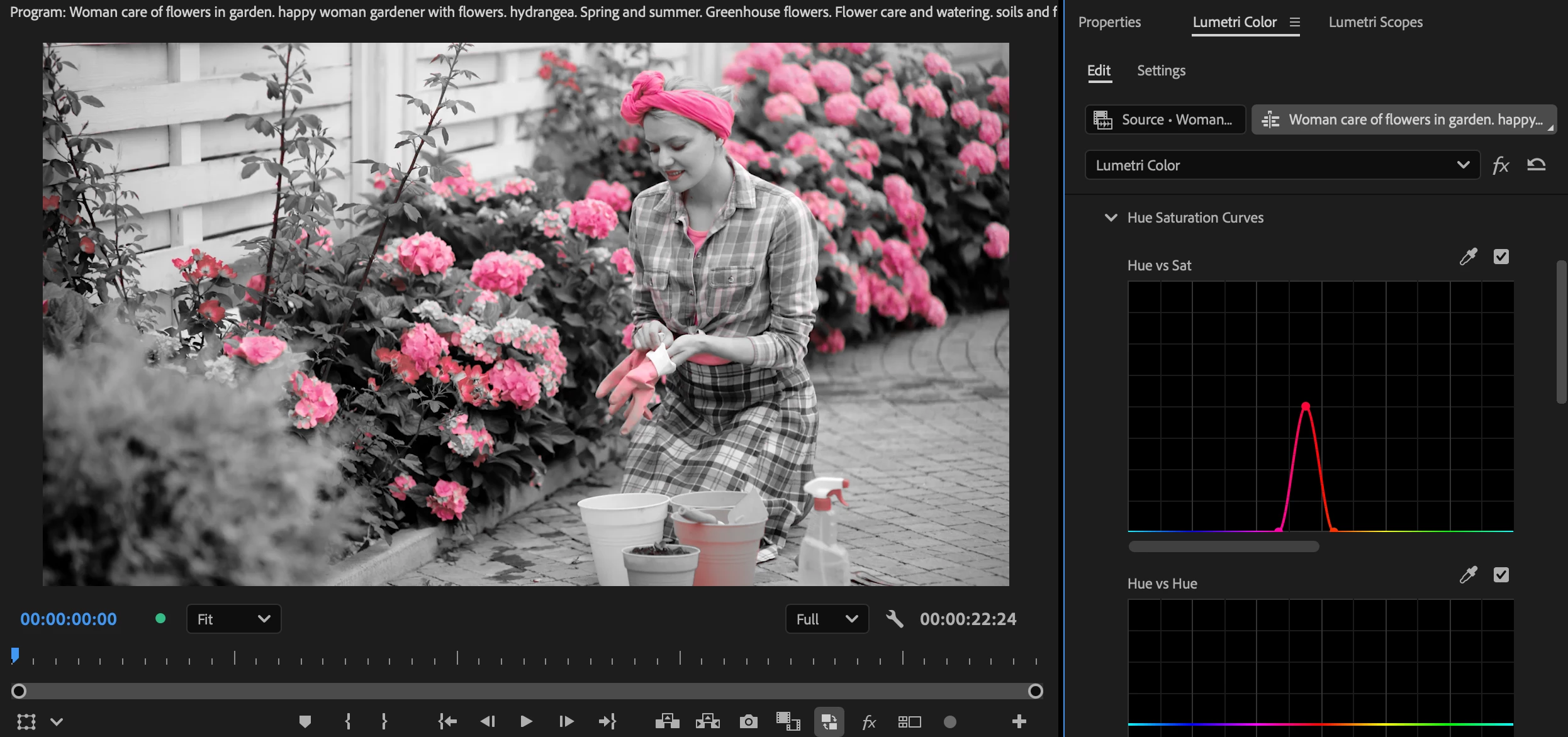
Hue Saturation Curves

  • Open Hue Saturation Curves and choose Hue vs Sat.
  • Use the eyedropper to select the color you want to keep. This creates three control points.
  • Leave the middle point as is, and drag the two outer points down to remove saturation from other colors.


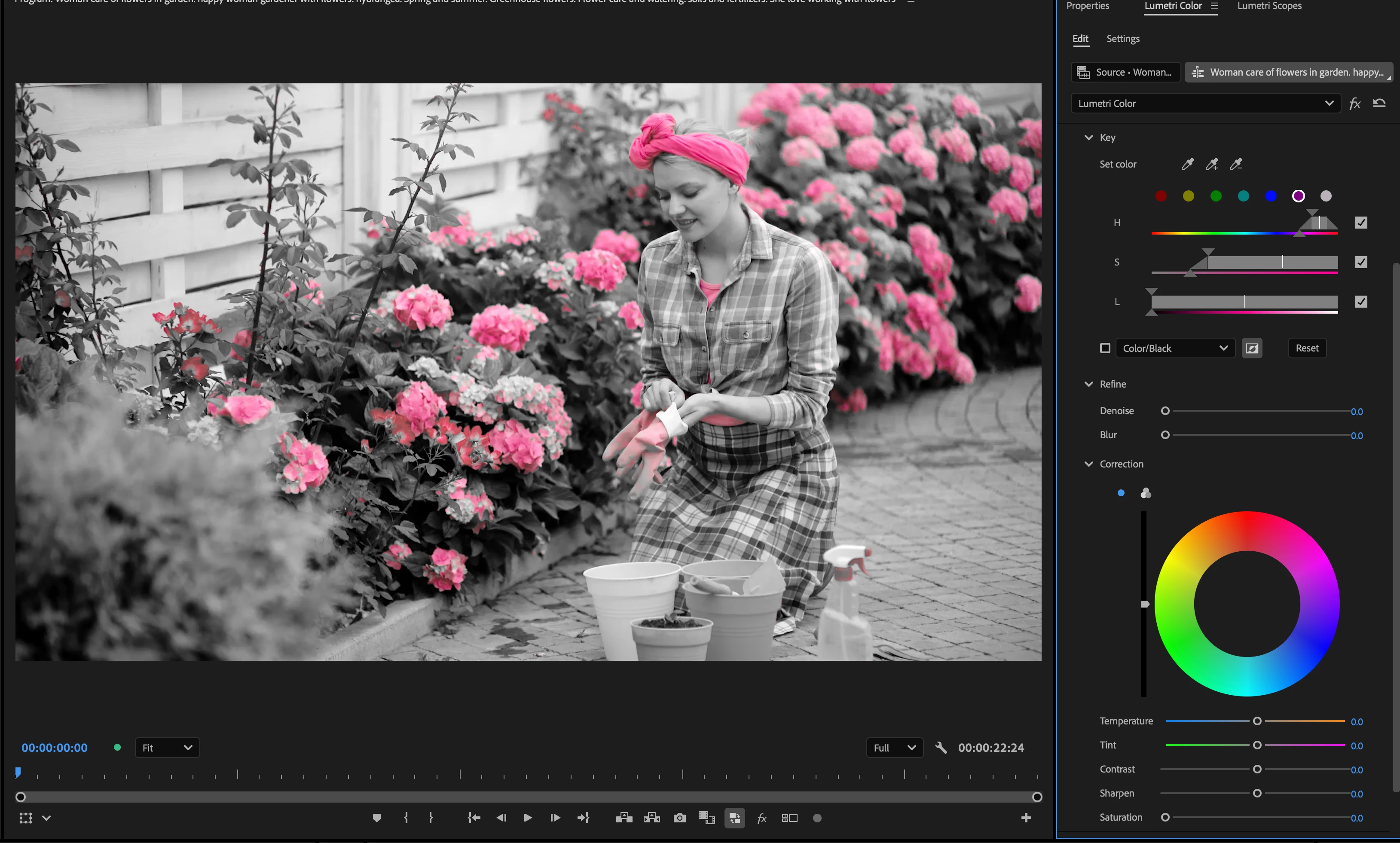
HSL Secondary

  • Go to Lumetri Color > HSL Secondary.
  • Use the eyedropper to select the color you want to keep.
  • Next to the Color/Gray dropdown, click the button with the black-and-white square and a circle to invert the mask.
  • Scroll down to Saturation and lower it completely to desaturate the rest of the image.


2 replies

PaulMurphyCommunity ExpertCorrect answer
Community Expert
August 18, 2025

The Conservar color (Leave Color) effect was retired along with other effects in the Obsolete folder in a previous version of Premiere Pro.

More details here: Obsolete effects and transitions removed from Premiere Pro


You can recreate this look using the Lumetri Color panel in two ways:

Hue Saturation Curves

  • Open Hue Saturation Curves and choose Hue vs Sat.
  • Use the eyedropper to select the color you want to keep. This creates three control points.
  • Leave the middle point as is, and drag the two outer points down to remove saturation from other colors.


HSL Secondary

  • Go to Lumetri Color > HSL Secondary.
  • Use the eyedropper to select the color you want to keep.
  • Next to the Color/Gray dropdown, click the button with the black-and-white square and a circle to invert the mask.
  • Scroll down to Saturation and lower it completely to desaturate the rest of the image.


Participant
August 20, 2025

Que amable!!! Muchísimas gracias!!!

Realmente agradecida!


kglad
Community Expert
Community Expert
August 18, 2025

in the future, to find the best place to post your message, use the list here, https://community.adobe.com/

p.s. i don't think the adobe website, and forums in particular, are easy to navigate, so don't spend a lot of time searching that forum list. do your best and we'll move the post (like this one has already been moved) if it helps you get responses.


<"moved from cc desktop">