
Consistent problem with glitchy render and playback with video
as you can see in the screenshot down below, i have this issue very often. Literally every video i edit for my channel i get this footage, and what i found is that it's usually for trailer 1 & 2 of GTA 6 (I run a GTA 6 youtube channel)
I'm guessing it's something related to perhaps the original video being in 4k, but me downloading it from youtube in 1080p and editing it that way makes some problems for premiere pro? But idk.
I tried different versions of premiere pro and nothing works (2023 and 2024, same thing)
The only way i found around it is by using render and replace feature in premiere pro, but it doesnt work always and sometimes i just have to pick a different part of the video instead of the first one i wanted
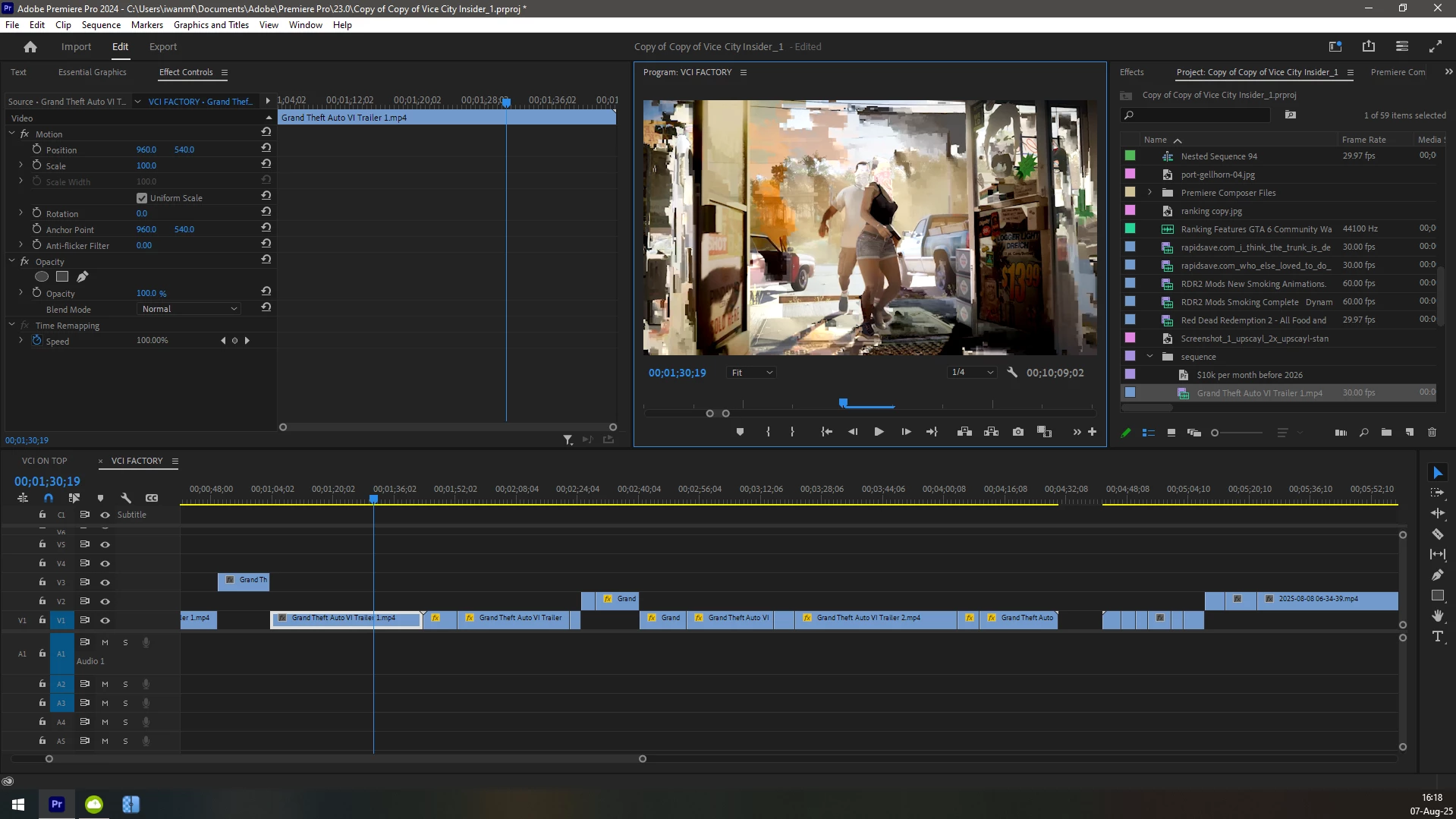
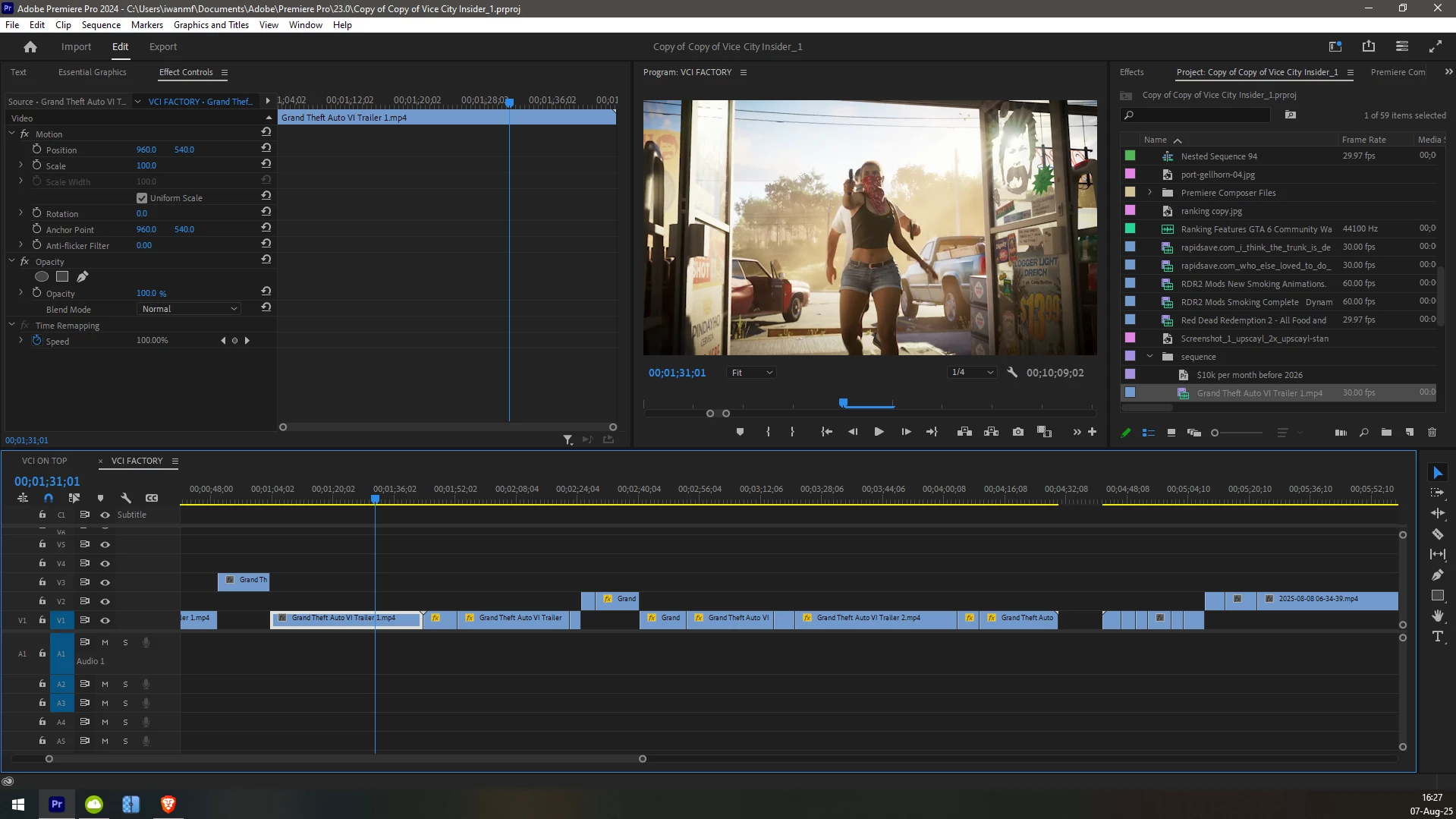
^ this is how it should look like, not pixelated/glitchy


 AdChoices