davidh516
Participant
February 10, 2018
Answered

Contains linked Audio

  • February 10, 2018
  • 3 replies
  • 16813 views

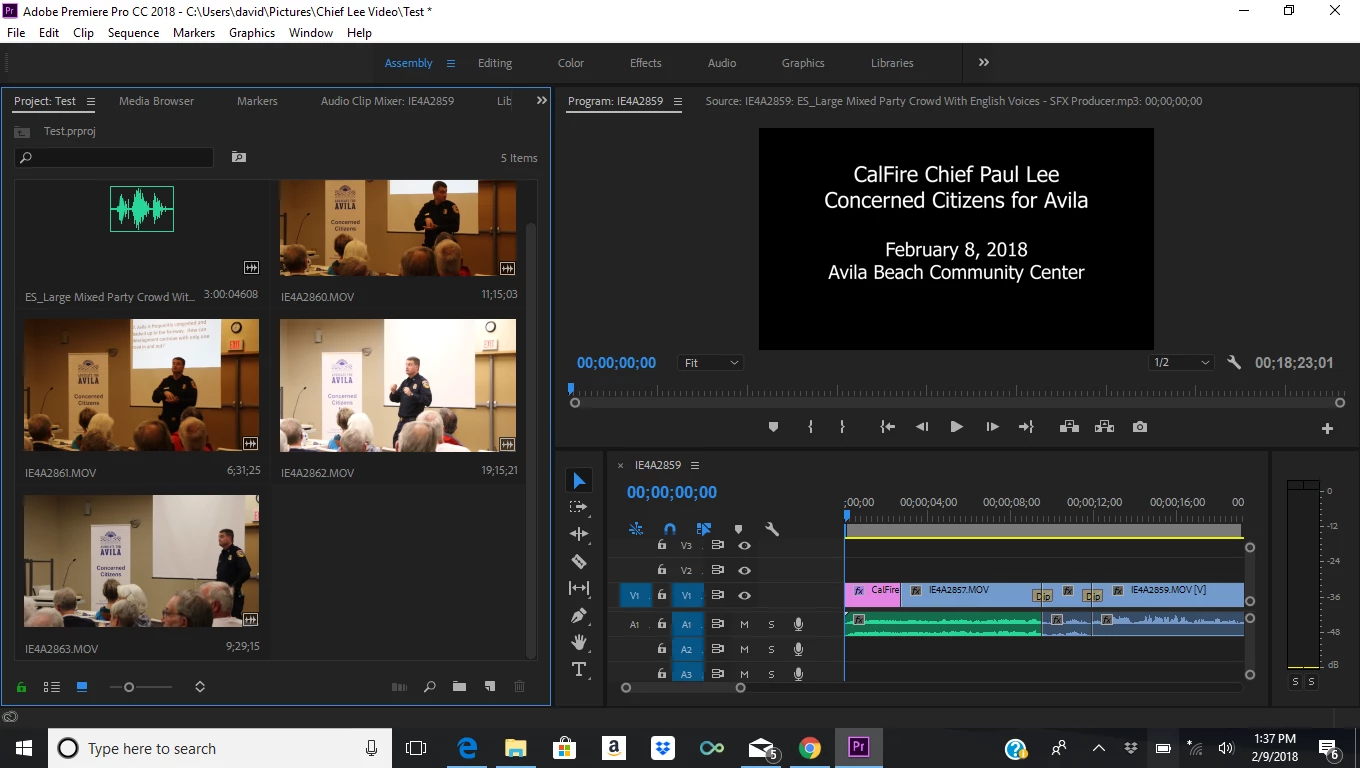
I have several movie files ready to add to the timeline. Each one has a little icon in the bottom right of the thumbnail indicating that it "contains linked audio." However, when I bring them into the timeline, only the video comes over. No audio file comes with it.  The audio plays fine in the monitor, but I can't get it onto the timeline.
    This topic has been closed for replies.
    Correct answer R Neil Haugen

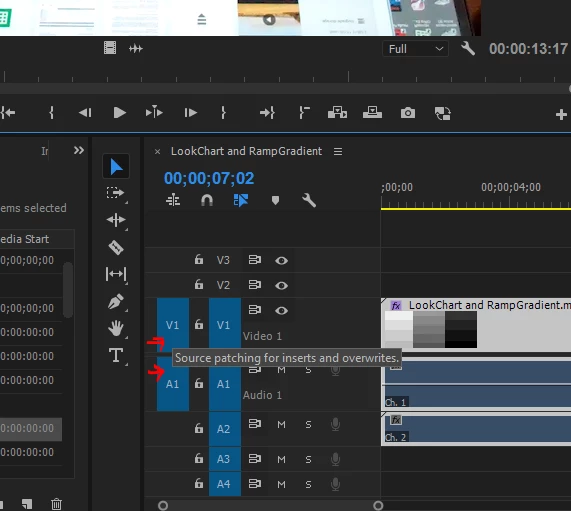
    You don't have an audio track targeted for Source work. See the blue block V1 to the far left? You need an audio track selected also. Click the far left gray block for the audio track you want your insert/overwrite work from the Source monitor to land on.

    Neil

    3 replies

    June 1, 2020

    I FKING LOVE YOU MAN

    Legend
    February 10, 2018
    R Neil Haugen
    R Neil HaugenCorrect answer
    Legend
    February 10, 2018

    You don't have an audio track targeted for Source work. See the blue block V1 to the far left? You need an audio track selected also. Click the far left gray block for the audio track you want your insert/overwrite work from the Source monitor to land on.

    Neil

    Everyone's mileage always varies ...