copy of folder in 'Favorites' not updating
I often use the FAVORITES category in the Media Browser to put the elements folder I'm using for a current project right at my fingertips.
Imagine my surprise when I find that the contents of folders in the Favorites do not refresh! Let me show you...
BACKGROUND: I've posted this over on the "Bugs and Features" section of the Forum (which, BTW, will not let me sign in using my Adobe ID, but rather forces me to sign in using Google. LOL), and am bringing it into the light of day here.
I created the project in question on May 11, and shortly thereafter added the folder
"MIC CHECK IN ep009" to the Favorites.
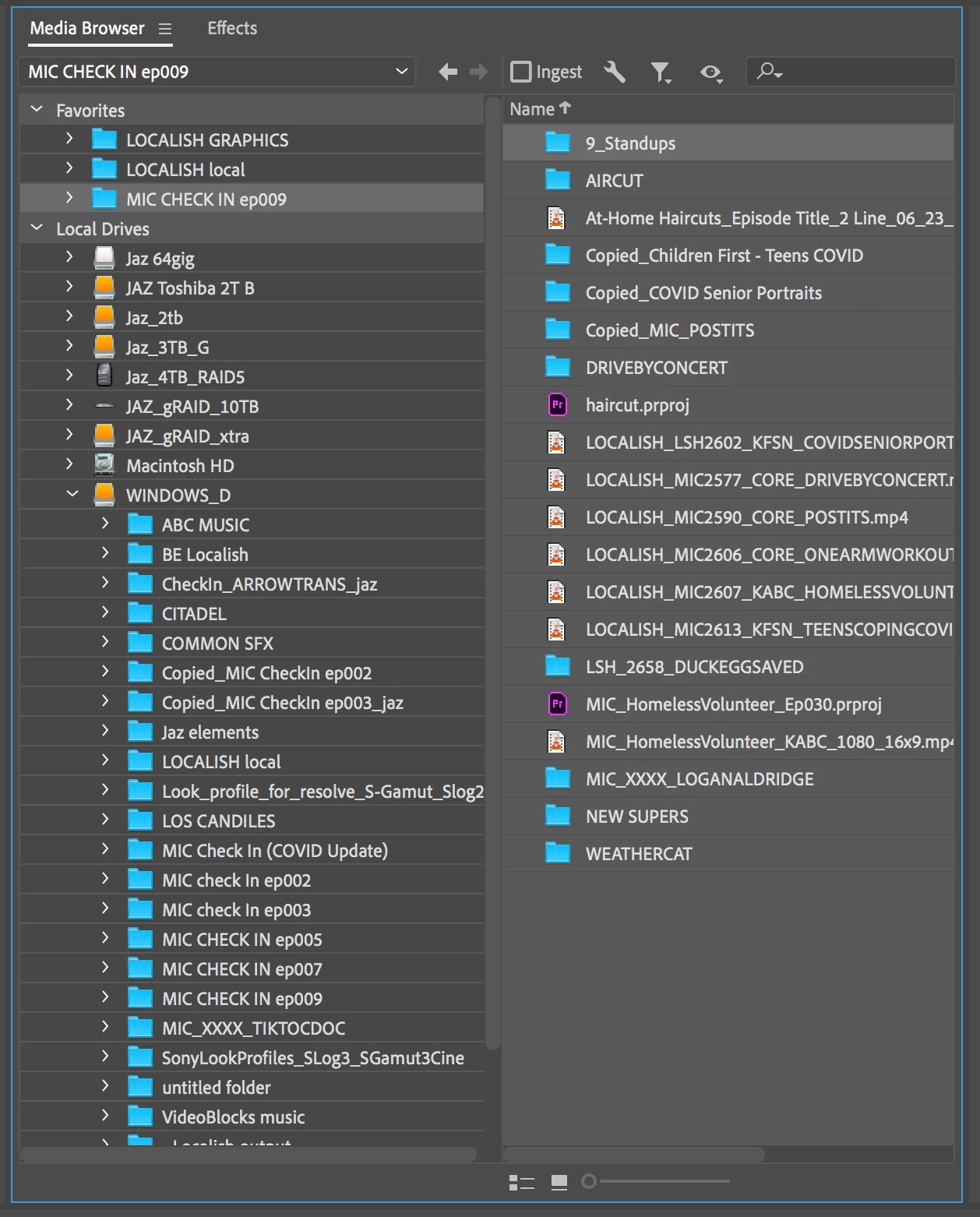
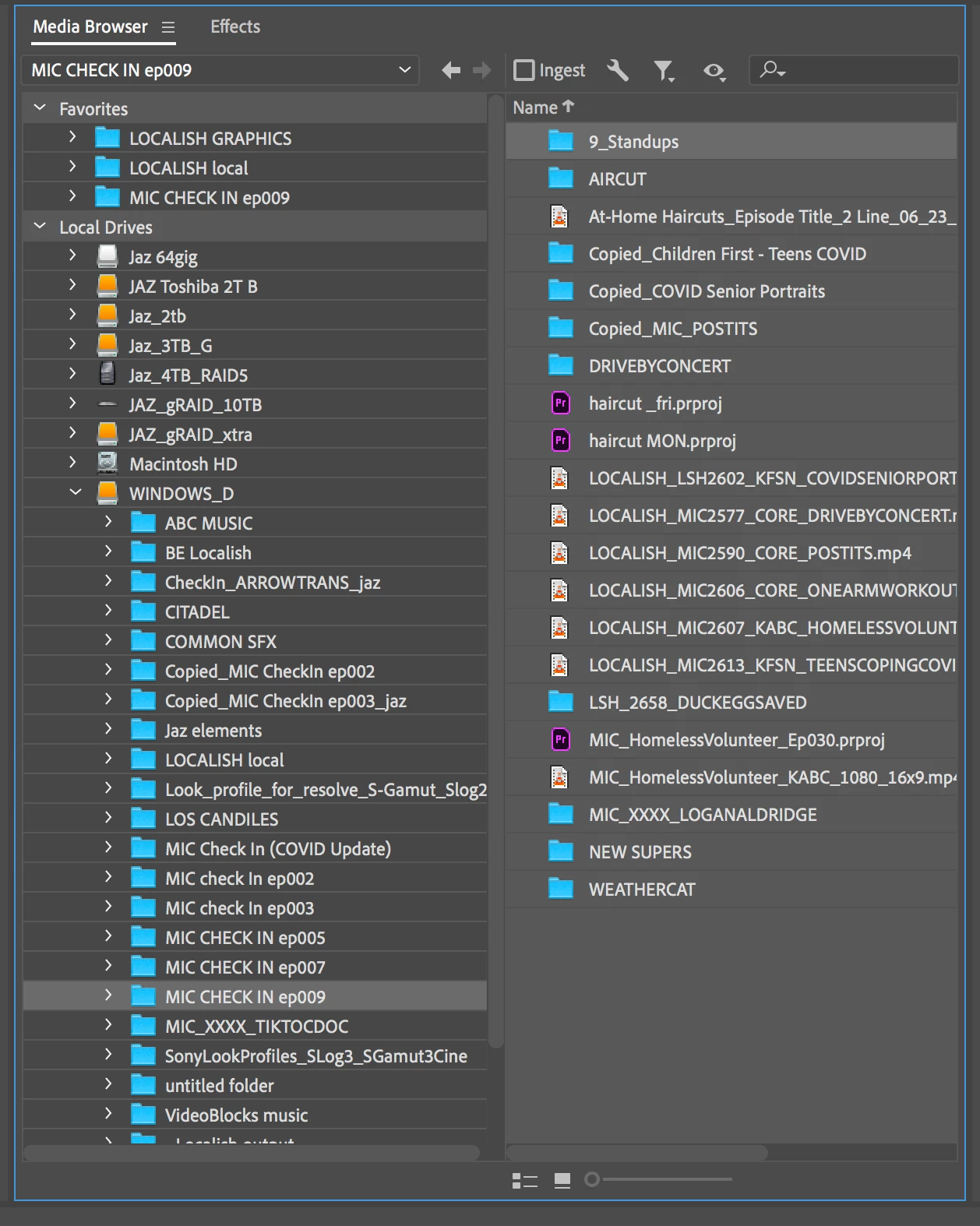
Today is May 18. I've just opened up the project, after adding/modifying a couple elements within the folder. On the LEFT is a screengrab of the folder contents according to Favorites; on the RIGHT is the folder contents as displayed via the 'Local Drives' tab. NOTE that several items which have been added or renamed (look at the Local Drives pic) don't match the putative contents displayed in the Favorites.
Hmmmm...Any suggestions?
 AdChoices