Participating Frequently
December 24, 2017
Answered

Copying audio transitions between clips

  • December 24, 2017
  • 3 replies
  • 1562 views

I'm a new convert to Premiere from FCP 7 and trying to figure out if there's a way to take an audio fade from one mono channel and copy it to another mono channel. In FCP I was able to do this by copying the fade, selecting the placement on the clip for the new fade, and pasting. Is there an easy way to do this in Premiere?
This topic has been closed for replies.
Correct answer Meg The Dog

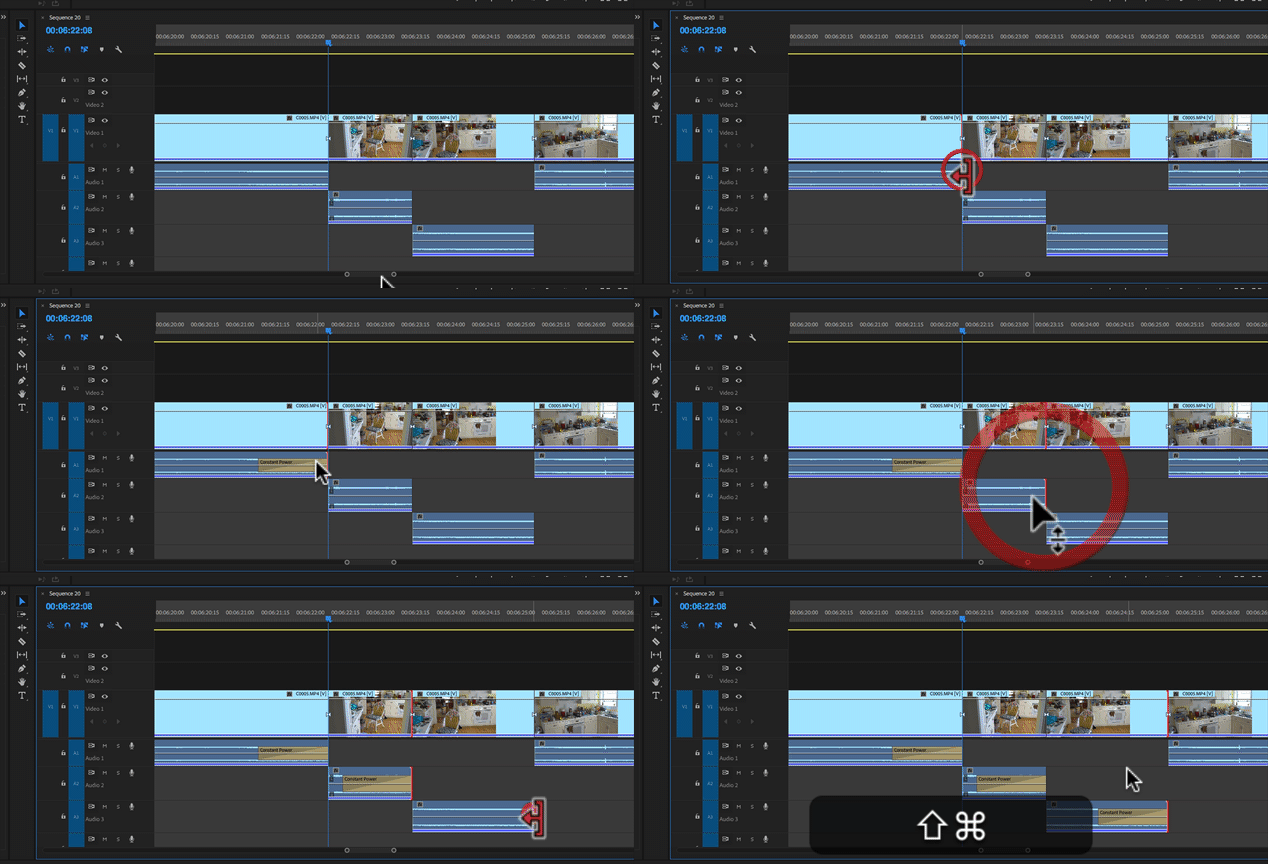
The same way you would in FCP-7, if I remember correctly - place the face, copy the fade, paste the fade. If you are using an audio transition:

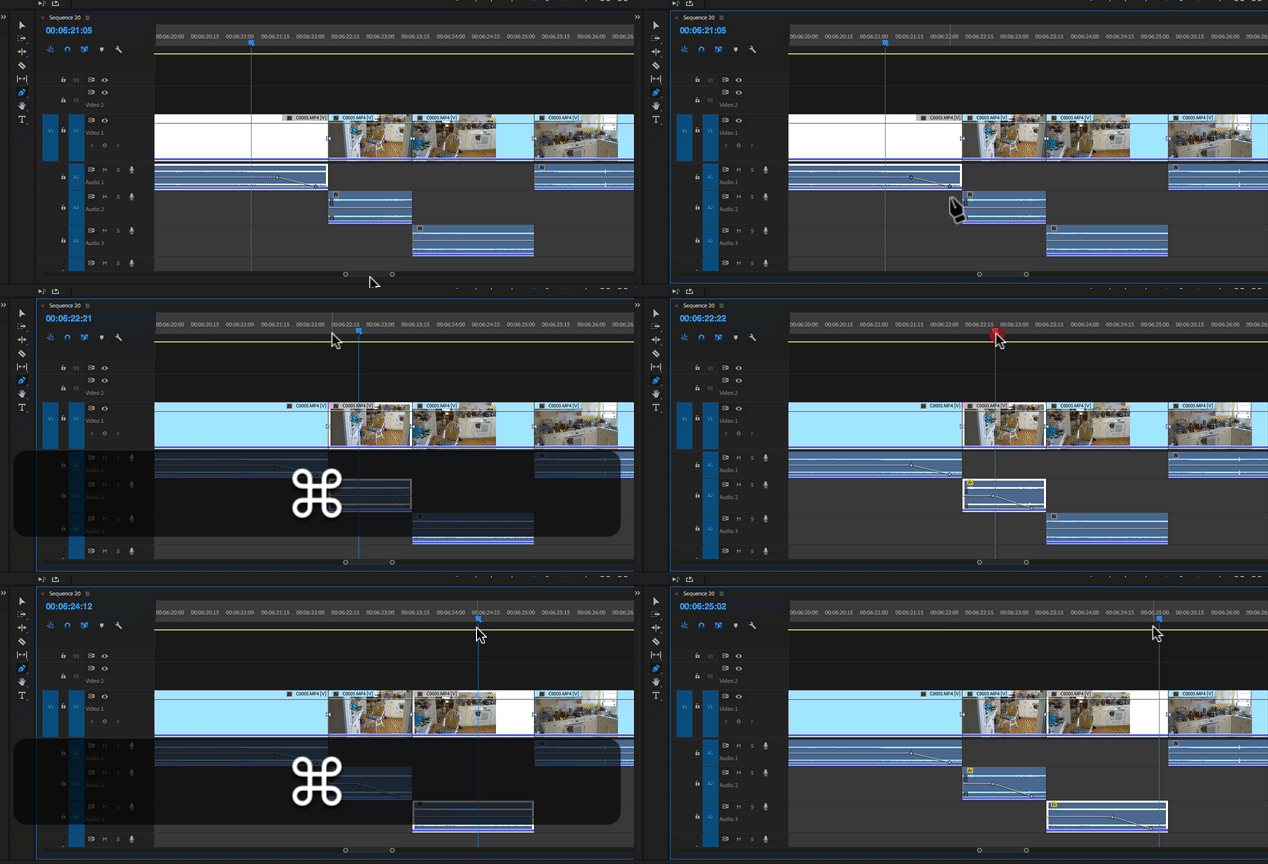
If you are doing it with keyframes, use the pen tool to click down and swipe across the keyframes you want to select,  copy them and then move to the destination clip, make sure it is selected and paste:

MtD

3 replies

Ann Bens
Community Expert
Community Expert
December 24, 2017

Make a shortcut for Add default transition to selection.

Select cut and hit kbsc.

Legend
December 24, 2017

Does it need to be copied?  Cannot you just add the transition to additional clips?

Participating Frequently
December 25, 2017

Does any video need to be made? No, but the process is about the user's workflow preference. So I'm confused on your need/desire to even comment.

Meg The DogCorrect answer
Inspiring
December 24, 2017

The same way you would in FCP-7, if I remember correctly - place the face, copy the fade, paste the fade. If you are using an audio transition:

If you are doing it with keyframes, use the pen tool to click down and swipe across the keyframes you want to select,  copy them and then move to the destination clip, make sure it is selected and paste:

MtD

Participating Frequently
December 25, 2017

Thanks for that. For some reason when I was trying before it wasn't working, but I just did a new test and it works just fine. Maybe in FCP the selection didn't have to be as precise on where to place it? Who knows.