Participant
September 19, 2017
Answered

Copying colour marker tags from Mac to bin in Premiere Pro

  • September 19, 2017
  • 1 reply
  • 1214 views

Hi there,

I am a newbie to Premiere Pro after using Final Cut for around a year.

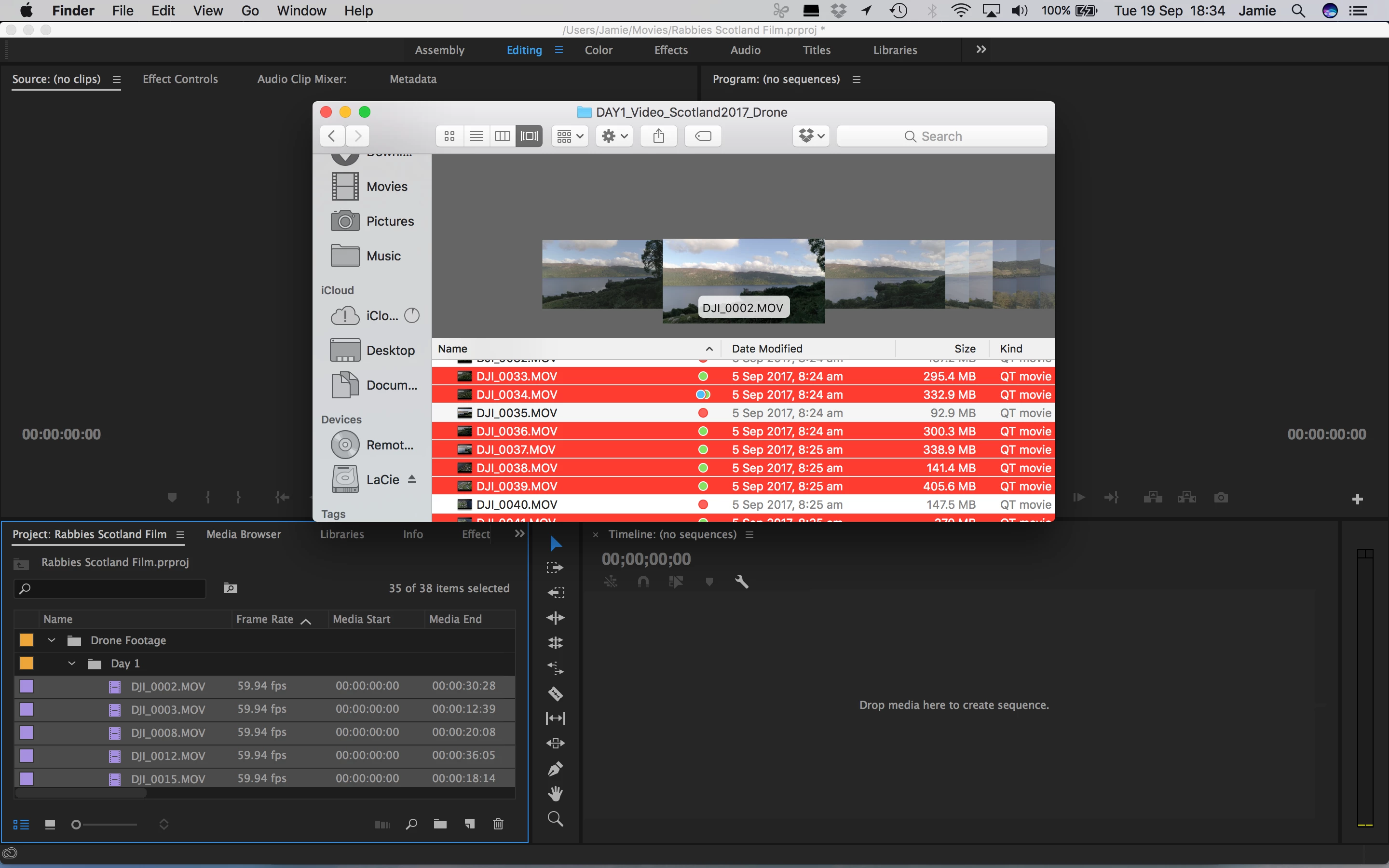
I am just wondering if i have labeled footage with colour markers in finder whether I can copy these markers over into premiere pro - its just my way of seperating great footage from the ok footage.

Im guessing this is probably a no but I thought i would ask!

I have attached a screenshot for clarification:
Cheers

Jamie

This topic has been closed for replies.
Correct answer Jeff Bugbee

The only way is to mark them manually in premiere the same way you did in Finder. Finder tags are stored as extended attributes (ever seen these old DS_store files?) and are used only by Apple. Premiere uses metadata and EXIF, industry standard stuff. This is classic Apple "walled garden" approach to programming: they do not play well with others.

1 reply

Jeff Bugbee
Community Expert
Community Expert
September 19, 2017

There is no Finder tag and Premiere marker integration.

Participant
September 19, 2017

Thanks Jeff, I thought that would be the case... do you know if theres a way to mark files in premiere pro with the same system as i used in finder?

Jeff Bugbee
Community Expert
Jeff BugbeeCommunity ExpertCorrect answer
Community Expert
September 19, 2017

The only way is to mark them manually in premiere the same way you did in Finder. Finder tags are stored as extended attributes (ever seen these old DS_store files?) and are used only by Apple. Premiere uses metadata and EXIF, industry standard stuff. This is classic Apple "walled garden" approach to programming: they do not play well with others.