Inspiring
July 24, 2019
Answered

Corner Pin to de-3D slide projections

  • July 24, 2019
  • 3 replies
  • 2614 views

Capturing lectures and have been using Corner Pin effect to adjust a video capture of slide-deck (off-angle) so that it is flattened.

This is a typical capture...
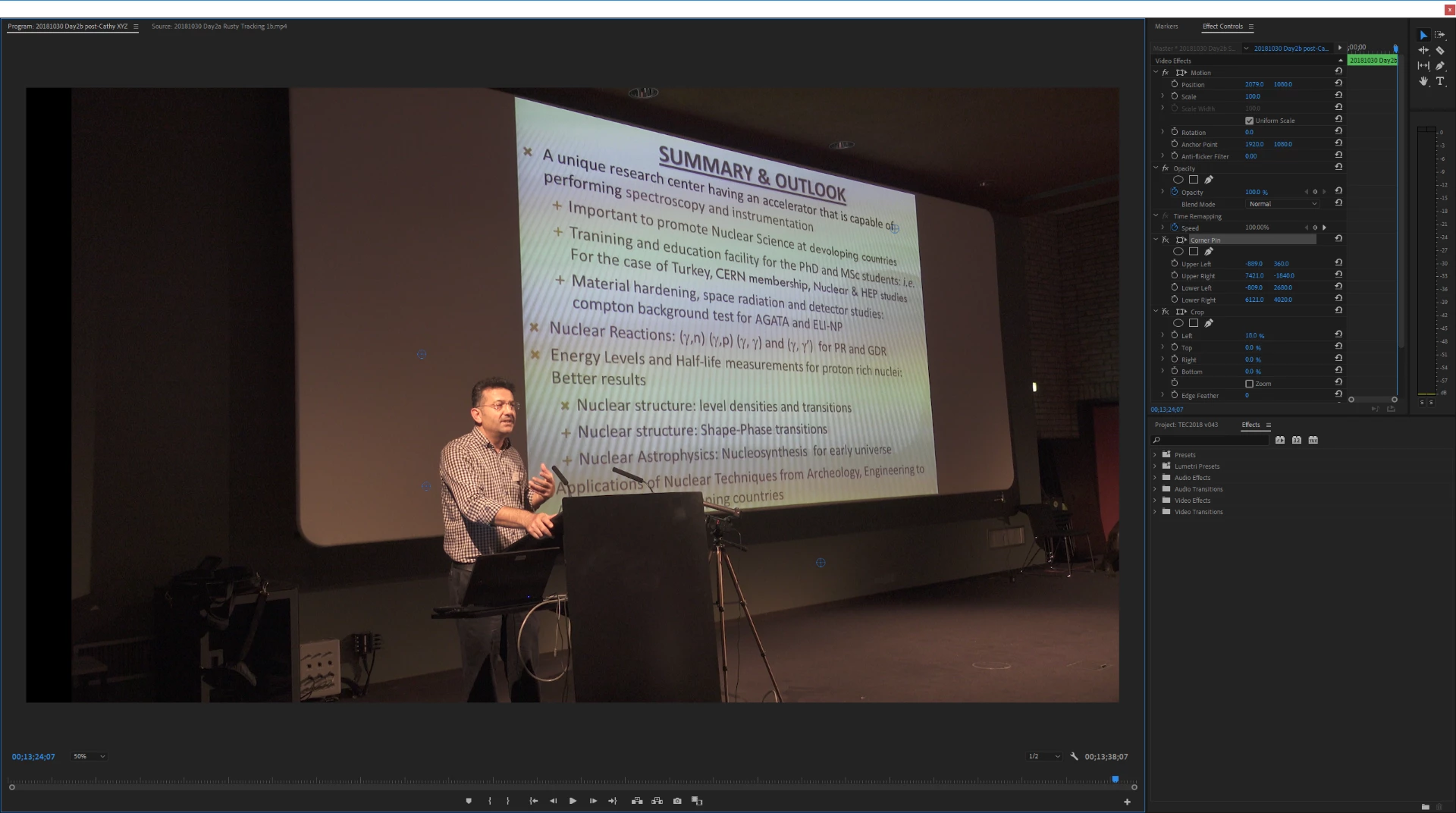
...and here I am working with the corners to try re-position it properly...
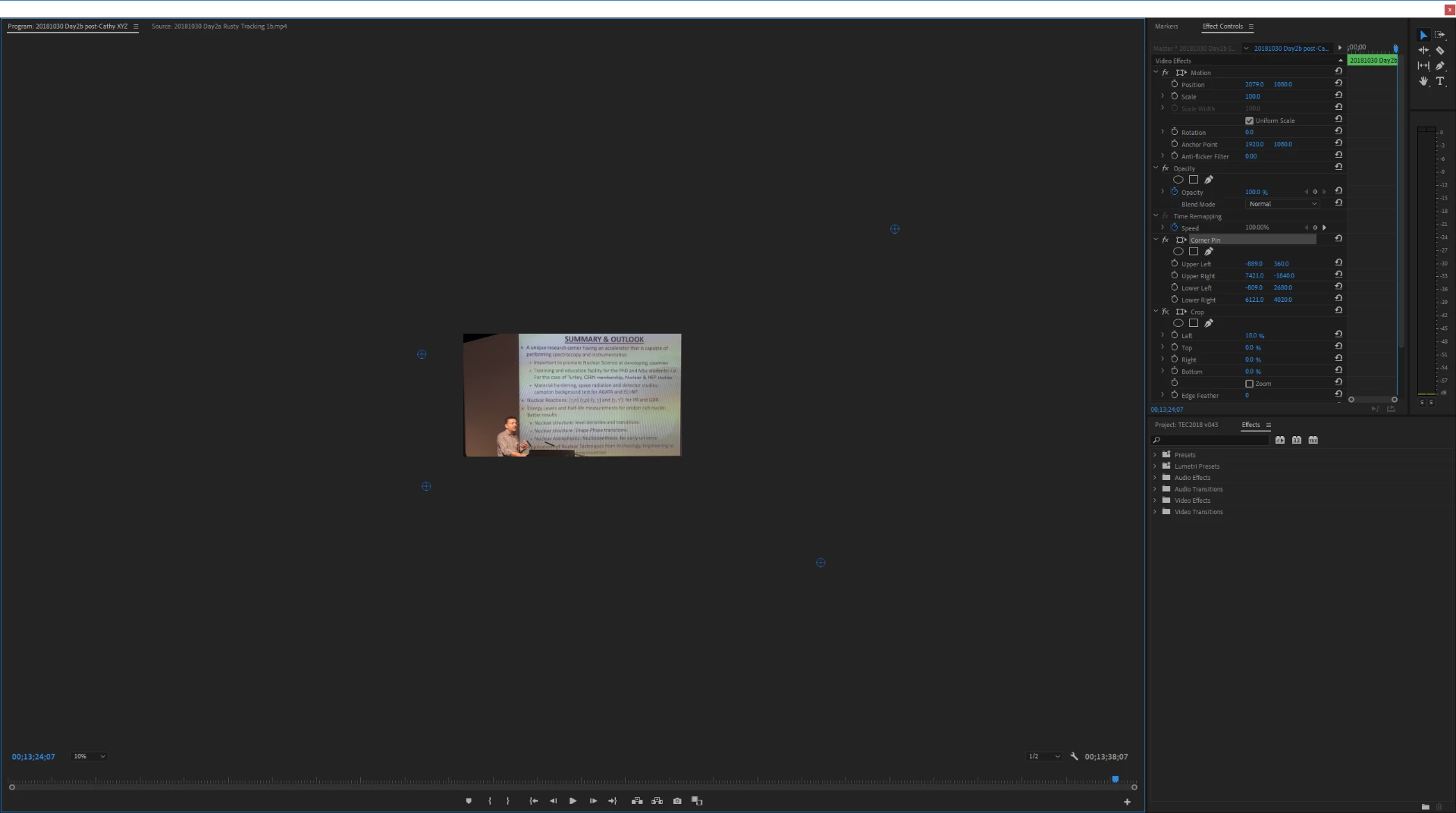
...aside from better-camera-angle-etc and me being stuck with this footage, is this how others would tackle this problem?

If Corner Pin is the recommended approach, then here are my suggestions to Adobe (which I'll submit properly unless people offer a better approach)...

1. Corner Pins ought to have the corners themselves place-able, so any rectangular object in the frame can be identified. Then the destination of the corners could be the frame-corners in my sequence and I'd be done very quickly. Currently any adjustment to a corner impacts the 3 other corners and I need to keep tweaking slowly towards correct values. (I know is just a math problem but I can't intuitively solve it.)

2. The scale chooser ranges from 10% to 100% need more values, as sometimes even 10% isn't big enough to keep a handle on-screen (and I'm adjusting the values in Effect Controls).

I did look at Mocha plug-in and it seemed like over-kill (price and integration complexity) for a non-moving target rectangle.

This topic has been closed for replies.
Correct answer eikonoklastes

If you have access to After Effects, there is a built-in effect called CC Power Pin, that is identical to Corner Pin, with the helpful addition of an 'Unstretch' button, that does exactly what you want - you place your pins at the corners of your screen, and it will "un-distort" it to fit your frame.

3 replies

Legend
July 24, 2019
is this how others would tackle this problem?

I wouldn't.  I'd use the original slides as B-Roll when appropriate, leave it an the angle when he's talking.

Inspiring
July 24, 2019

I've done that. In the second example I cited. Using slide-deck as b-roll. And YET, here I am, asking a question.

eikonoklastesCorrect answer
Legend
July 25, 2019

If you have access to After Effects, there is a built-in effect called CC Power Pin, that is identical to Corner Pin, with the helpful addition of an 'Unstretch' button, that does exactly what you want - you place your pins at the corners of your screen, and it will "un-distort" it to fit your frame.

Ann Bens
Community Expert
Community Expert
July 24, 2019

Corner pin is what it is: adjust per corner.

Once exported your footage might not be readable anymore

If you want to pursue this drop the footage in a lower resolution sequence, then adjust.

Alternative there is the 3d basic effect.

Inspiring
July 24, 2019

https://forums.adobe.com/people/Gordon+James+McDowell  wrote

...aside from better-camera-angle-etc and me being stuck with this footage, is this how others would tackle this problem?

I would obtain the original powerpoint deck, box the speaker and drop in the original slide from the deck to preserve quality and make the edit go faster:

MtD

Inspiring
July 24, 2019

I do that for many presentations. Others, like this one I'm asking about, I do not.

He's not just standing there, he's walking back and forth, to the screen, pointing at the screen, using laser pointer most of the time.

For example a completed video....

HSR (Hard-Spectrum Reactor) Blue Energy for the Future by Andrei Andrei of Aristos Power @ ThEC2018 - YouTube

...that's a deep-link to a laser-pointer in use. Later at 15:20 you can see visual assets dropped into sequence to help clarify. However, sometimes I don't have the slide-deck either, and so want to solve this problem best way possible: How do I correct perspective to turn video footage of slide into a rectangle?

Useful suggestions so far:

- 3D Basic Effect (alternative) ... tried, unfortunately doesn't correct all geometry issues in footage

- Use lower resolution sequence to adjust corners ... good idea will try next time

I'd ask for a new feature then, "Rectangle Pin", unless anyone has anything to add.

Maybe there's a plug-in specific to this? Or a calculating tool to help identify the correct corner values? It could be a Google Sheet or a web-page using Javascript... not something I'm dying to build myself but I'm sure Adobe Premiere experts would know if it was ever mentioned.

(And solving this is also a means of incorporating both slide-deck and laser-pointer. LFTR Chemistry "The Chemical Kidney" - TR2016c 4h04m25s19f - YouTube   ...that's corner pin, still used with actual slide-deck file.)

Thanks for your time, -Gord