
Known Participant
May 12, 2023
Answered

Correct sequence settings for vertical phone footage?

  • May 12, 2023
  • 1 reply
  • 1217 views

Hey guys,

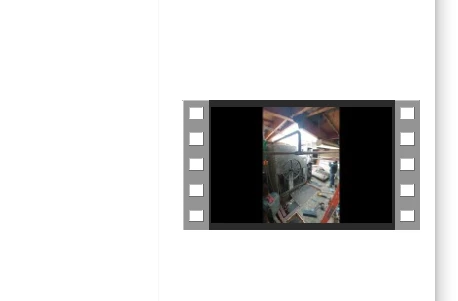
I feel like this is an easy answer but somehow I have not found a solution that works yet and not sure where I'm going wrong after searching around here. I am editing vertically-shot phone footage for social media posting (reels, etc) and can't seem to get the correct settings so that the video will export in that orientation without lots of black space on either side. It is exporting horizontally still and just having black on the sides of the phone footage to fill the empty space.

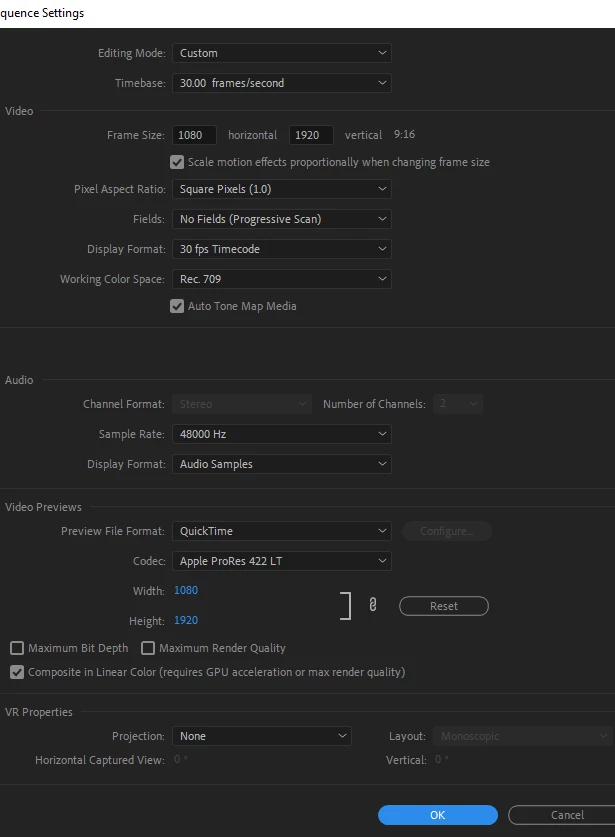
I've attached a screenshot of my sequence settings, as well as how the video looks when it exports (and yes it actually includes the black on the sides it is not just a preview issue). I've just had to crop this video for now since nothing has worked.
Any help is much appreciated. Thank you!


This topic has been closed for replies.
Correct answer Kyle Kramb

If your sequence settings are how you want your final export to be formatted, then once in the export window under video, click "Match Source."


Set the "Format" and other settings as you would otherwise. 


Alternatively, use the Quick Export function and then select "Match sequence preview settings"

1 reply

Kyle Kramb
Kyle KrambCorrect answer
Inspiring
May 12, 2023

If your sequence settings are how you want your final export to be formatted, then once in the export window under video, click "Match Source."


Set the "Format" and other settings as you would otherwise. 


Alternatively, use the Quick Export function and then select "Match sequence preview settings"

______________As happy as a clam in butter sauce!
COACAuthor
Known Participant
May 12, 2023

Oh thank you so much that worked! Can't believe I hadn't found that tip before.