Participating Frequently
December 3, 2018
Answered

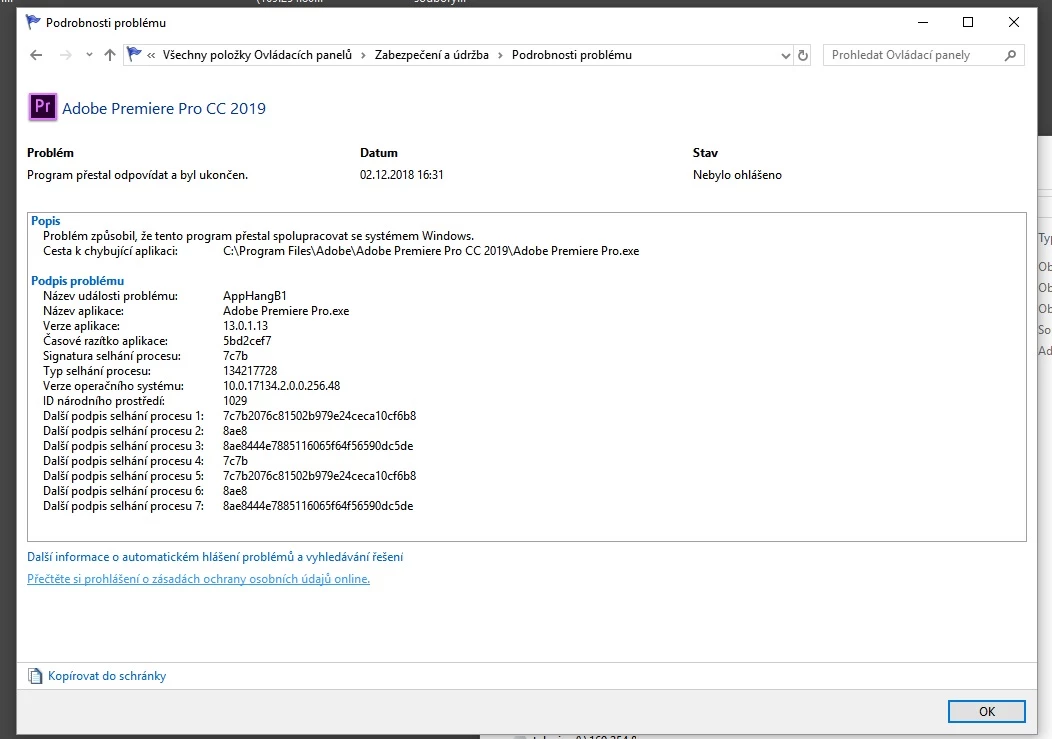
crash

  • December 3, 2018
  • 4 replies
  • 991 views

crash adobe..,

@

    This topic has been closed for replies.
    Correct answer Vidya Sagar

    only in editing, render is ok


    Hi davidh65052904,

    Have you tried changing the renderer? Please let us know the current status.

    Thanks,

    Vidya

    4 replies

    Participant
    April 1, 2020

    I've tried everything through watching video tutorials on how to fix the crashing!! because ever since I've had adobe it has been crashing non stop from the begging 

    Participating Frequently
    December 19, 2018

    hi Real time no seting rendering. Export is good

    Participating Frequently
    December 4, 2018

    video 1 hour insert logo in video..

    my driver tesla  last verzion certificet new instal expres and driver quadro last verzion certivicet and seting 3D stimulate expert nvidia support. Problem is adobe today

    Vidya Sagar
    Adobe Employee
    Adobe Employee
    December 12, 2018

    Hi davidh65052904,

    Is it crashing during export? If yes, change the renderer in project settings and check if the issue persists.

    Here are the steps: FAQ: How to change the Video Renderer in Premiere Pro?

    Thanks,

    Vidya

    Participating Frequently
    December 14, 2018

    only in editing, render is ok

    Vidya Sagar
    Adobe Employee
    Adobe Employee
    December 3, 2018

    Hi davidh65052904,

    Sorry for the crash issue. Is there any specific action that triggers this crash? If yes, share the workflow with us.

    What are the system specs(OS version, GPU, CPU, RAM)

    Thanks,

    Vidya

    Participating Frequently
    December 3, 2018

    dual  CPU  RAM 96 GB and quadro and tesla. windows 10 profesional last verzion

    Vidya Sagar
    Adobe Employee
    Adobe Employee
    December 4, 2018

    Thanks for the info, davidh65052904.

    When exactly the application is crashing? Were you performing any particular task when it crashed?

    Vidya