Participant
July 14, 2020
Question

Crashing when cursor hits imported media in library

  • July 14, 2020
  • 3 replies
  • 423 views

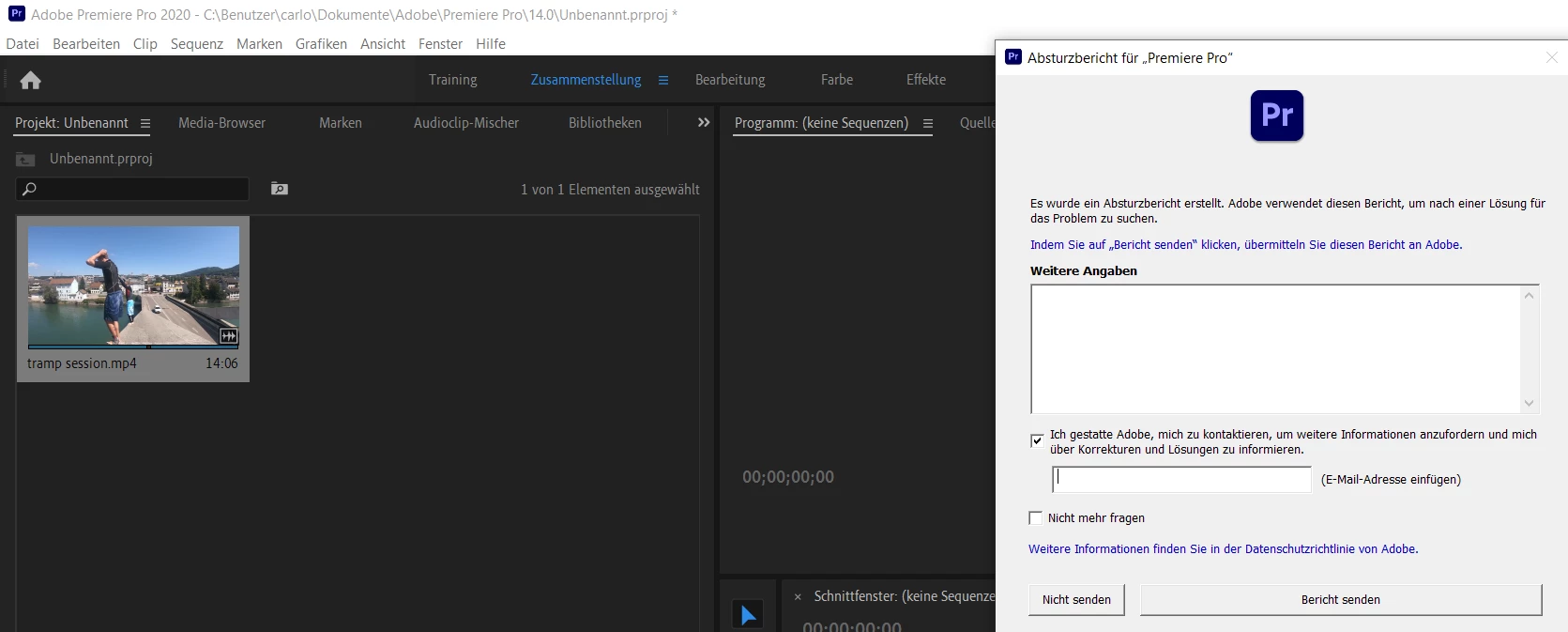
Import is working but as soon as the cursor goes over a clip, the small preview starts, then crashes instantly. Is there a solution?


(small preview on the left on the screenshot)


System:

Windows 10

64 bit

Intel(R) Core(TM) i7-8750H CPU 

16 GB RAM

NVIDIA GProzessor Intel(R) Core(TM) i7-8750H CPU @ 2.20GHz, 2208 MHz, 6 Kern(e), 12 logische(r) Prozessor(en)
Nvidia GeForce GTX 1050


Thanks for your help.

This topic has been closed for replies.

3 replies

caroline_edits
Community Manager
Community Manager
July 16, 2020

Sorry to see this! I wonder if it's some type of permissions issue. When you launch Premiere, try right-clicking it and selecting "Run as Administrator"

Let us know if you still crash when accessing your media! 


Caroline

Participant
July 17, 2020

Hi Caroline.


Unfortunately it still does, but thanks for your help.

R Neil Haugen
Legend
July 16, 2020

Ok ... what's up with that media file?


Download the free utility app MediaInfo  and install. Then after you have that app's icon on your desktop, drag/drop that video file onto the MediaInfo icon.


MediaInfo will open, and go to the Tree View from the options in that app. Make a screen grab of the top and video sections, drag/drop that screen-grab onto your reply box text area so we can all see what the media file information is.


Should look like my image below.


Neil 


Everyone's mileage always varies ...
Participant
July 17, 2020

Hi Neil

Thanks for your proposal.


Here I send you the screenshots of the MediaInfo App.


What do you think:


Legend
July 14, 2020

there have been problems with the nvidia drivers.  do some searching here to find out how to update (or rollback) the driver.

and tell us the properties of your source clips.  mediainfo does a pretty good job of teasing these out

https://mediaarea.net/en/MediaInfo/Download

Participant
July 15, 2020

I updated my nvidia driver but it is still crashing.

The clips I use are Sony A7 III clips:

H.264

3840x2160p

29.97 fps


Thanks for your help.


MyerPj
Community Expert
Community Expert
July 15, 2020

It might be a 'rollback' of the driver is needed not 'updated'. It appears to be secret, but can you say what is the driver version.


Also, if you need to get past that one screen to keep working, try setting the project panel to List Mode and then using the source monitor to locate edit points.