Participant
May 15, 2024
Answered

Create Proxies Presets No Longer Includes ProRes Low Resolution Proxy

  • May 15, 2024
  • 2 replies
  • 734 views

Before the update to the 2024 version, I had more options in the Create Proxies menu. For example, I could choose the Format, and under Preset I had more options including ProRes Low Resolution Proxy, and an Add Watermark checkbox. Now I see this:
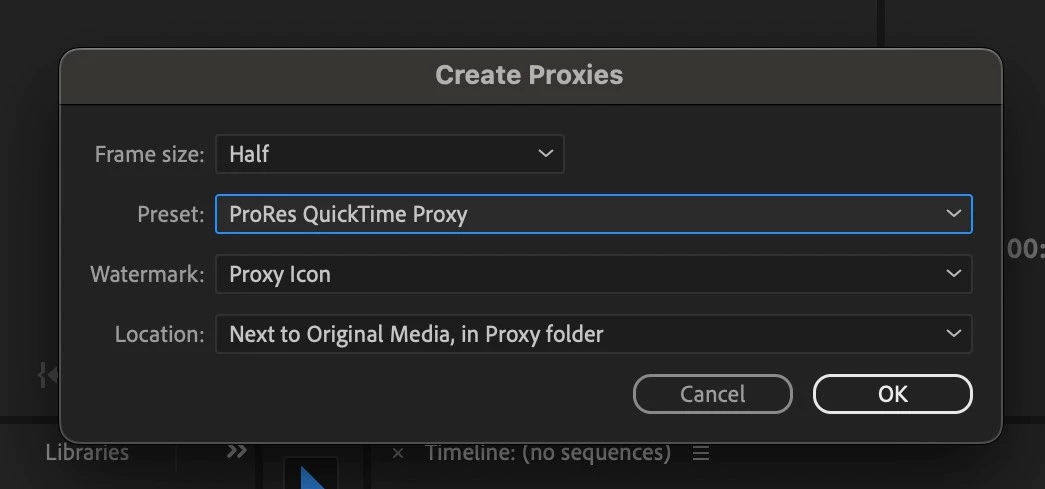
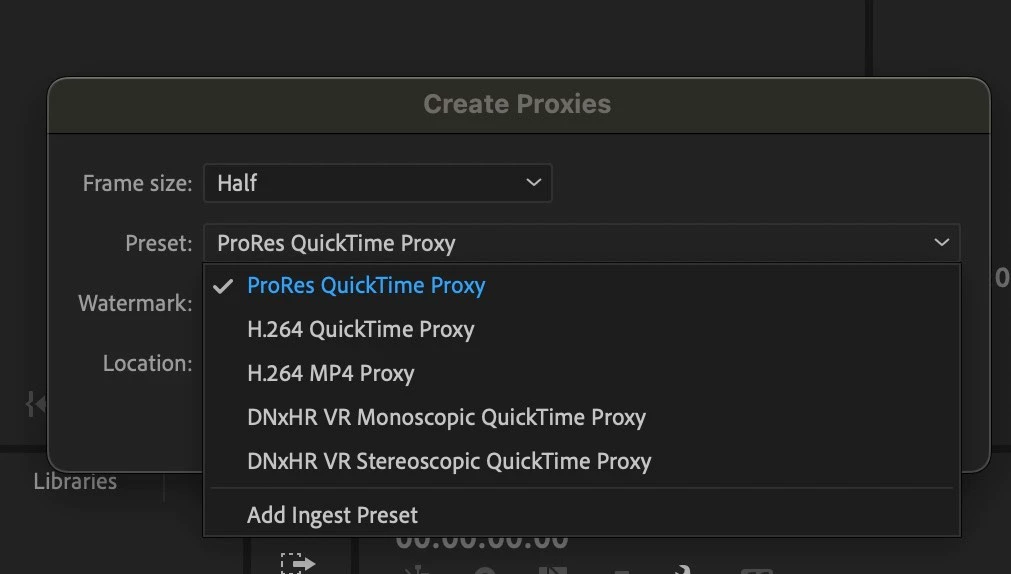


When I click on Add Ingest Preset it just opens a file search for me to find one. 


This is not good. I really would like to be able to make proxies the way I want with the previous options.


Is there another way to do this quickly? Am I doing something wrong? 


Here's info about my Mac computer:
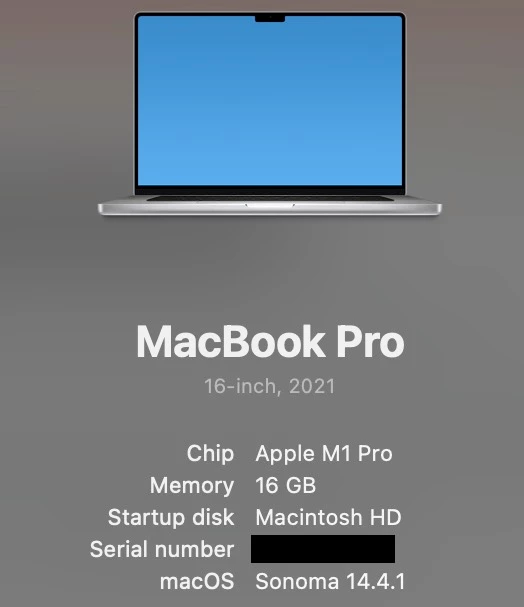
 

This topic has been closed for replies.
Correct answer R Neil Haugen

They changed things ... notice the upper line? Where is says Frame-Size? That's where you would choose how small you want the proxies ... like say quarter ... and then the format in the line you have dropped down ... and below that is the Watermark section.


So it's simpler for most users. Simply set a size, format, watermark or no ... go.

2 replies

Participant
July 23, 2024

I've noticed the same thing with the 2024 update. The reduced options in the Create Proxies menu are a bit frustrating, especially missing the ProRes Low Resolution Proxy. If you need a workaround for different proxy needs, you might want to check out rotating mobile proxies at https://proxyrotator.com/rotating-proxies/rotating-mobile-proxies/.

R Neil Haugen
R Neil HaugenCorrect answer
Legend
May 15, 2024

They changed things ... notice the upper line? Where is says Frame-Size? That's where you would choose how small you want the proxies ... like say quarter ... and then the format in the line you have dropped down ... and below that is the Watermark section.


So it's simpler for most users. Simply set a size, format, watermark or no ... go.

Everyone's mileage always varies ...