Answered
Creative Cloud shows no links for prevoius versions
I need to get ahold of either cc or 2014 for some presets and my Creative Cloud shows nothing available on the previous versions section.

I need to get ahold of either cc or 2014 for some presets and my Creative Cloud shows nothing available on the previous versions section.
The process isn't as easy to figure as it could be ... here's a direct pic of where to go:
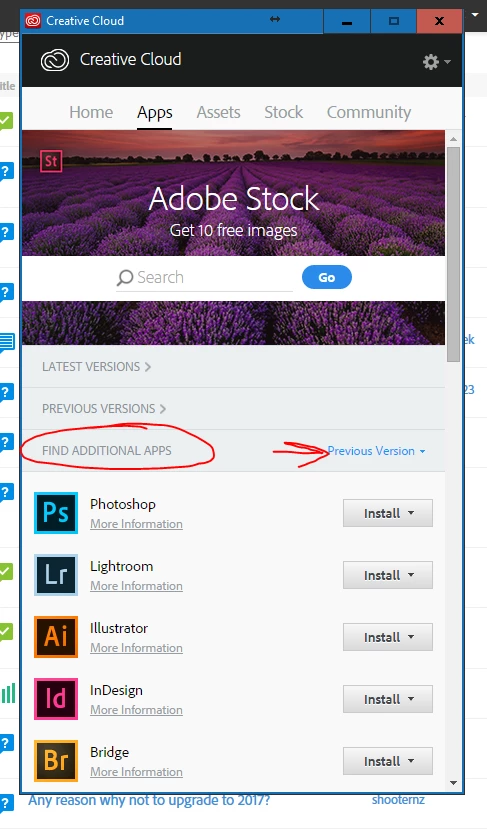
In this tab, "Find Additional Apps" ... you can click on the Install tab by an app, and it will give you a drop-down of available versions. IGNORE the arrow-highlighted "Previous version" drop-down. Just go down this list.
Any version you choose, it will 'give' you the first version of that version ... ahem ... you download/install, then you can choose to update that to the last version of that version.
Clear enough?
Ha. (could all be easier ... )
Neil
Already have an account? Login
Enter your E-mail address. We'll send you an e-mail with instructions to reset your password.
 AdChoices