edit58989569
Inspiring
Jul 17, 2024 6:29 PM UTC
Question

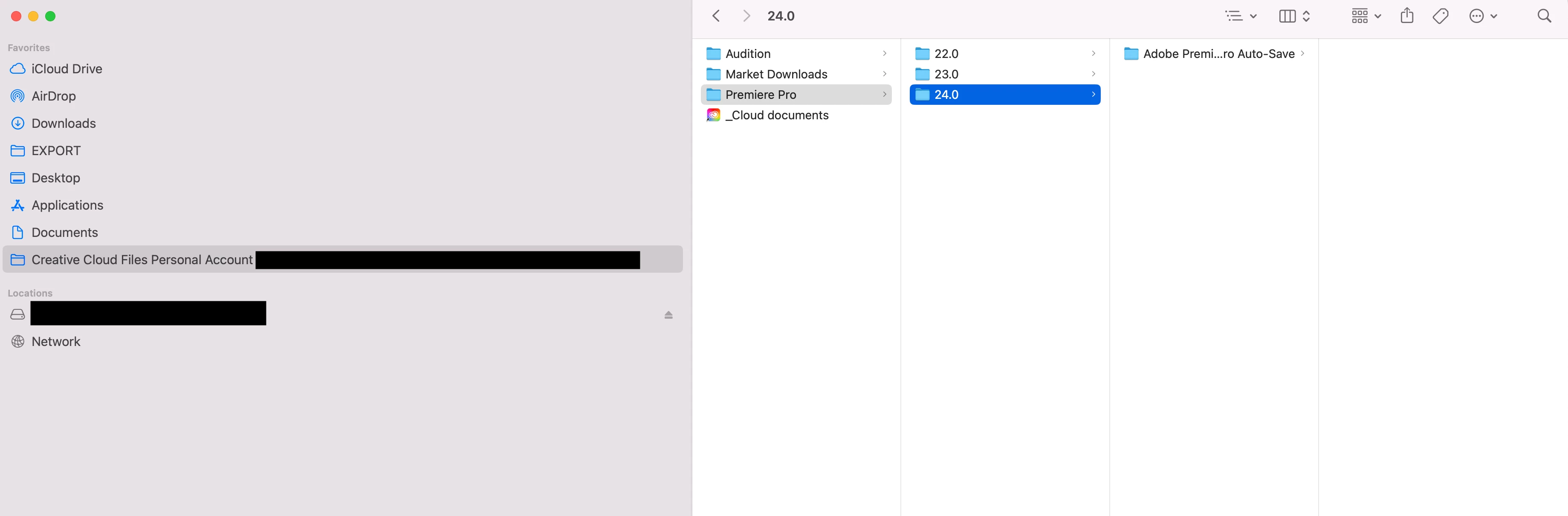
Creative Cloud Synced in Sidebar?

When I run Premiere, this is always in my sidebar, what is it for?  I thought they discontinued Creative Cloud Synced files. Do I need to delete my old autosave files from the cloud? 
 

This topic is closed to new replies. Start a new post to keep the conversation going.

3 replies

Mike Dziennik
Community Expert
Community Expert
Jul 18, 2024 11:20 AM UTC

"All assets in your local Creative Cloud Files folder on your device will remain intact and under your complete control."

https://helpx.adobe.com/uk/creative-cloud/kb/eol-creative-cloud-synced-files.html 


These files are no longer on the cloud. They are still local on your system, its up to you as to whether you want/need them or not. You can check where your current autosaves are located by going to Project Settings>Scratch Disks

Translate
edit58989569
Inspiring
Jul 18, 2024 5:27 PM UTC

That's interesting; that folder only pops up when I'm running Premiere.  So I can just delete it? 

Translate
Mike Dziennik
Community Expert
Community Expert
Jul 19, 2024 8:52 AM UTC

Yes you can delet it. But as I say, check what's in there in case there are any auto-saves for current projects.

Translate
