
Participant
November 4, 2017
Question

Cross Dissolve transition adjusting

  • November 4, 2017
  • 4 replies
  • 4501 views

Hey there...

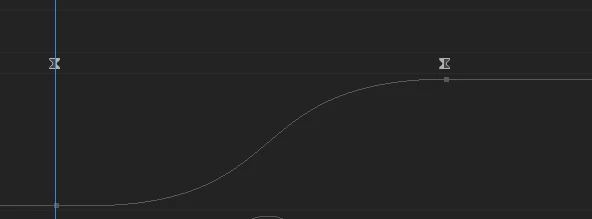
Is there a way to adjust transition curving? I mean... Premiere only offers linear transition, but while using dissolve in some particular types of slowmos, it looks too non-professional... too rushy...

I remember I've once been using Sony Vegas and there were adjsutable curves. I know I can do it myslef using opacity setting on every single clip by keyframes, but it is too complicated and takes too much time... so, is there any way to do it easier? Or don't you know any plug-ins that offers what I need? Simply adjustable dissolves?

Thank you so much!!
This topic has been closed for replies.

4 replies

Peru Bob
Community Expert
Community Expert
November 4, 2017

You can also uncheck Composite in Linear Color in Sequence Settings > General.

Legend
November 4, 2017

You can try the following.

Film Presets

Richard van den Boogaard
Community Expert
Community Expert
November 4, 2017

Instead of using the regular (linear dissolve), consider using the Film Dissolve effect. Because I prefer this over regular dissolve, I have programmed it under my hot keys (in my case CTRL+D).

Ann Bens
Community Expert
Community Expert
November 4, 2017

You cannot manipulate transitions only duration.

As you already mentioned you can use the Opacity property of the clip or drop a black solid or the clip and adjust the opacity.

If you right click on the keyframes you are presented with different options.

You can save these settings as a preset so you dont have to make them over and over again.