
Crosshatching in program monitor after render
Hello!
I am editing on an iMac (macOS Mojave Version 10.14.1) using Adobe Premiere Pro CC 13.0.1.
I have 4K footage shot on a GoPro Hero 7 and 1080 footage shot on a Canon T7i. Both were shot at the same frame rate: 29.97.
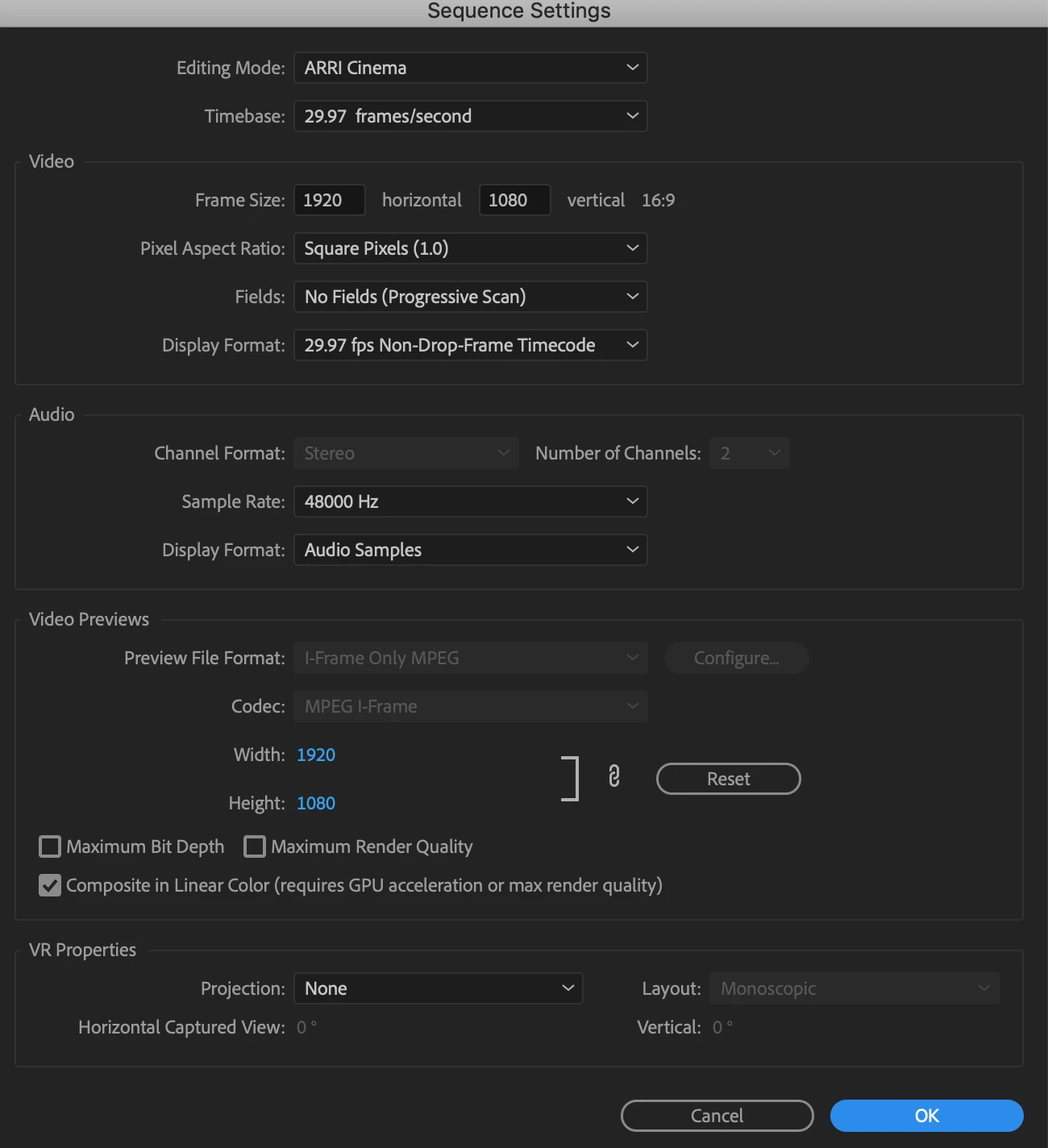
When I started Premiere, I decided I'd create a 1080-based sequence, which would therefore downscale the 4K footage. I did this by dragging and dropping my 1080 clip into the timeline area to establish a timeline. My sequence settings are shown below. I also did File / Preferences / Media / Default Media Scale --> Set to frame size. I did this so when my 4K footage is dropped onto this sequence, it will be set accordingly.
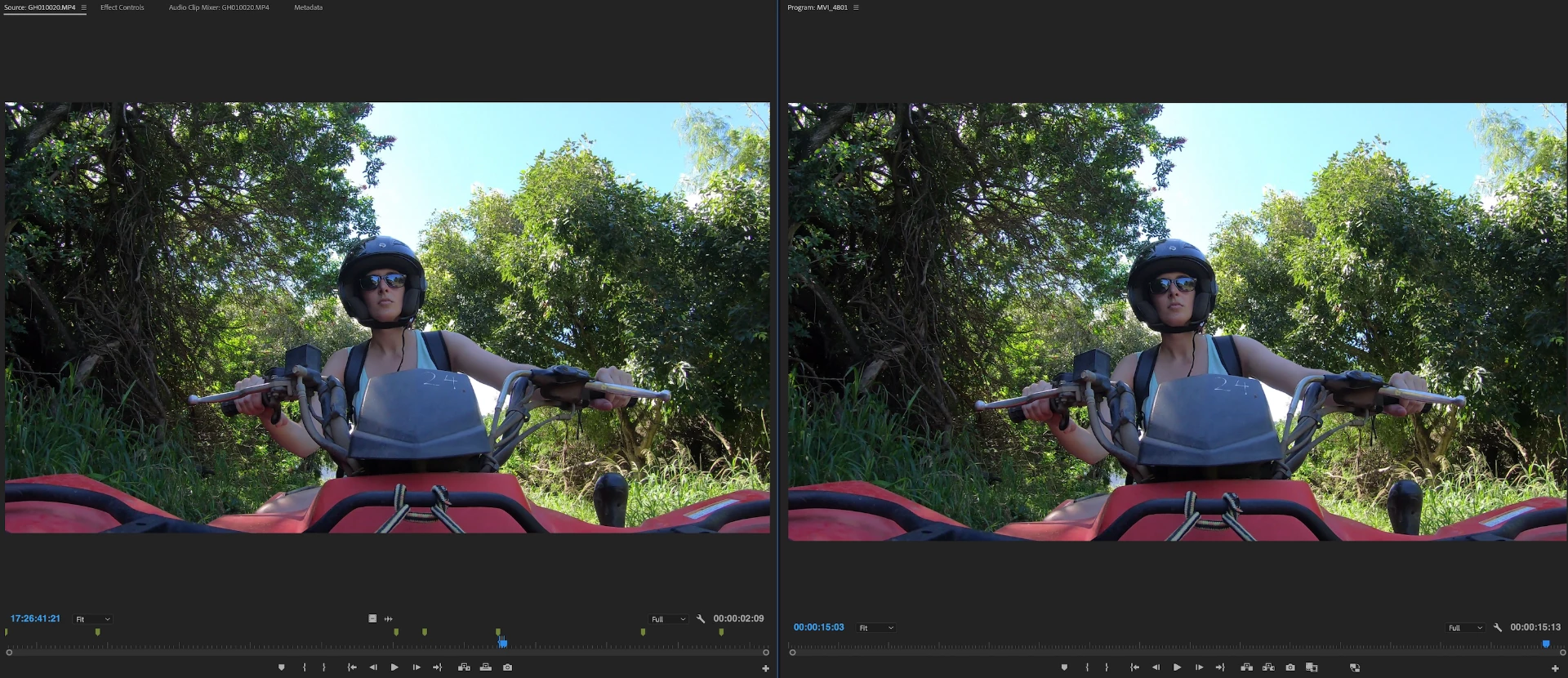
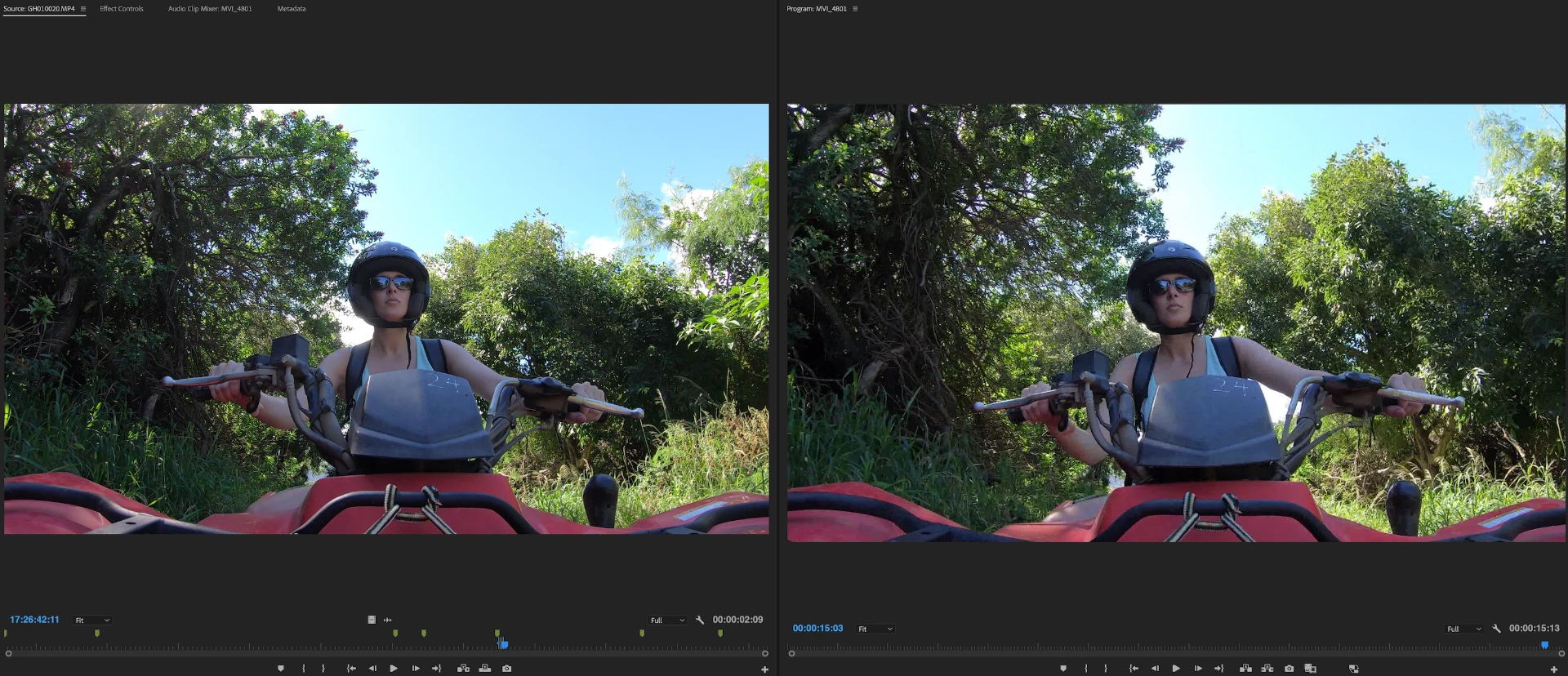
OK. Now everything seems fine and dandy. I mix and match 1080 and 4K clips on this timeline. No effects added. Everything looks crisp in my program window ... UNTIL ... I render. I have included two photos below: one pre-render and one post-render. This particular shot you see is from a 4K video. Why would rendering create the pixelation/crosshatching I am seeing in my program monitor? This is occurring on all of my 4K video in the sequence. The raw 4K files are crisp, as what I'm seeing in the Source Monitor. How do I fix what I'm seeing in the Program monitor?
I really appreciate any feedback you can offer! I have searched the internet for hours and can not seem to come up with a solution!
SEQUENCE SETTINGS:
PRE-RENDER:
POST RENDER:
 AdChoices