
CTRL F (Find in timeline) in timeline for FX doesn't work
I am using Premeiere 2022 on Catalina, and I'm trying to find specific effects in my timeline. I open the Find window, change search window to Effects - Contains - Constant (for Constant Power).
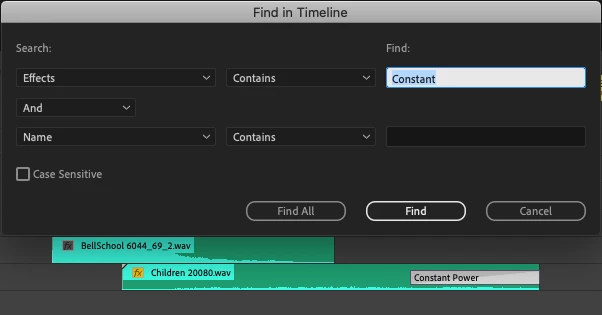
I hit Find, and nothing happens. Does Find in Timeline not work with transition effects? As a test, I dropped a Flanger on an audio clip, and Find found that.
I have a ton of Constant Powers I need to remove, and since the audio transistions aren't included in Remove All Attributes, and there's no way to to select them all in the timeline, I have to hunt them down one by one. The "change duration of all clips to 105% doesn't work for clips with transitions on the head and tail (only for transitions connecting clips).
It would be nice if there was a way to lasso the entire timeline while pressing a keyboard combination and only transitions would be selected (I believe you can do that in Media Composer).
 AdChoices