
May 6, 2021
Answered

Cursor Problem

  • May 6, 2021
  • 2 replies
  • 1189 views

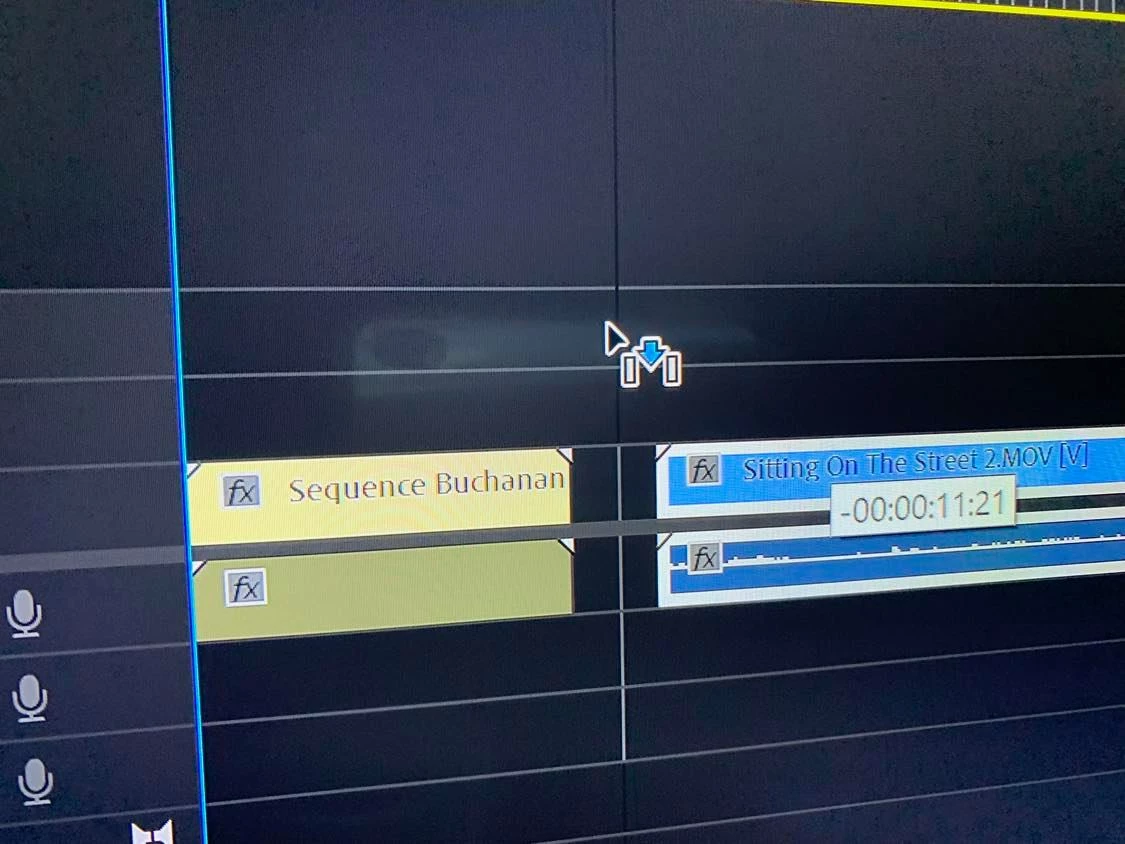
I have an issue and have not been able to fix it. Here is an image of what it looks like. When you drag a video with this cursor setting it doesn't move the video with you in real time. So you have to guess where its going to land which is the most useless thing ever. I've tried every key and navigated settings but can't seem to find a solution. Help! Pressing V doesn't solve it. 


This topic has been closed for replies.
Correct answer Ann Bens

If you have any nested audio in the timeline delete those or disable Show audio waveform.

See how that goes. This is windows only. Edited: and mac.

2 replies

Ann Bens
Community Expert
Ann BensCommunity ExpertCorrect answer
Community Expert
July 5, 2021

If you have any nested audio in the timeline delete those or disable Show audio waveform.

See how that goes. This is windows only. Edited: and mac.

Participating Frequently
July 5, 2021

Wow, I am on MacOS but this worked! Thank you!

Ann Bens
Community Expert
Community Expert
July 5, 2021

Oh, right. I assumed it was Windows only. You are the first I hear of the issue being on a mac.

Glad it worked.

Shivangi_Gupta
Community Manager
Community Manager
May 6, 2021

Hi Cage Films,

We appreciate you writing in. Could you test the issue after resetting the preferences? https://community.adobe.com/t5/premiere-pro/faq-how-to-reset-trash-preferences-in-premiere-pro/td-p/8236158#8632389

Let us know the outcome.

Regards,

Shivangi

Participating Frequently
July 5, 2021

Hi,

I'm having the same issue as mentioned above and resetting the preferences did not fix it. Elsewhere was mentioned to disable Mercury Transmit in the Playback settings but that also did not help. 

Thank you.