Cycle through fonts in the title tool
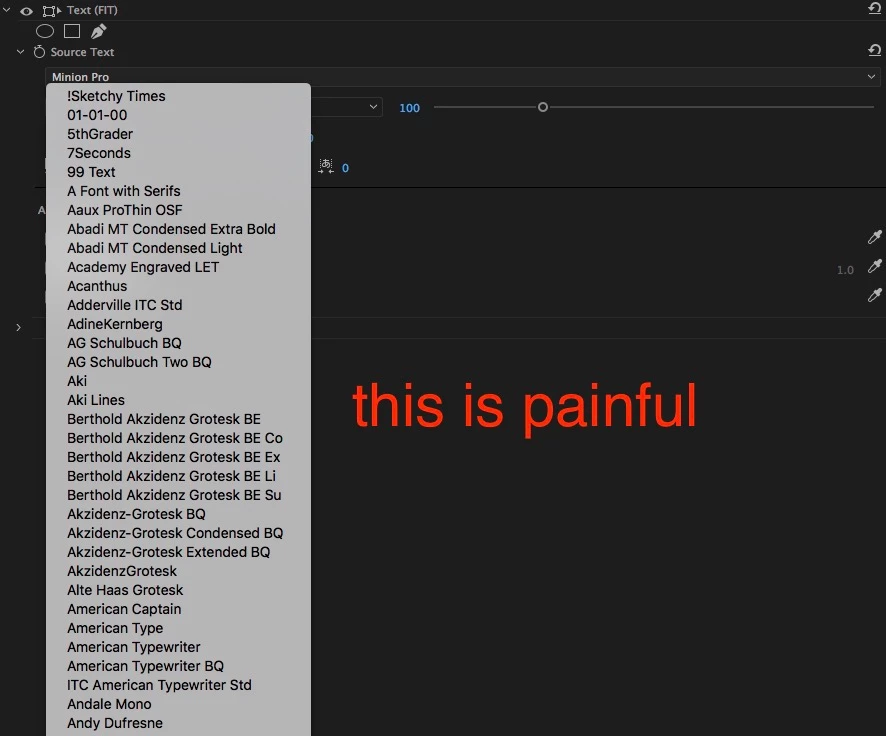
In the old title tool, you could select a font by typing in the name of the font until it was selected. No longer. The only way to select a font is now to click click click with a mouse and scroll through a huge menu of all fonts. Very slow.
You also used to be able to select the font box, and cycle through the fonts by pressing up or down arrow until you found the one you wanted while previewing the changes. This new title tool doesn't allow you to select the menu, so that feature is gone, too. Any time you want to change the font, means another laborious slog through the long list in the drop down menu.
So now, you have to know exactly what font you want to use, because there is no easy way to find fonts or preview them one by one. So now I have to mock up titles in Photoshop, which almost negates the point of the title tool in the first place.
I don't know why this title tool was changed, I hope it was for performance reasons, but from a workflow standpoint this is a huge step backwards.
[Title edited for clarity. — Mod.]
 AdChoices