Darkening Part of an Image in Premiere Pro
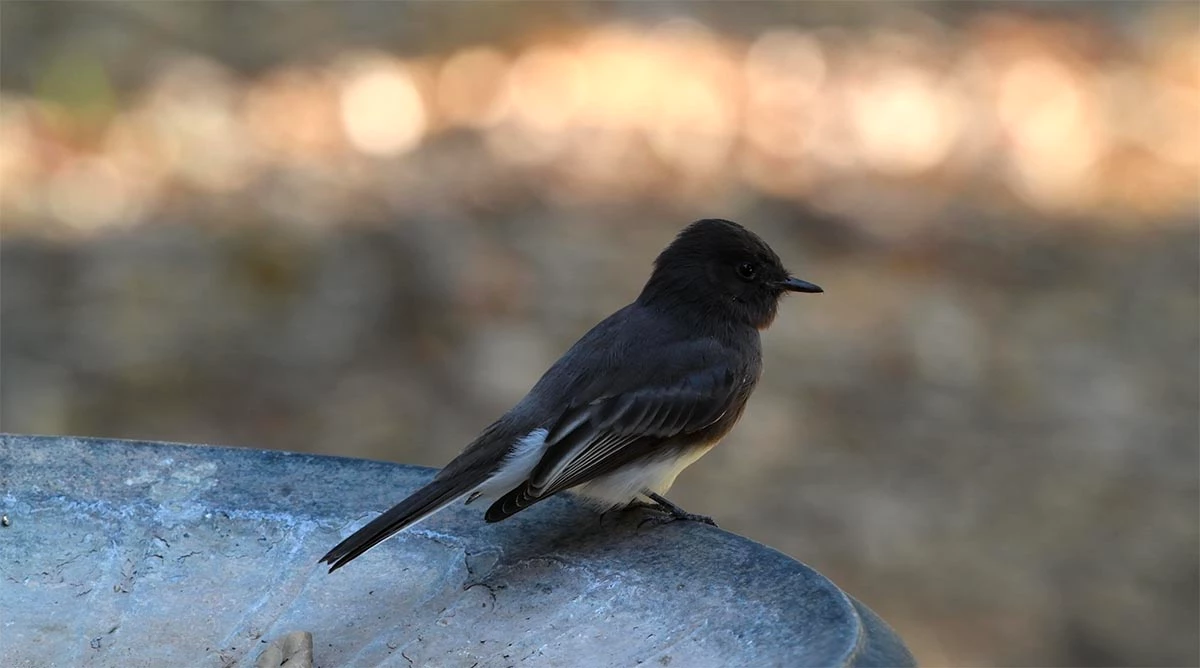
This has to be a simple question for pro users of Premiere Pro, so to speak, but I can't seem to find an easy answer in the help forums. I have a clip of this Black Phoebe and there is a disconcerting number of bright highlights at the top of the picture in the background. This has obviously effected the overall exposure. I cannot increase the exposure without blowing out the highlights at the top. I know multiple ways of fixing this Photoshop, but my Premiere skills are not on the same level. Ideally, I would like to decrease the brightness at the top of the image, then increase the overall exposure, and do some dodging on the very dark face of the bird so that one can appreciate its eye, but I will settle for darkening the sky, increasing the exposure, and using the Shadow slider in Lumetri Color.
Thanks so much!
[Duplicate post. So this post is locked. Will be handled in the other thread.]
 AdChoices