
Answered
Default keyboard settings missing in Adobe Premiere Pro CC (13.1.2 build 9)
Hello,
Does anybody have an idea on how to fix this? I searched the forum and the help sites, but I can't find a solution 😞
As you can see from the picture below, the default settings are missing. I'm using Belgian settings on my home pc that are detected as the layout 'en'. Choosing anything else (layout preset or layout) doesn't fix it.
I only have this problem on Adobe Premiere Pro, none of the other applications are impacted.
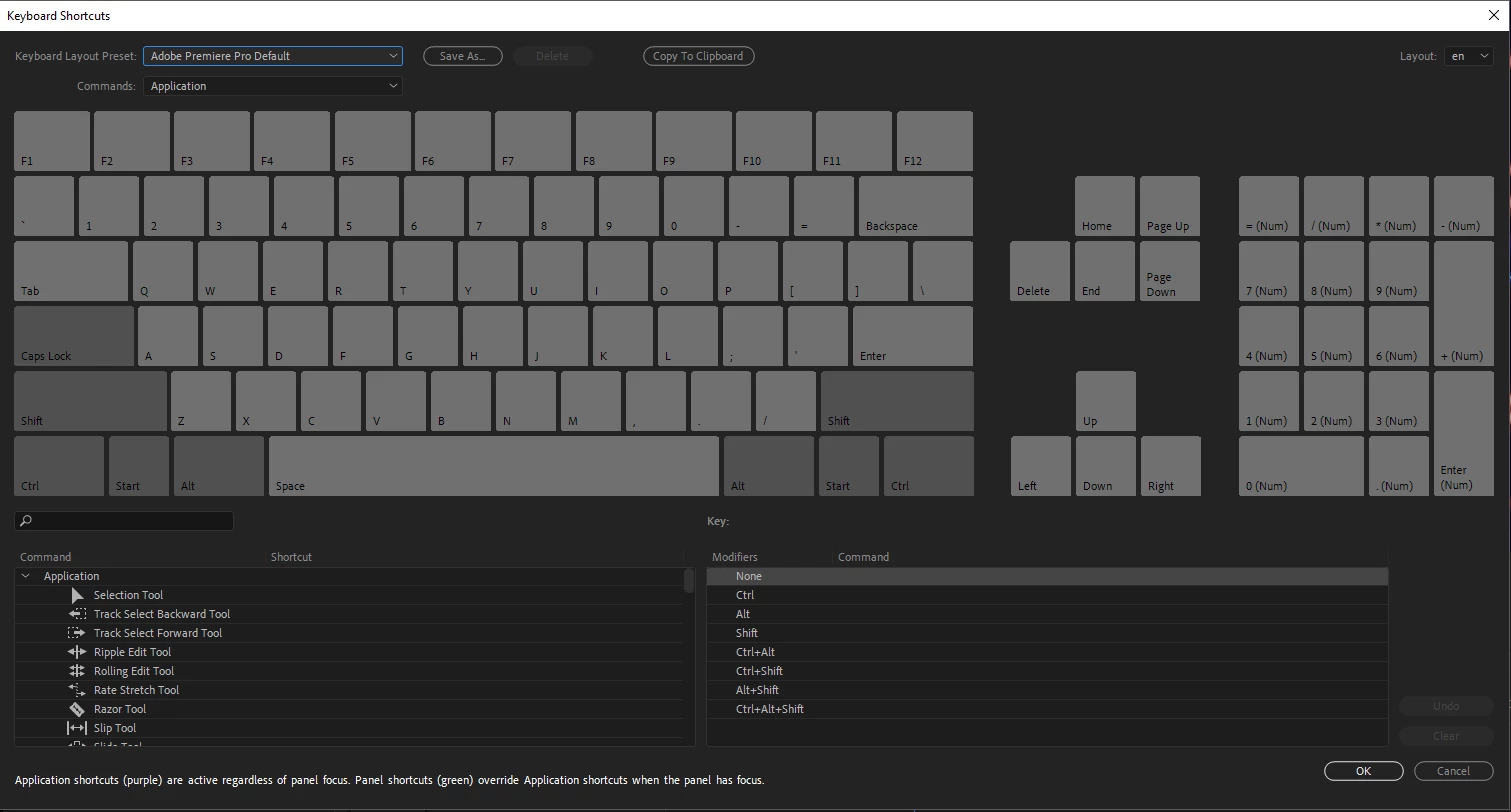
Already tried to:
- Searching for the default settings in the Adobe program folders -> no luck
- Reinstall Premiere (with my old settings renamed) -> still no restore.
Thanks in advance for your support!
 AdChoices