
Inspiring
January 22, 2019
Question

Delay After Pressing Spacebar (Play)

  • January 22, 2019
  • 12 replies
  • 7416 views

As of lately, A project I have been working on for months without issues has become extremely slow. When pressing the play button / Spacebar there's a 15-30 sec delay before the project timeline plays. This was not presuent before.

Nothing has changed hardware-wise nor project-wise

Yes im using proxies and pre-rendering.

Ive tried the following:

Cleared / deleted all adobe caches
Removed all Adobe products + preferences and then used the Adobe CC cleaner tool just to be sure
Rebooted Several times
Deleted all project related previews
rebuilt proxies and pre-renders
Renamed the Media's root folder and re-linked everything again, Still the problem persists, It appears to be non-discriminatory.

My Computer Specs are as follows:

Intel Core i7-8700K

EVGA GeForce GTX1080 FTW2 DT 8GB
G.SKILL Ripjaws V Series 32GB
8TB RAID 10 Array
SAMSUNG 960 EVO M.2 1TB NVMe

Gigabyte Z370 AORUS Gaming 7 Motherboard

Windows 10 Pro 64bit
This topic has been closed for replies.

12 replies

Blikopener
Participating Frequently
February 5, 2019

Hi,

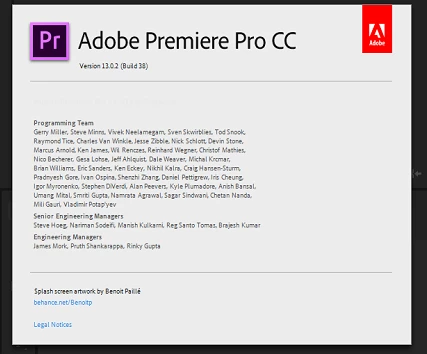
I have the same problem with Premiere Pro 2019 (13.02).

I am on:

Windows 10 PRO

I-7-8700 6 cores (12 cores HT) 3,70 GHz

32 GB RAM

Nvidia 1070 TI

So, plenty of resources in the hardware department, and I use proxies.

It has me switched back to 2018 for a while. Now I switched back to 2019 for a new project and it happens again.

It doesn't happen immediately when I created the new project and started editing. It just started one moment.

REALLY frustrating!!!

Strange fact is, that this problem now comes and goes. It appears, and disappears...

What is this?

Any help really appreciated!

Thanks,

Levi

Participant
July 31, 2019

me too,
I use a lot when synching music

Inspiring
January 23, 2019

It appears to only delay inside my *in-out* brackets...

clear the in and out points and there's zero lag.... wtf?

Ann Bens
Community Expert
Community Expert
January 23, 2019

Trash preferences, see how that goes.

FAQ: How to reset (trash) preferences.

Inspiring
January 23, 2019

I've done that already, thanks though