


Participating Frequently
Sep 26, 2025 11:16 AM UTC
Question

Delete all the parts of the timeline with audio only
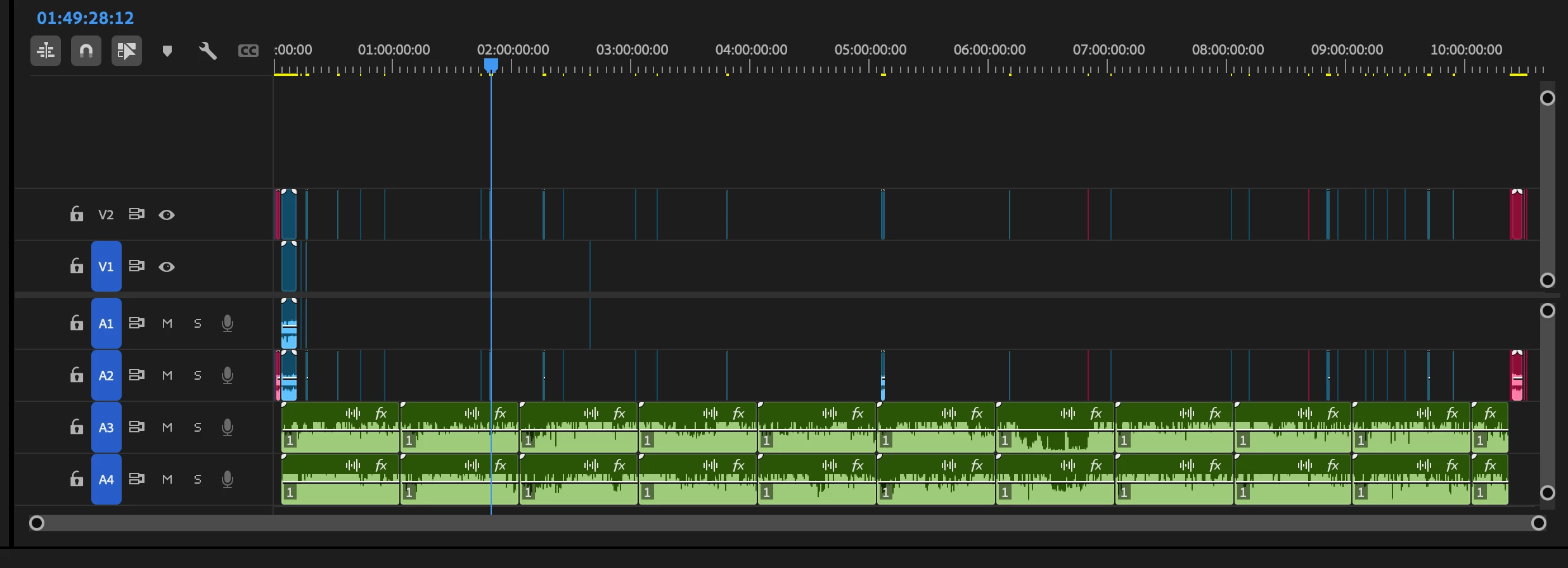
 I have my media synced on my timeline and I would like to get rid of all the gaps with audio only. Is there an easy way to do that? It seems unnecessarily complicated to do that manually. So is there a way to get rid of all the parts of the timeline with audio only?

3 replies

Adobe Employee
Sep 26, 2025 3:00 PM UTC

Hi Fenno235065605e61,

Welcome to the community! Hope MarekMularczyk's suggestion helped. In case you are looking for something else, do let us know. We're here to help.


Thanks,

Sumeet

Translate
MarekMularczyk
Community Expert
Community Expert
Sep 26, 2025 11:37 AM UTC

You could lock your video tracks and then use Ripple Delete on the audio.


Translate
Adobe Community ExpertAdobe Certified Professional
Participating Frequently
Sep 29, 2025 10:24 AM UTC

Sorry, I didn't quite understand. I think this is the way I've been doing this. I was hoping for a trick to delete all the gaps with audio only with a single-click.

Translate