dmiraie
Inspiring
May 5, 2019
Question

Demystifying video export ..?

  • May 5, 2019
  • 2 replies
  • 2314 views

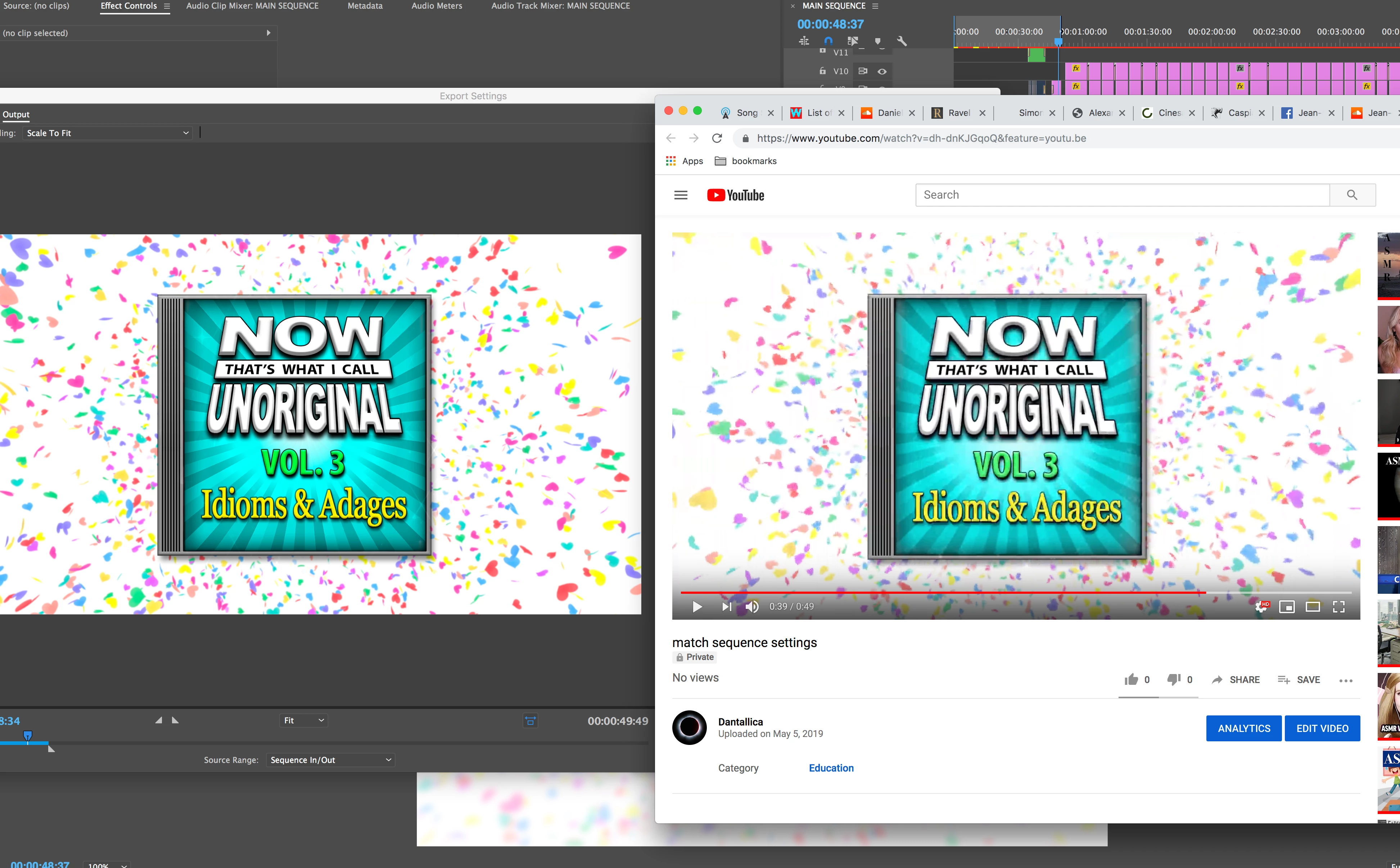
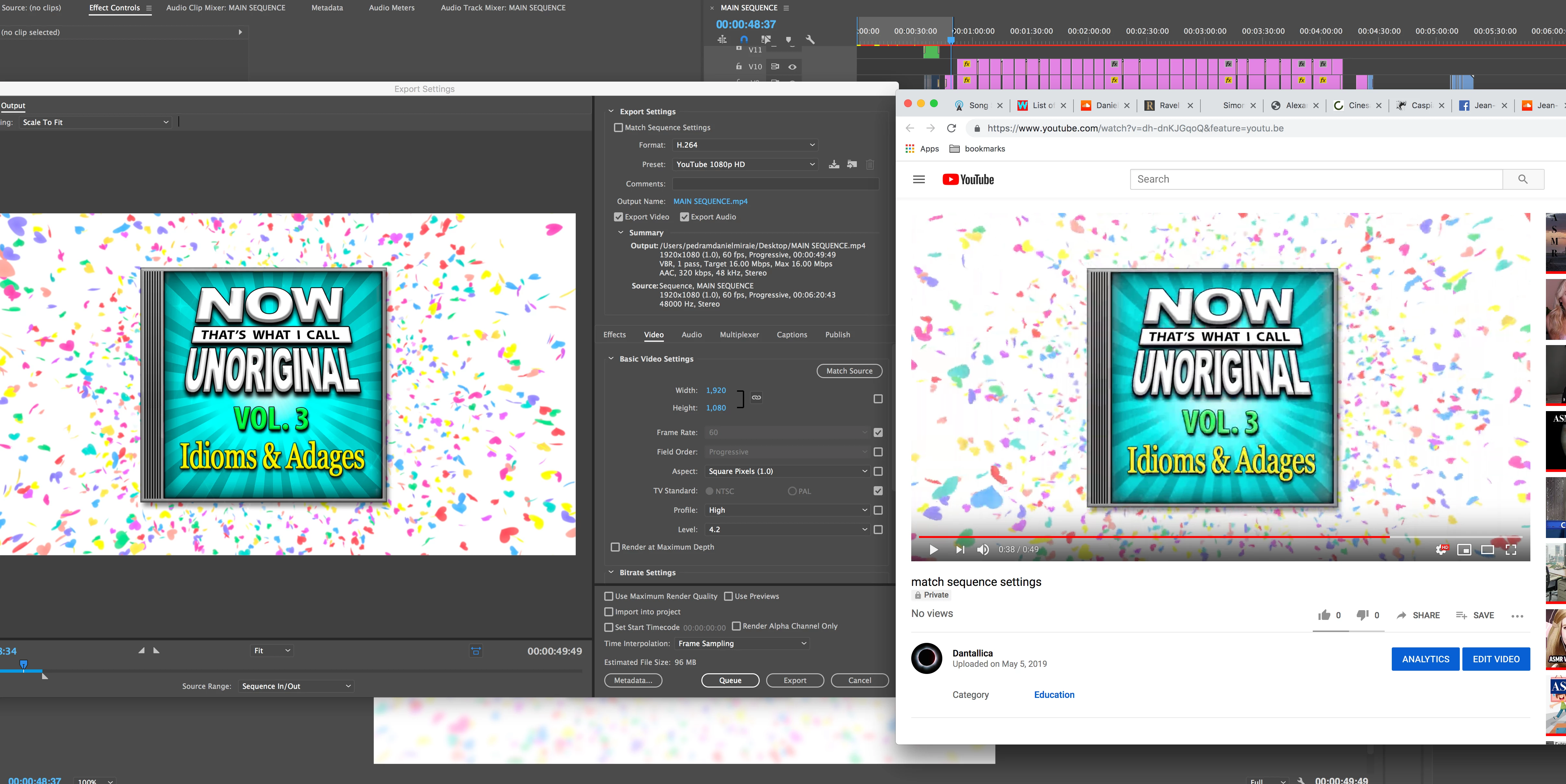
Can anybody tell me why this Youtube upload looks/plays so crummy, and what's the best way to fix this problem.. thanks!!

-The video is 60fps, but looks more like 30fps on Youtube

-The audio on the Youtube upload is late by ~5 frames

-I am using CC 2017, the exported video looks/plays fine in VLC, and I've tried a number of different export settings with the same crummy results on Youtube..
This topic has been closed for replies.

2 replies

Warren Heaton
Community Expert
Community Expert
May 14, 2019

*****What's the difference between a "color space" and a "color profile"? 

Color Space is the monitor setting and Color Profile is the file setting.

*****And when you say "newer Macs," how new do you mean? 

• 2015 and 2017 iMacs

• 2016 and newer MacBook Pro, MacBook, MacBook Air

• Thunderbolt Display

• iPhone 7 and up

• All the current iPads (but first introduced with the 1st generation iPad Pro)

If you go to the product web page, you’ll see “wide color”.

*****Do you know if the "Apple P3 color space" is consistant across Apple's newer phones and tablets?

All if the current models, yes.

*****Is there a way to change the color profile on a phone/tablet?

With macOS, yes.  If you can do it with iOS, it’s deeply hidden or via a 3rd party app.  Apple recommends that developers create wide color graphics for newer devices and sRGB for older.

*****Do you think future color spaces are going to continue to expand?

Definitely.

*****And is the 20-25% green/orange increase an increase in "saturation/vibrance"?

It’s across the entire color spectrum.

*****And what exactly is meant by "broadcast work?"

You’re content is going out to broadcast channels, cable channels or on demand and must conform to ATSC standard.

*****Since I'm mainly just working with uploads to YouTube/Vimeo, is it necessary for me ultimately to reference anything other than my phone and tablet?

Probably wouldn’t hurt to check what it’s looks like anywhere YouTube can be watched (desktop computers, mobile devices, network appliances that can receive video - like AppleTV, Amazon Fire, Roku).

R Neil Haugen
Legend
May 14, 2019

Warren ... totally ​awesome​ reply post!

Neil

Everyone's mileage always varies ...
Averdahl
Community Expert
Community Expert
May 5, 2019

What happens if you export the media as GoPro CineForm or Apple ProRes and upload that file directly to YouTube?

dmiraie
dmiraieAuthor
Inspiring
May 5, 2019

Could you tell me where to find those settings?  thanks!

Averdahl
Community Expert
Community Expert
May 5, 2019

Could you tell me where to find those settings?  thanks!

Here you go: