



Question
Diagonal Lines with Multicam Clips – Why?
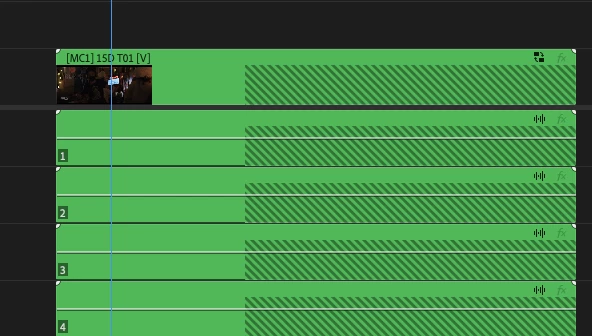
I'm trying to figure out why I'm getting diagonal lines whenever I drop an entire multicam clip into my timeline. It's like Premiere thinks my mutlicam clip is longer than it is and that media has been deleted from it, but the media in the multicam clip is as long as it is and no more.
Does Premiere do a default length for multicam clips or something?
There is no frame rate mismatch between the clip and the timeline. I tried deleting the media cache files to no effect. Running Premiere 2025 on an M1 Max mac.
Why does it think the multicam clip should be longer than it is? This is consistent across all my hundreds of clips.
 AdChoices