
Isaac Smeele
Known Participant
February 17, 2017
Answered

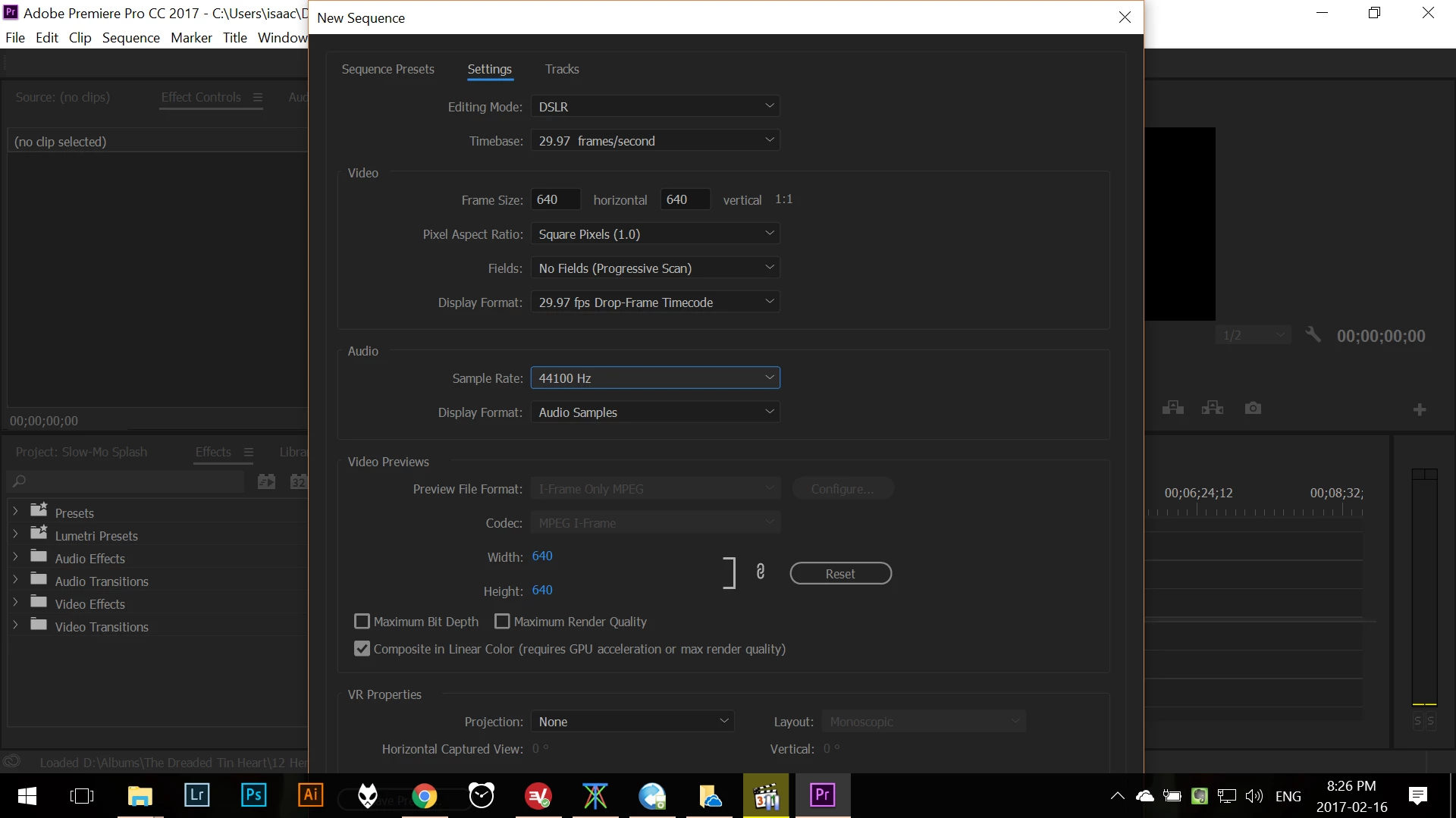
Dialouge boxes too large. Hiding behind my taskbar and can't be rezised.
  • February 17, 2017
  • 2 replies
  • 2231 views

This issue is really aggravating and I can't seem to fix it.

I've gone into the compatibility settings for premier and disabled dpi scaling but it did not fix the problem.

This topic has been closed for replies.
Correct answer Jeff Bellune

Does everything fit if you set Windows Display Settings to 100%?

2 replies

Participant
July 16, 2021

Hello, I found this while looking up the same issue...dialogue boxes in Adobe products hiding behind the task bar. Of course it's where you need to click. Had the issue for a year and just looked it up. Based on some of the responses,  I found the solution. 

If you open the windows display settings while an adobe product is open (have the dialogue box open as well), then change the scale settings. It should scale the window real time and you can go back to the recommended settings such as in my case 3840x2160 @15001428%. Then when you close and reopen, the dialogue box should continue to fit the window.

Jeff Bellune
Legend
February 17, 2017

What happens if you maximize the main Pr application window?

EDIT: *un-maximize

Isaac Smeele
Known Participant
February 17, 2017

Same result

Jeff Bellune
Jeff BelluneCorrect answer
Legend
February 17, 2017

Does everything fit if you set Windows Display Settings to 100%?