Participant
December 5, 2021
Answered

Difference programme and source monitor S-Log footage

  • December 5, 2021
  • 1 reply
  • 443 views

Hello All,

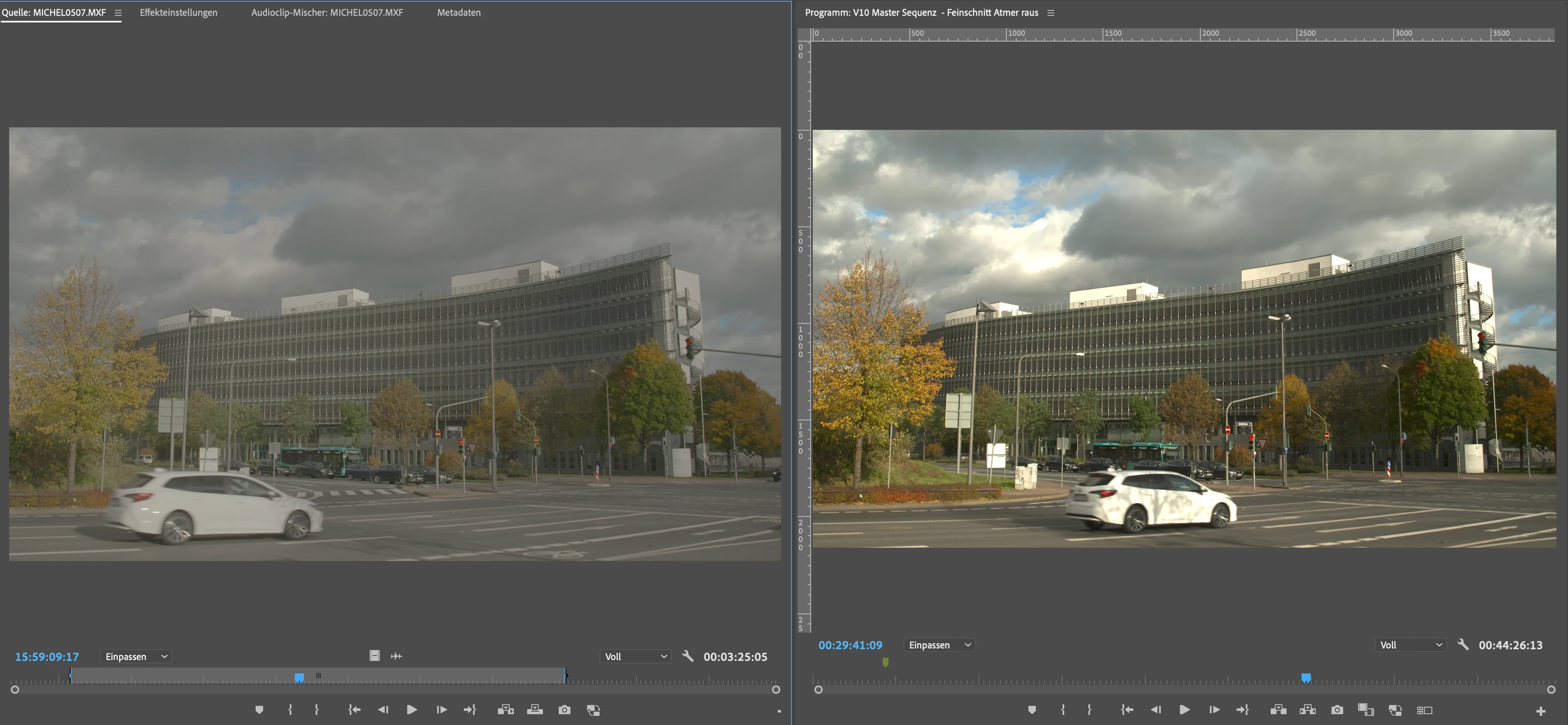
I´ve got a problem with the display of one clip. In the source monitor all looks fine and like S-Log 3.

In source monitor all looks fine - as a regular S-Log. In my sequence it looks oversaturated and darker.

It´s only on one clip. It happens also if I create a sequence using the original clip.

There is no LUT or anything else on top of the clip in the timeline.

The clip is without any hidden effects...

And it happens again and again, even if I switch settings.

And - in a 45 minute timeline - it´s the only clip that does it.


Do you have any idea?

Thanks a lot - best Markus
This topic has been closed for replies.

1 reply

Ali JaberCommunity ExpertCorrect answer
Community Expert
December 5, 2021
Participant
December 6, 2021

Yeah - thanks - that solved the problem.

Crazy is - the clip is not h264, it´s not hevc. It´s a MXF recorded with a Sony FX9. All-I in S-Log 3.

And it was the only clip with that problem - all other from that day where interpreted correct. But it´s also the only one that´s 10 GB large - so maybe that was a problem for PP.


So thanks a lot for bringing up the solution!


Best - Markus

R Neil Haugen
Legend
December 6, 2021

I talk about this specifically in a FAQ I made for this forum. And many other things in their completely new color managment, with very different default behaviors.


Neil


FAQ: PremierePro 2022 Color Managment for Log/RAW Media

Everyone's mileage always varies ...