


Inspiring
November 22, 2021
Answered

Directional Blur a way to repeat edge pixels?
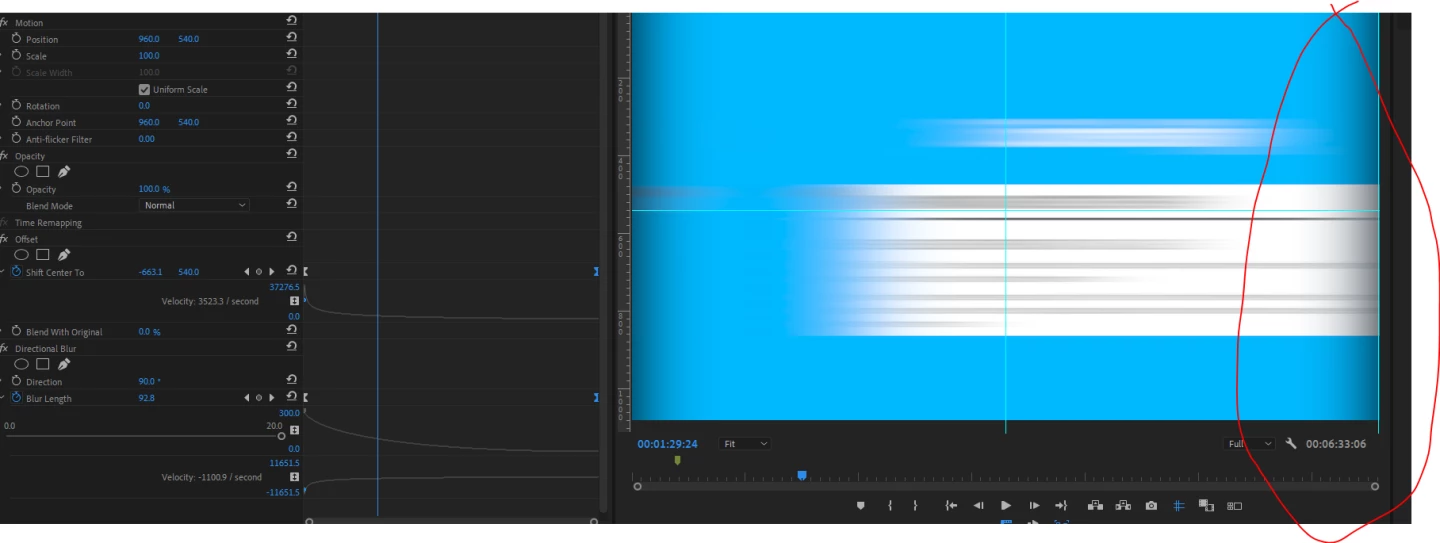
Hey everyone so i have been practicing whipping to the right and left down etc for when i want this style of transition. I followed a youtuber who creates an adjustment layer with an offset and directional blur, is there a way to clean up this edges when the transition begins, i could live with it but was wondering how much work would be involved to make a successful transition like this, i have heard people say they use a normal blur and do it that way but i prefer to have the motion of the blur in the direction of the whip.

Cheers, 

Any help would be great

aspire029Correct answer
Inspiring
November 23, 2021

Dude what a miracle all i did was put the alpha layer and ticked ignore alpha and its fixed ... Amazing. No one was able to help me with this, i even was in a premiere pro discord channel but no one was able to come up with a solution that worked.. 


🙂 

10 replies

Participant
June 29, 2025

In After Effects, to remove the black border while using Directional Blur, use the Set Matte effect and uncheck 'Composite Matte with Original'.

Translate
melbendi
Inspiring
July 26, 2026

This helped me, thank you! :)

Translate
Participant
November 7, 2022

This literally felt like a one-step solution and it made a really tough day a little better! Thank you!

Translate
Participant
November 22, 2021

It may not be what you want, but please try it if you like.

Translate
aspire029Author
Inspiring
November 23, 2021

Thanks @Hiro_N I will try it now... Thanks 🙂

Translate
aspire029AuthorCorrect answer
Inspiring
November 23, 2021

Dude what a miracle all i did was put the alpha layer and ticked ignore alpha and its fixed ... Amazing. No one was able to help me with this, i even was in a premiere pro discord channel but no one was able to come up with a solution that worked.. 


🙂 

Translate