davidp48412263
Participant
February 5, 2018
Answered

Directory access error. Please make sure your user directory isn't locked.

  • February 5, 2018
  • 19 replies
  • 66917 views

Hi,

Just tried to open Premiere Pro CC but got this error message this was working fine not long ago. I have tried photoshop and seems to work fine.
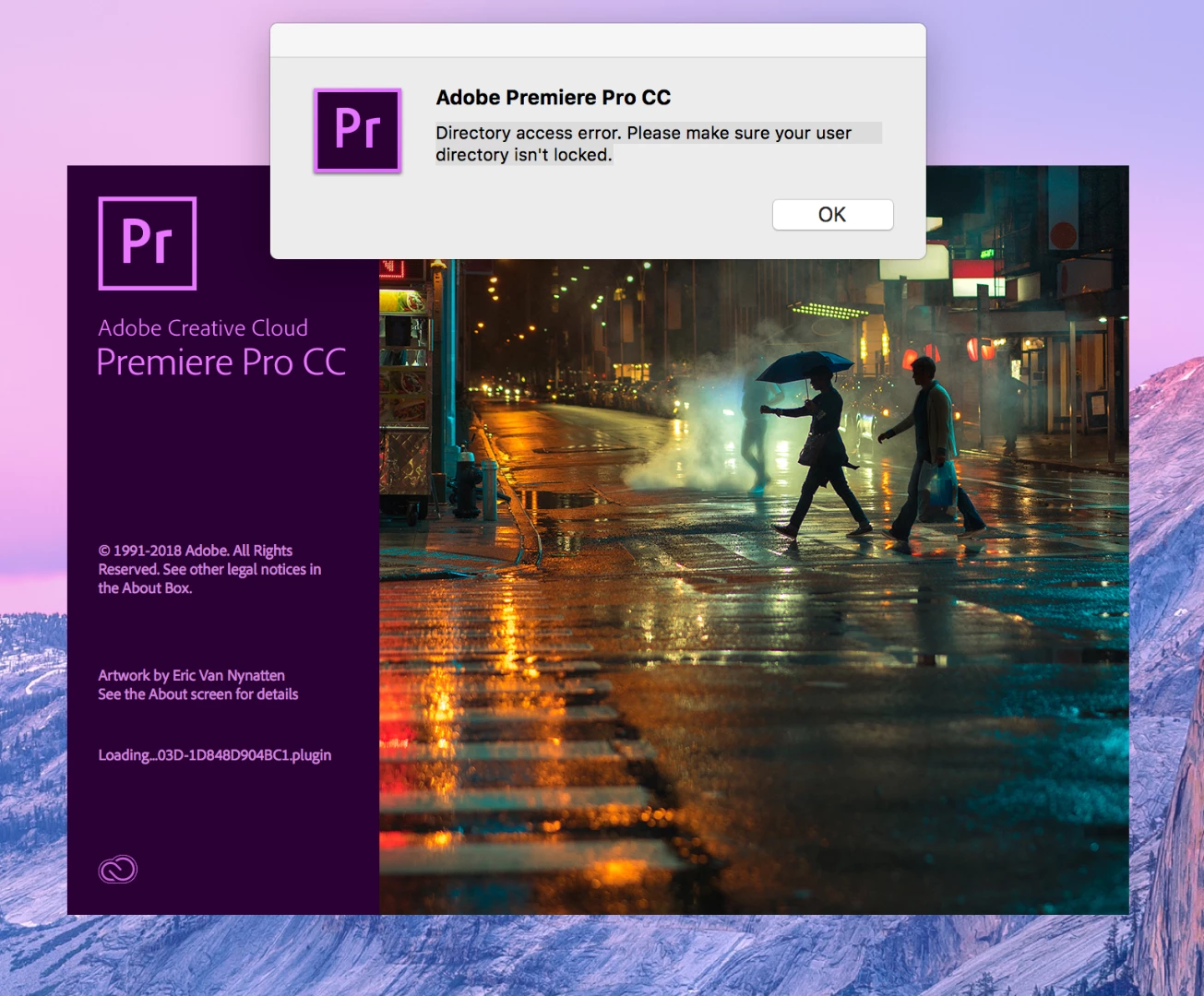
Thanks

Correct answer Trent Happel

This error will come up when your Documents folder and/or its contents (including the Adobe folder) may not be modifiable. Make sure that you have permission access to make modifications in the Documents folder and all of it's sub folders.

For example, go to Documents  and open the Adobe folder. Try to add a file to the Adobe folder and Premiere Pro folder. If you get a warning that you don't currently have permission to access this folder, then you need to change the permissions so that you have rights to modify these folders.

19 replies

Participant
June 29, 2024

GOOD


Participant
March 21, 2022

I know this bug. Premiere made 1 folder to be error. Then it can’t read imformation in that folder more. And it gave message directory acess error. It is not window or permission, only folder was wrong. We need rename or delete that wrong folder then premiere will create new, and it will run again.

Path of folder is: user/document/adobe/premiere pro/14.0/profile-user

Or we rename premiere pro folder to aaa, bbb :)))

Participant
October 19, 2020

Here is a workaround for Mac.

Open the project that is locked.

Up in the top options panel select File>Save As Copy.

Close premiere.

Open premiere and select the (whatever you named it)*copy (it will end with a copy by default).

All permissions are working now. 

Later I deleted the original filename from Premiere.

Then File>Save As and called it the original name.


Participant
May 24, 2020

how can i fix this on macbook ?


Participant
May 17, 2020

I have the same problem on a Windows 10 Pro desktop. My permissions are fine, I can access the Adobe folder, add files, etc without any problem or unnecessary authorization. I always run as an Admin, I have no other accounts on this PC. I can't believe they haven't solved this problem in such an expensive software. And from the comments here it's an obvious problem both on Windows and PC.

Participant
March 11, 2020

HI, I had this problem too, and here's how I've founded a solution:


https://communities.apple.com/es/thread/251179138


It was a problem with the folder "documents" and iCloud drive sync options ("desktop & documents folders") that was afecting PREMIERE PRO launch.

October 21, 2019

I just had the issue aswell and resolved it. 


Our users are members of a domain and have their "home folder" (doucments folder) connected as a network drive (example H:\)

The path to the documents folder would then be: \\server\networkfolder\username\documents or H:\documents

A lot of programs like Adobe doesn't like UNC paths (\\server\networkfolder...).


To resolve the issue, change the path in registry for the documents folder.

HKEY_CURRENT_USER\Software\Microsoft\Windows\CurrentVersion\Explorer\User Shell Folders\Personal

Changed it from:

\\server\networkfolder\username 

to: (H being the letter on the home folder network drive letter)

H:\


Did the same with the My Pictues folder and My Videos paths.. (H:\My pictures and H:\My Videos)


adic32594001
Participant
April 10, 2020

I've been trying to sort this path issue on media encoder and premiere pro for ages and your solution to just edit the path in the reg from \\server\ to local path resolved the issue.  Just want to say thank you.

trenillow20342533
Participant
September 23, 2019

Don't know if this will help anyone but I had the same problem and I tried everything recommended by Adobe and others, but it still gave me the same error.   But I notice that everytime it give me the error it would come up during the time Premiere was trying to load the quicktime plugin.  So I updated quicktime and all the Apple software updates, and bingo the problem was solved.  I'm using a Dell Work Station PC with Win 10, 64bit.  Hope this helps someone.

ramo1218
Participant
July 17, 2019

I know how ridiculously simple this solution is but it worked for me anyway, try running as admin, I had this problem on Windows 10 laptop with Intel graphics in it and it worked just fine.

Chad Baker
Adobe Employee
Adobe Employee
January 18, 2019

For anyone encountering this error who isn't helped by adjusting permissions on the documents folder, and who is running a machine with an Intel graphics chipset, try the following solution:

Update the Intel graphics driver.

I was working with an enterprise customer on this issue and after trying every method of verifying and modifying the customer's permissions, they resolved the issue with a graphics driver update. This was affecting multiple HP Elitedesk G4 PCs.

Best regards,

Chad Baker | Enterprise Support | Adobe Pro Video

Chad Baker
Adobe Employee
Adobe Employee
January 29, 2019

Updating this thread with another reported solution. A customer encountered this error when the folder containing the Adobe folder was at max capacity. Freeing up more space resolved the issue.