
Answered
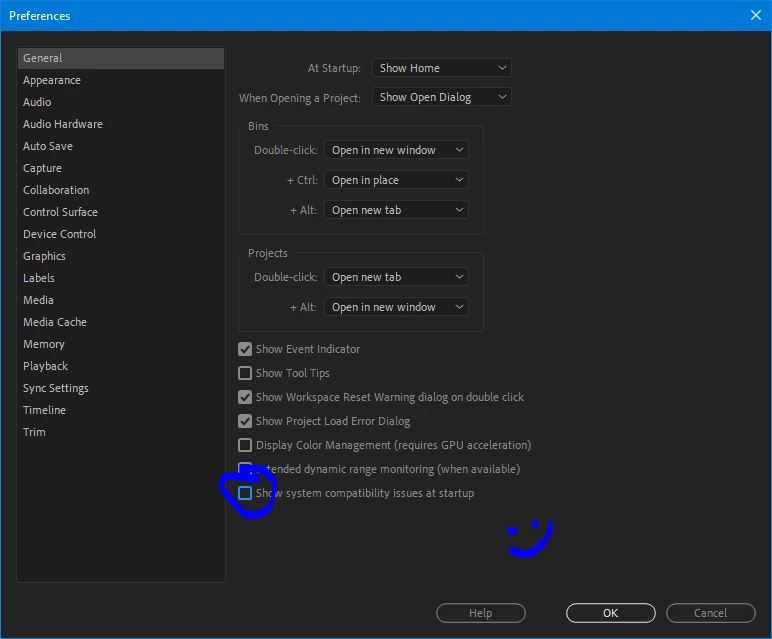
Disable System Compatibility Report
I spent hours with all the driver update attempts with my old HP ZBook 15 which I need to live with for a while yet, and I'm done with this. I'm back to where I started with the most recent drivers from Nvidia.
PP 2020 works at the same speed as PP2019 after I continue with known issues, except I feel like my computer now sucks every time I start it. It still uses the GPU as before.
I wish to turn off the system compatibility report so I don't need to click through it and see the nasty red warning in the upper bar that reminds me that my computer sucks.
I'd say this tool has the potential to be very useful... just not in my case at this time.
darryl
mod note: the contents of this post have changed slightly to create a "how to" post.


 AdChoices