
Participant
October 3, 2017
Question

Display of Timecode too big

  • October 3, 2017
  • 1 reply
  • 261 views

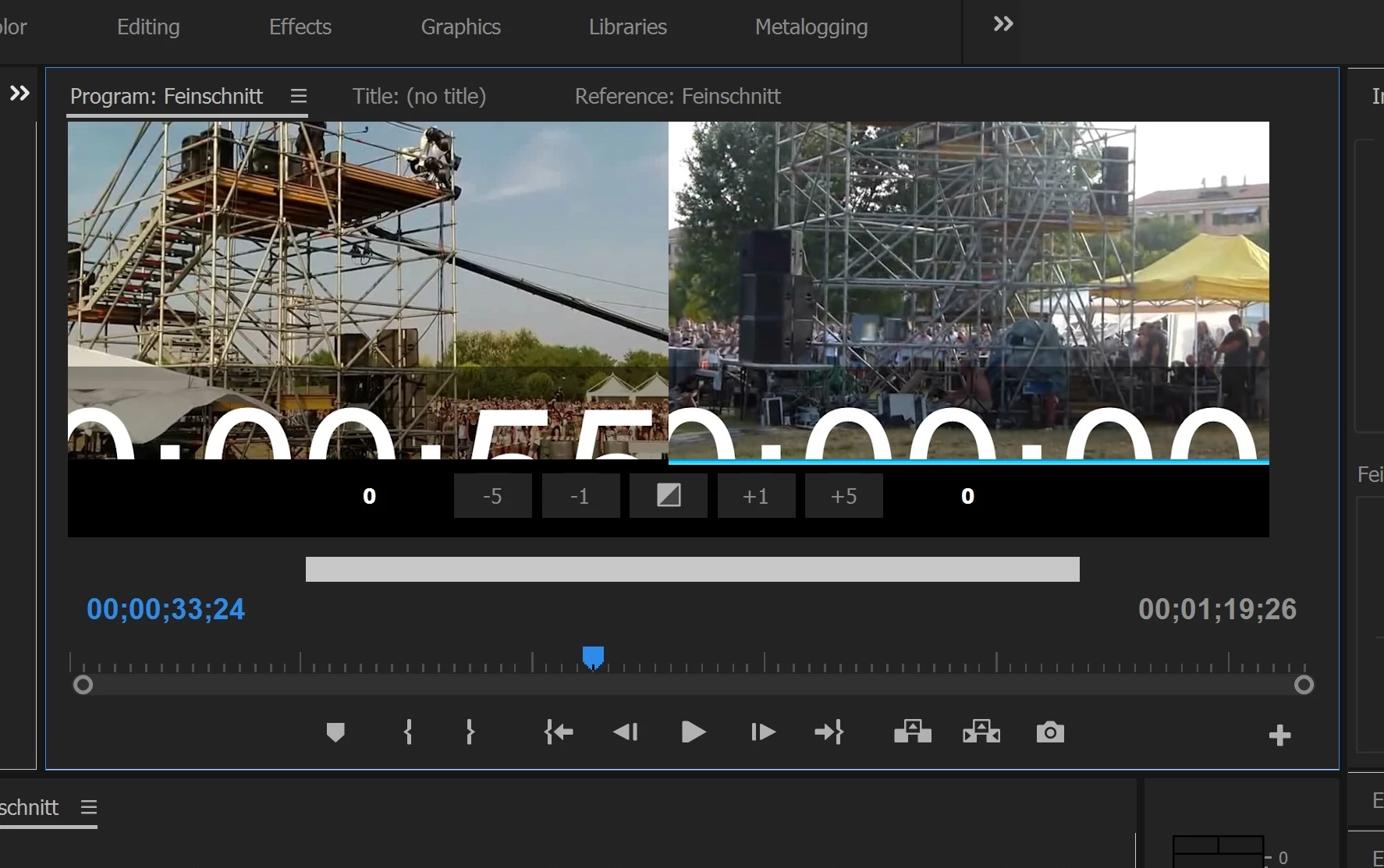
The display of the timecode, after using the Ripple Edit Tool is too big.

I have Windows 10 and nothing happend after changing resolution on OS.

Where/How can I change the size of the timecode?

Please see screenshot
This topic has been closed for replies.

1 reply

kulpreet singh
Inspiring
October 3, 2017

Hi Martin_unki,

Click on the wrench/settings menu (in the Program monitor), select overlay Settings > Settings and change the Text Size.

Let me know if that helps.

Thanks,

Kulpreet Singh

Participant
October 4, 2017

Hi Kulpreet Singh,

thanks for your help. Unfortunately it did't work. I changed Text Size from 16 to 12 and nothing changend.

Martin