Lewiscat
Inspiring
December 8, 2022
Answered

Dissolve on last frame

  • December 8, 2022
  • 1 reply
  • 707 views

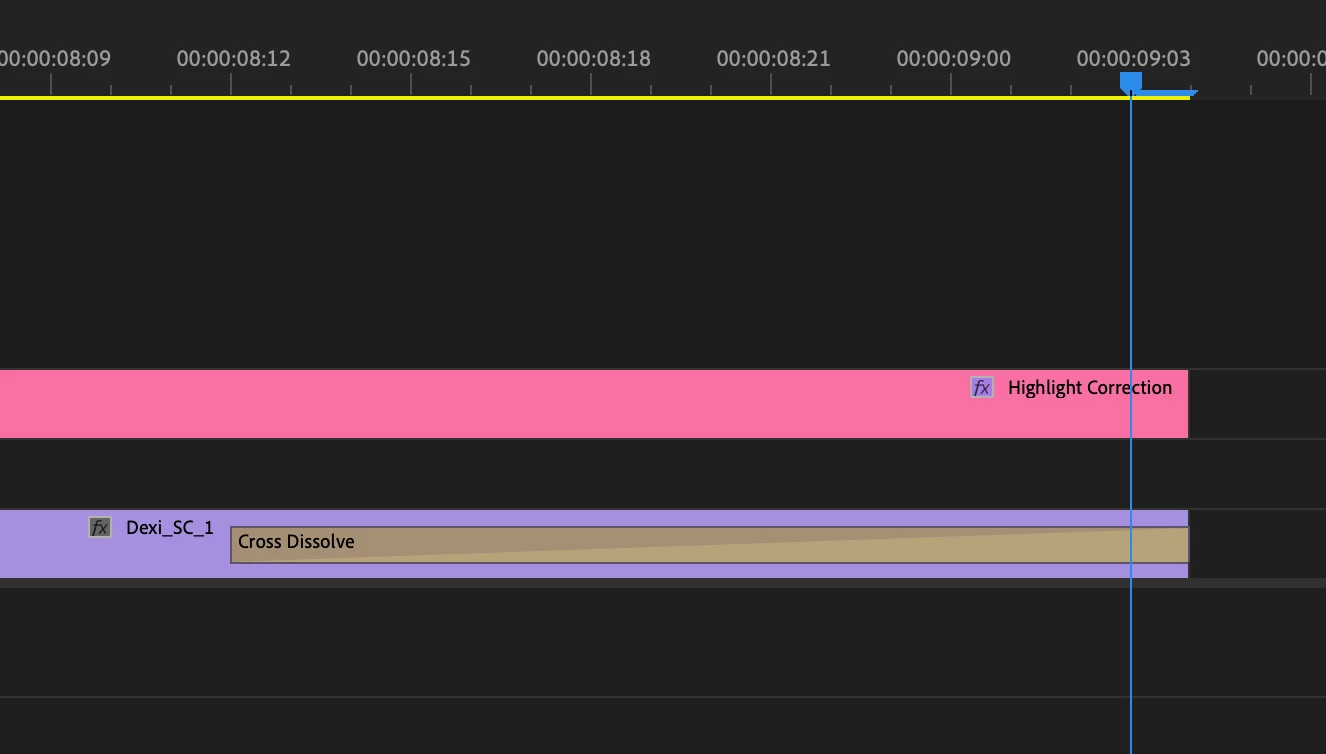
Hi everyone - After exporting, I noticed the dissolve on the last frame is not completely black.  Is there a setting to allow the video to move an additional frame to cover the entire dissolve?  I can extend another track to cover the dissolve but this seems to be hack workaround.  Please advise.  Thanks.


This topic has been closed for replies.
Correct answer Averdahl
quote

Hi everyone - After exporting, I noticed the dissolve on the last frame is not completely black.


By @Lewiscat


You can try to go to Sequence > Sequence Settings and un-check Composite in Linear Color. Another thing to do is to add a couple of frames of Black Video at the end. This will give you some black frames that are completely black after the cross dissolve and will fool the eye and gives the impression that it fades down to 100% black. I always do this. 5-10 frames is enough.


Not only fooling the eye, it will indeed fade down to 100% black and stay black.

1 reply

Averdahl
Community Expert
AverdahlCommunity ExpertCorrect answer
Community Expert
December 8, 2022
quote

Hi everyone - After exporting, I noticed the dissolve on the last frame is not completely black.


By @Lewiscat


You can try to go to Sequence > Sequence Settings and un-check Composite in Linear Color. Another thing to do is to add a couple of frames of Black Video at the end. This will give you some black frames that are completely black after the cross dissolve and will fool the eye and gives the impression that it fades down to 100% black. I always do this. 5-10 frames is enough.


Not only fooling the eye, it will indeed fade down to 100% black and stay black.

Lewiscat
LewiscatAuthor
Inspiring
December 8, 2022

Thanks for the help Averdahl - The sequence settings didn't make a difference in my case but your second thought helped;  I noodled around and the black video worked as did keyframing the opacity on the clip.  Also, extending the Work Area and setting that in the Export view worked as well.  Thanks again for your help!