

M1Storyteller
Inspiring
Oct 20, 2026 6:22 PM UTC
Question

Does Premiere allow users to generate custom, timed subtitles (for social content) that highlight each word individually?

(Currently on Adobe Premiere Pro 26.5.2 Build 5)


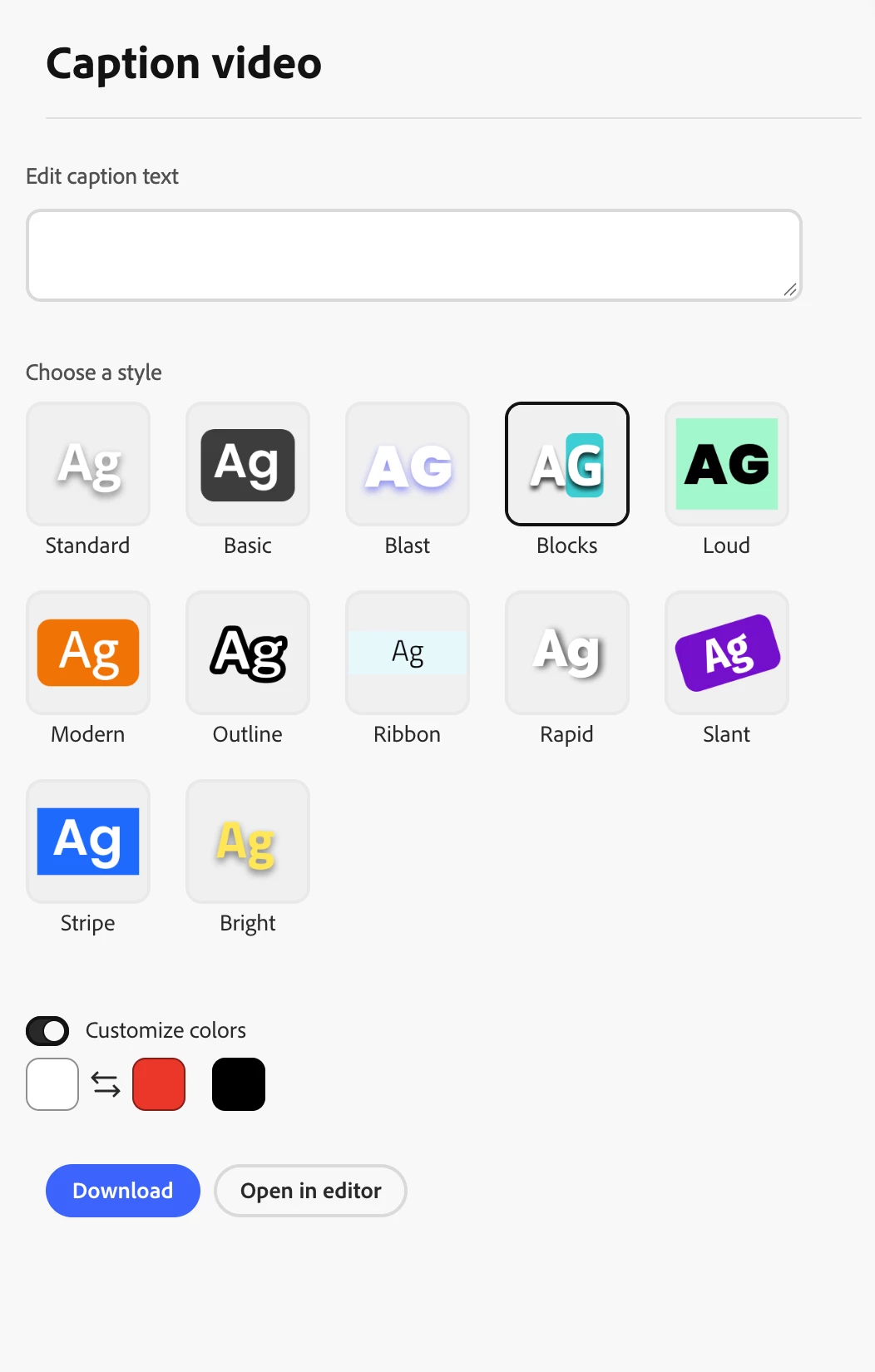
I am trying to see if Premiere has a way to generate subtitles similar to what Adobe Express allows you to do with its “Blocks” style - a colored background that highlights each word as it is being spoken. I have found some YouTube tutorials that show you how to achieve this, but they require third-party plug-ins. My hope is that Adobe has developed a solution for this inside of Premiere by now, given the popularity of the style across various social media platforms.
 

    5 replies

    Participating Frequently
    Nov 1, 2026 10:51 AM UTC

    As Stan said, Premiere still can't do this natively, so for now it does take a plugin.

    The Blocks look you describe is what the Active Word effect in Subkick Caption does. We make it, so I'm biased. The word being spoken gets its own color and a background block, and you set the block's color, size and rounded corners yourself. It runs in a panel inside Premiere with no After Effects needed, transcribes with word-level timing, and puts the captions on your timeline in one click. Every feature is unlocked for your first 1,000 words, so you can try the exact style on a real clip for free.

    Translate
    Stan Jones
    Community Expert
    Community Expert
    Oct 23, 2026 6:54 PM UTC

    ​@M1Storyteller 

    > If you’re familiar with the “Blocks” style inside Adobe Express, that’s what I desire: single-line captions with each word being sync-highlighted.

    Single line or single word on screen at a time? Karaoke style? The answer is going to be much the same: PR does not have it, and built in animations are much in demand.

    Stan


    Translate
    Stan Jones
    Community Expert
    Community Expert
    Oct 21, 2026 12:27 PM UTC

    ​@M1Storyteller 

    As noted, the single word captions option is great. But the real goal is simple to use animated captions inside PR.

    Upvote this feature request:

    https://community.adobe.com/feature%2Drequests%2D730/request%2Dfor%2Denhanced%2Danimated%2Dcaption%2Doptions%2Dand%2Dai%2Dfeatures%2Din%2Dpremiere%2Dpro%2D1327436

    28 more votes since I posted on this subject 5 days ago!

    This is a tutorial I did that illustrates a simple animation workflow using the single word captions. But this is not the robust, flexible option you, and many others, want.
    https://youtu.be/VRS4uhzi-bY

    Stan


    Translate
    CORCTON34033231
    Community Expert
    Community Expert
    Oct 21, 2026 1:27 AM UTC

    Hi! Yes — Premiere has a native option for this now, no third-party plug-in needed: Single Word captions.


    1. Select Window > Workspaces > Captions and Graphics.

    2. If you haven't transcribed yet, select Transcribe sequence in the Text panel.

    3. In the Text panel, go to the Captions tab and select Create captions from transcript.

    4. In the Create Captions dialog, expand Captioning Preferences and under Layout select Single Word, then select Create captions.


    Premiere then generates a caption track where each caption contains a single word, in sync with the speech — so the words appear one at a time, social-style. One difference from the Express "Blocks" style: it displays one word at a time rather than highlighting a word inside a full line. Single word captions use the same styling tools as standard captions, so you can adjust the font, color and other text properties in the Properties panel and save them as a track style.


    Official doc: https://helpx.adobe.com/premiere/desktop/add-text-images/insert-captions/create-single-word-captions.html


    Hope that helps!

    Translate
    M1Storyteller
    Inspiring
    Oct 22, 2026 8:35 PM UTC

    I appreciate the reply, but this isn’t quite what I’m asking for. If you’re familiar with the “Blocks” style inside Adobe Express, that’s what I desire: single-line captions with each word being sync-highlighted.

    Translate