Inspiring
January 30, 2024
Answered

Drag and drop clips on the timeline without overwriting

  • January 30, 2024
  • 3 replies
  • 9119 views

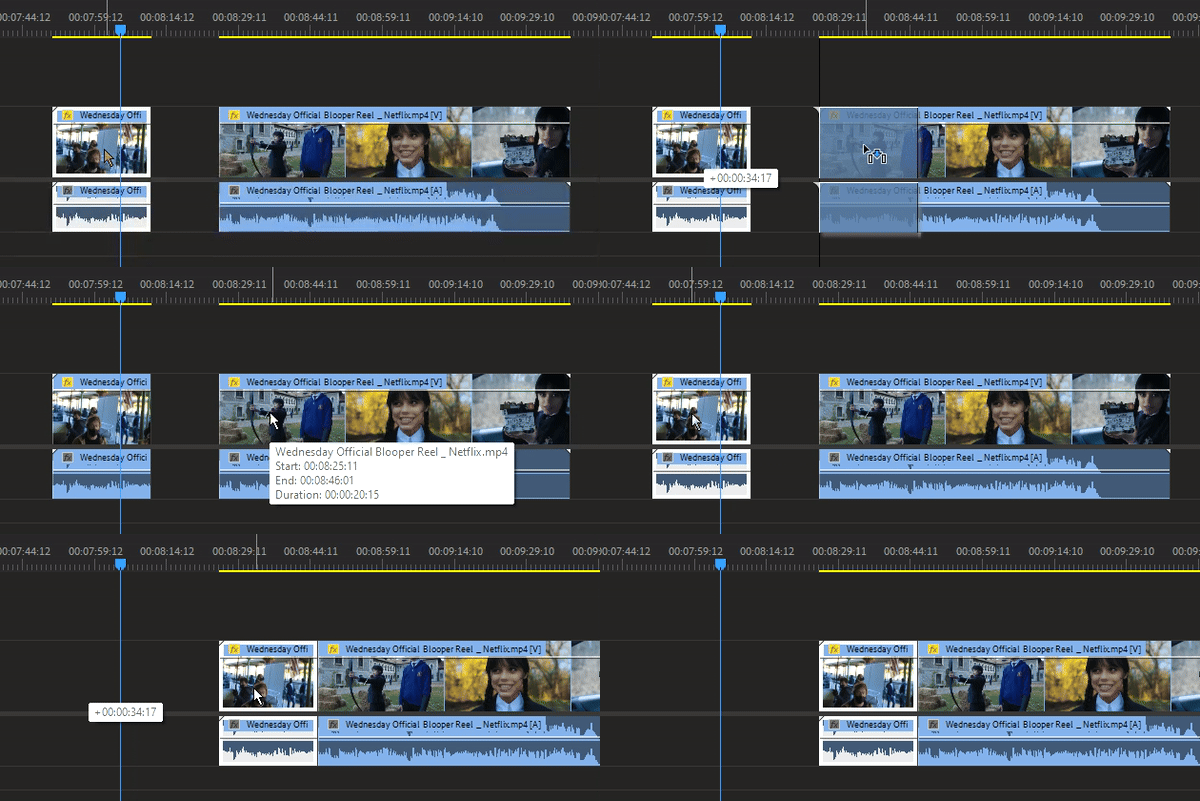
So the question is, is there a way to set it so I can move one clip on top of another without overwriting it but rather moving it further in the timeline by default without the need of holding down modifier keys?


Correct answer Kevin-Monahan

Hi @John28850210ubid,

Thanks for the question. Here are the rules of thumb regarding an Overwrite and an Insert Edit (what you described in your post):

To perform an Insert or Overwrite edit by dragging a clip to the Program panel, do the following: Drag-and-drop to overwrite edit (default drag, no modifier). Drag-and-drop to Insert edit (hold down Command/Ctrl key modifier).


You must use a modifier for an Insert Edit, sorry about that.


More info: https://helpx.adobe.com/premiere-pro/using/adding-clips-sequences.html


Thanks,
Kevin

3 replies

Participant
July 5, 2025

I'm just curious, if you drag multiple clips (such as clips 1, 3, and 😎 and want to edit in insert mode, will that mess up the timeline?

mistfall
Known Participant
March 4, 2025

Wow.  "You'll get used to it" is a disppointing response.  I have spent many hours re-doing work that I've accidently over-written when I drag new clips onto the timeline.  I wish there there was a preference setting that would ask "are you certain you wish to overwrite the clip on Track n?  Yes/No". With a "do not ask again" check box for the pros who apparently need to drag things over existing clips and always remember to hold down the command key.

Kevin-Monahan
Community Manager
Kevin-MonahanCommunity ManagerCorrect answer
Community Manager
January 31, 2024

Hi @John28850210ubid,

Thanks for the question. Here are the rules of thumb regarding an Overwrite and an Insert Edit (what you described in your post):

To perform an Insert or Overwrite edit by dragging a clip to the Program panel, do the following: Drag-and-drop to overwrite edit (default drag, no modifier). Drag-and-drop to Insert edit (hold down Command/Ctrl key modifier).


You must use a modifier for an Insert Edit, sorry about that.


More info: https://helpx.adobe.com/premiere-pro/using/adding-clips-sequences.html


Thanks,
Kevin

Kevin Monahan - Sr. Community & Engagement Strategist – Pro Video and Audio
Inspiring
February 1, 2024

Thanks, Kevin. Would I get anything out of posting about adding toggling insert/overwrite button in the timeline panel as as feature request, or it wouldn't be worth it?

MyerPj
Community Expert
Community Expert
February 1, 2024

I think you'll get used to it, just ctlr-drop when you want insert, regular drop when you don't. Do we really need some request for a toggle? The ctrl is working as a toggle.