Participating Frequently
September 23, 2026
Question

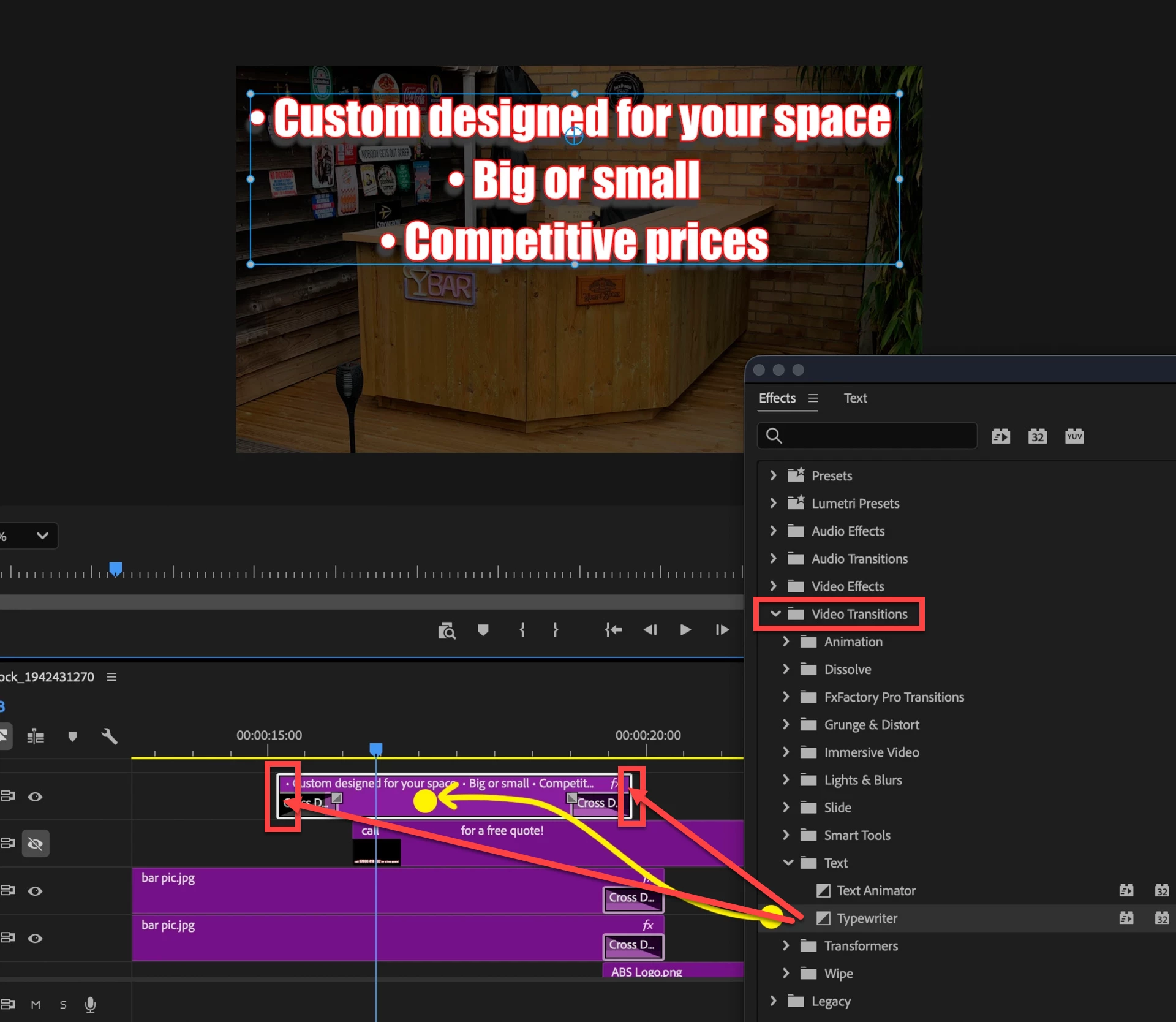
Dragging text effects to text in the timeline doesn't work

  • September 23, 2026
  • 6 replies
  • 24 views

When applying a text effect I get a "no entry" mark on the cursor when dragging to the timeline. I have re-installed Premiere and deleted the prefs. Am slowly going crazy 😱

    6 replies

    Participating Frequently
    September 23, 2026

    Hi Sumeet 

    it’s a very simple document. And if I start a new doc and just type a line of type then the problem re-occurs. I get a strange circle with diagonal line appear of the cursor

    mattchristensen1
    Community Manager
    Community Manager
    September 23, 2026

    If you’re talking about caption clips living on a caption/subtitle track, those are text-only clips and can’t have effects applied to them. If you’d like to turn them into standard graphics clips that can have effects applied, select them all and then choose Captions & Graphics > Upgrade Caption to Graphic. This will take them off of the special caption track and make them standard graphics on the video tracks of your timeline. Then you can apply any effects you need.

    Participating Frequently
    September 23, 2026

    Thanks, Matt. But these aren’t captions or subtitles, they’re part of a presentation.

    Ann Bens
    Community Expert
    Community Expert
    September 23, 2026

    Make sure you drag all the way to the clip on the timeline.

    Participating Frequently
    September 23, 2026

    Yep, done all that. It’s weird - AE works just fine it’s just Premiere

    Community Manager
    September 23, 2026

    Hi DavidMFranks,

    Could you please confirm the type of media/clip (video, image, or MOGRT) to which you are trying to apply the text effects? You mentioned that the text is part of a presentation. Could you please provide more details about the format of the presentation/media?
    ​​​​​​​

    Thanks,
    Sumeet