
mikeyuhoh
Participant
February 26, 2019
Answered

Dual Screen Set Up Queries

  • February 26, 2019
  • 3 replies
  • 1641 views

Hi everyone!

I'm having some issues with my two monitor setup. Probably some pretty basic stuff, but after searching online for a while, I've had no luck.

My computer setup is Windows 10, with NVIDIA GeForce GTX 1060 6GB GPU.

My displays are set up using NVIDIA Control Panel, but I have not selected them to span.

Issue one:

Is it possible to maximise Premiere so that it spans across two monitors? At the moment if I hit maximise it only maximises to one monitor.

Issue two:

Is it possible to full screen a panel onto one monitor only? Say I want to watch back an edit in full screen - at the moment I hit tilde (`) and it centres that panel across both monitors. I've tried enabling Mercury Transmit but that only seems to work if Premiere doesn't populate the second monitor.
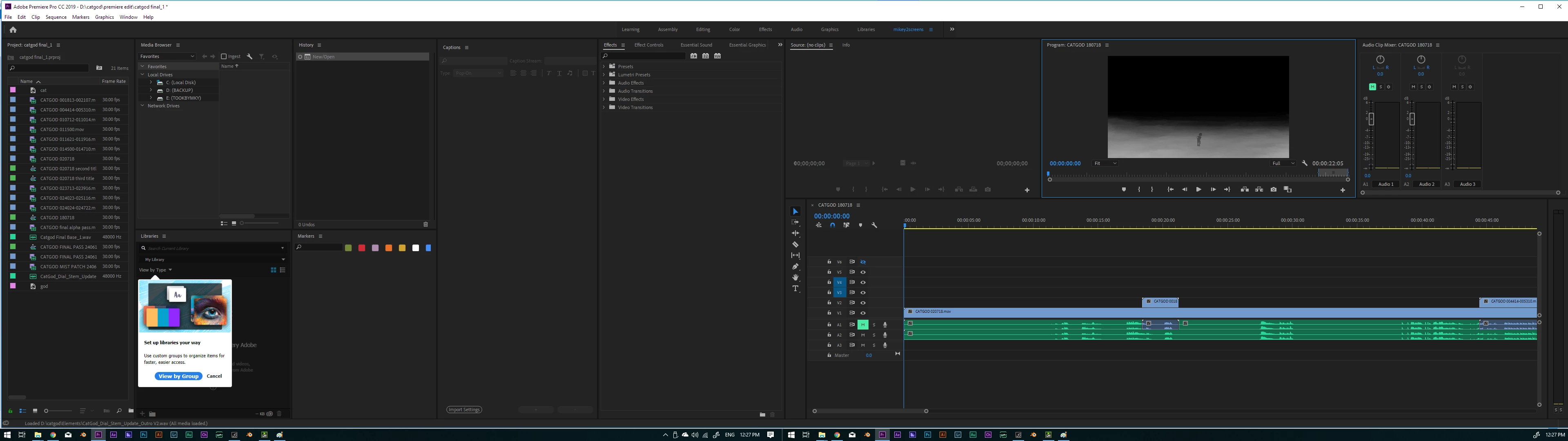
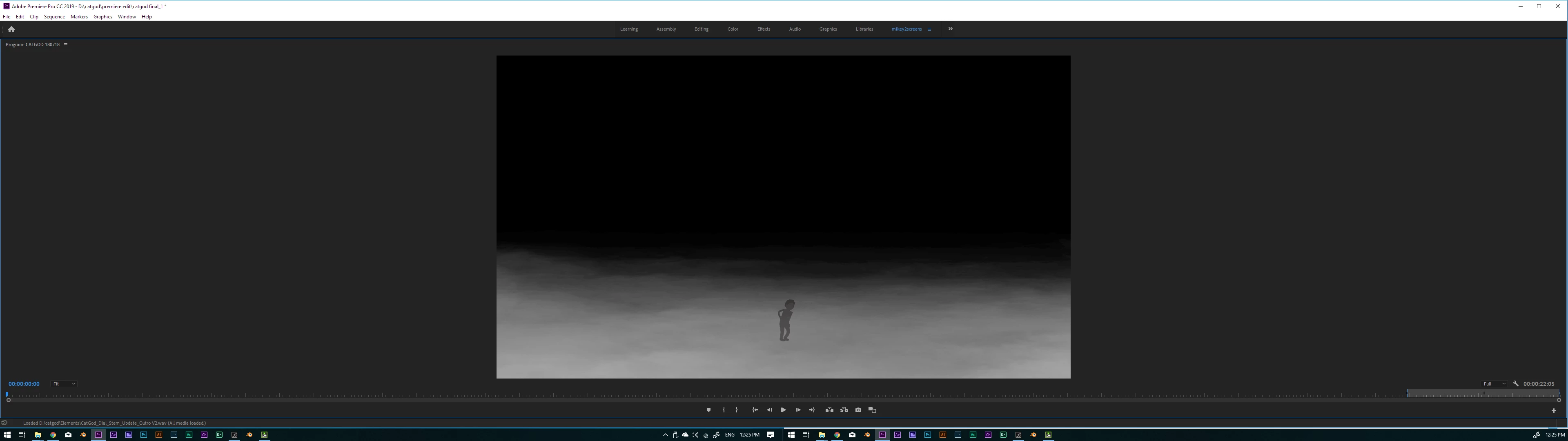
I've moved over from Avid MC where both of these features are possible so hoping there's a relatively easy, if not hidden fix.

Hopefully someone can help out

Cheers!

Mikey

This topic has been closed for replies.
Correct answer R Neil Haugen

Make sure in the OS that you're extending the desktop.

Pr's main UI screen needs to be full screen on the monitor the OS sees as number one.

Now you can move panels to the second monitor say one panel, enlarge it, then add to it as you wish.

Or ... in the Edit/Preferences/Display tab, select the second monitor in the Mercury Transmit panel. Now that screen would fill with the Program monitor.

And to avoid having to go to Preferences to toggle that on/off, go into Keyboard Shortcuts and set a short for Mercury Transmit. Mine is Shift-C.

Neil

3 replies

Legend
February 26, 2019

Say I want to watch back an edit in full screen

For that, you're better off with a dedicated I/O device, which removes the OS and GPU driver from the signal path and offers a correct viewing environment for grading and quality control.

Legend
February 26, 2019

Is it possible to maximise Premiere so that it spans across two monitors?

No, and this is a long-standing issue with the way Windows does multiple monitors.  For this and other reasons, I've given up on the idea and find working with one large monitor superior.

R Neil Haugen
R Neil HaugenCorrect answer
Legend
February 26, 2019

Make sure in the OS that you're extending the desktop.

Pr's main UI screen needs to be full screen on the monitor the OS sees as number one.

Now you can move panels to the second monitor say one panel, enlarge it, then add to it as you wish.

Or ... in the Edit/Preferences/Display tab, select the second monitor in the Mercury Transmit panel. Now that screen would fill with the Program monitor.

And to avoid having to go to Preferences to toggle that on/off, go into Keyboard Shortcuts and set a short for Mercury Transmit. Mine is Shift-C.

Neil

Everyone's mileage always varies ...
mikeyuhoh
mikeyuhohAuthor
Participant
February 27, 2019

Thank you! This got it working exactly how I wanted it to!

R Neil Haugen
Legend
February 27, 2019

Glad you're working.

Neil

Everyone's mileage always varies ...