Inspiring
January 19, 2022
Answered

Dynamic Link Not working NEW ISSUE!

  • January 19, 2022
  • 3 replies
  • 1383 views

Windows 10, All up to date Adobe suite. 


There were other threads but this is different.  Dynamic Link is just pausing at the import box.  It greys out.  Anything linked prior to this morning is still coming in no matter the project, but I can't import anything new.  I've tried the multiframe rendering "fix", uninstalling and reinstalling, rolled back to base 22.0, and still NOTHING.    Totally corrupted the Dynamic Link Manager.  


It started after opening up a project I worked on at home yesterday.  Same versions all software. Opened up the Premeire project on a laptop as well and the same problem "infected" it.  Can't link anything NEW.  My system at home is Win11, if that matters, although it shouldn't.


Is there a way to remove all traces of the Dynamic Link Manager besides wiping the whole system?  
This topic has been closed for replies.
Correct answer Josh JMFE

Was on with Adobe support for at least an hour and it seems the culprit were the preferences burried in appdata/roaming/adobe.  No real explaination why it was corrupted.  Had to reinstall all my plugins, shortcuts, workspaces, scripts, ect.  Quite the agravation!


3 replies

MyerPj
Community Expert
Community Expert
January 20, 2022

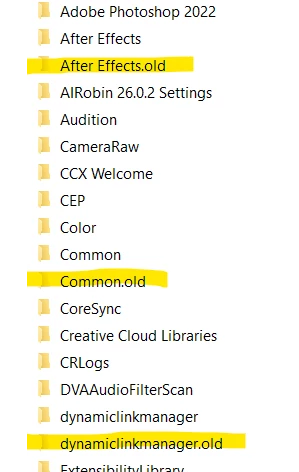
Yes, looks like they changed it. I find two folders now in:

%UserProfile%\AppData\Roaming\Adobe


I renamed them both and started PP, dropped an AE file onto the project panel, dropped it in the timeline and it loads fine. I opened the AE file in AE and made a change and it appeared in PP right away.


DynamicLinkManager was recreated on PP start, it had the (current) 22 folder, the DynamicLinkMediaServer folder updated when I started AE by itself. It recreated only a 13 and -1 folder.  I'm wondering if AE is a bit behind the DynamicLink curve just now, cause it doesn't seem to use the 22 folder. There's not much in those folders, but it's worth a try before you reinstall.


Josh JMFEAuthorCorrect answer
Inspiring
January 20, 2022

Was on with Adobe support for at least an hour and it seems the culprit were the preferences burried in appdata/roaming/adobe.  No real explaination why it was corrupted.  Had to reinstall all my plugins, shortcuts, workspaces, scripts, ect.  Quite the agravation!


MyerPj
Community Expert
Community Expert
January 19, 2022

The below will take you to the right folder, and just rename the folder 'DynamicLinkMediaServer', just put an x in front of the name, etc... and fire up PP (make sure everything is closed before you rename. You might want to reboot also.


%UserProfile%\Documents\Adobe


Josh JMFEAuthor
Inspiring
January 20, 2022

No such "DynamicLink..." folder.  Could it have anything to do with One Drive syncing and screwing things up?  


or


Josh JMFEAuthor
Inspiring
January 19, 2022

Dynamic linking in 2021 is actually still working.  So something is very wrong with 2022 suddenly.  Any ideas?