
Effect Dialog Boxes Cropped
Hi all,
So, I posted this back in March to UserVoice:
UserVoice - Dialog Boxes Cutting Off
but there's been no response, so I figured I would post here, in hopes that someone might have a suggestion.
I'm getting a really weird bug with the audio effect dialog boxes. When you open them they are cropped:
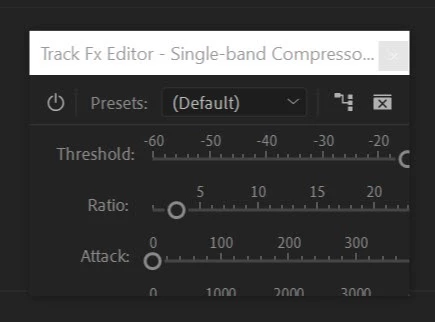
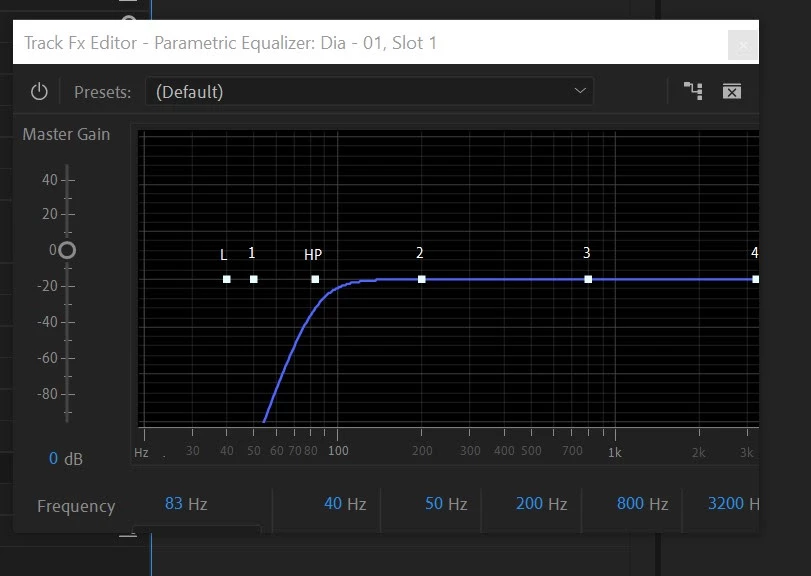
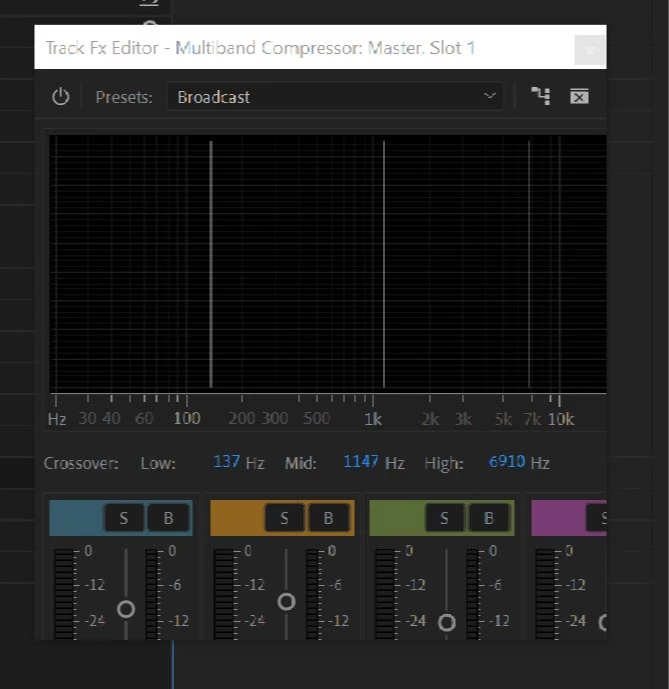
You have to manually go in and resize them to be able to see the full dialog box. You can see in the following example how I have intentionally resized the window making it larger than it should be, something that shouldn't be possible:
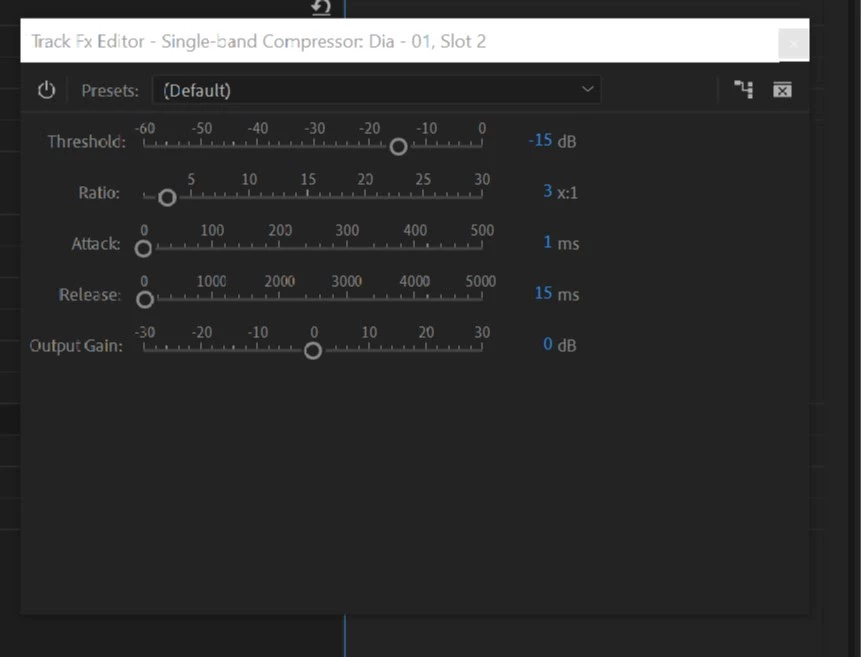
What's more frustrating, is that you have to resize almost every time you expand a dialog box. I'm not sure why on the (extremely) rare occasion they open normally, but 99% of the time, they open cropped. Even when they do open normally, I can close the dialog box, reopen, and have it show up as cropped again. Pretty strange behaviour.
I have already tried fresh installations of Creative Cloud (using the CC removal tool, and starting from scratch), and I have deleted my preferences.
Any suggestions are very, very welcome. This isn't a game breaker bug, but it's definitely a frustrating one.
System Information:
Premiere Pro 13.1.2, but this has been going on for the last couple of versions.
Windows 10 64-bit (1903)
Intel i9-9900X
64GB RAM
Nvidia RTX 2070 (431.36)
2x HP Z27 displays (3840x2160 @60Hz)
Please let me know if you need any further information.
Thanks all!
Cheers,
Darren


 AdChoices