

MahaB82A
May 3, 2025
Answered

Effect to make slim

  • May 3, 2025
  • 2 replies
  • 779 views

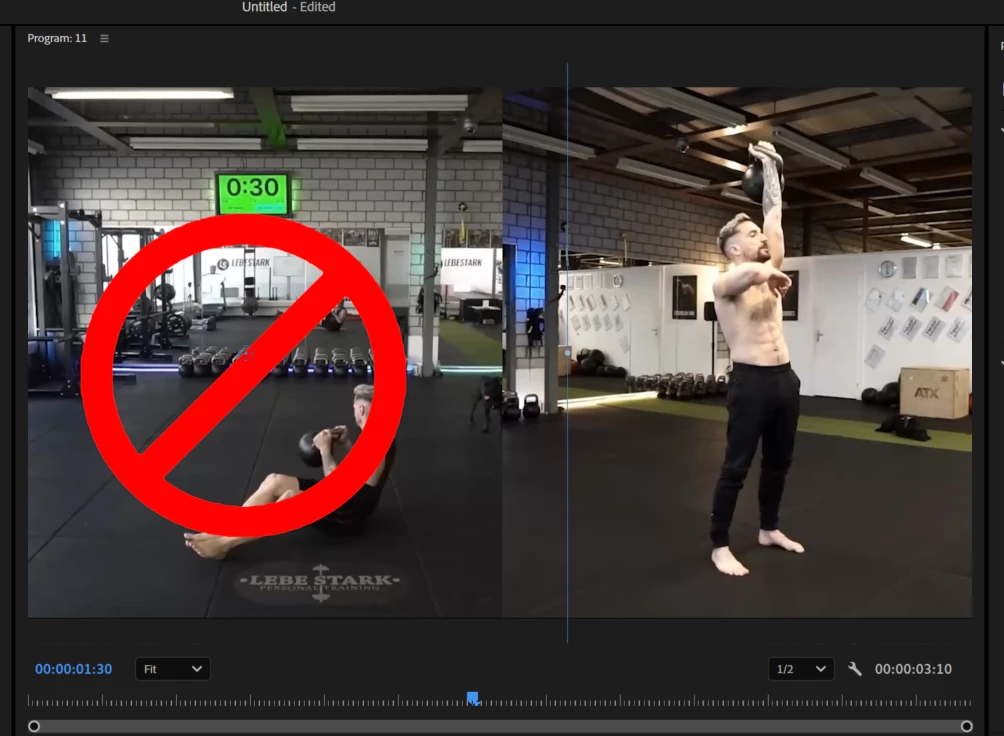
This stop sign is separate PNG layer. It is too thick, I want to make it slim. Is there any effect to do so?



Correct answer PaulMurphy

Creating this shape directly in Premiere Pro is the easiest way to customize it. Here's how:

  1. Draw the Circle:
    • In the Tools panel, click and hold the Rectangle Tool to reveal additional shape options.
    • Select the Ellipse Tool.
    • In the Program Monitor, hold down the Shift key and drag to draw a perfect circle.
  2. Add the Diagonal Line:
    • In the Properties panel, deselect the shape you just created.
    • In the Tools panel, choose the Pen Tool.
    • In the Program Monitor, click near the bottom-left edge of the circle, then click again near the top-right edge to draw a diagonal line across it.
  3. Customize Appearance:
    • Open the Properties panel.
    • Select both shapes.
    • Disable the Fill, and set your desired Stroke width and color.

2 replies

PaulMurphyCommunity ExpertCorrect answer
Community Expert
May 4, 2025

Creating this shape directly in Premiere Pro is the easiest way to customize it. Here's how:

  1. Draw the Circle:
    • In the Tools panel, click and hold the Rectangle Tool to reveal additional shape options.
    • Select the Ellipse Tool.
    • In the Program Monitor, hold down the Shift key and drag to draw a perfect circle.
  2. Add the Diagonal Line:
    • In the Properties panel, deselect the shape you just created.
    • In the Tools panel, choose the Pen Tool.
    • In the Program Monitor, click near the bottom-left edge of the circle, then click again near the top-right edge to draw a diagonal line across it.
  3. Customize Appearance:
    • Open the Properties panel.
    • Select both shapes.
    • Disable the Fill, and set your desired Stroke width and color.
MahaB82A
MahaB82AAuthor
May 4, 2025

Thanks.

Peru Bob
Community Expert
Community Expert
May 3, 2025

You can do that with masks, but I would do that in Photoshop instead.

MahaB82A
MahaB82AAuthor
May 3, 2025

I also did with Ps by following way. I also interested to know how you did in Ps.  But I can reduce the work if there any effect in Pr.


You can see following short layer. In new version of Pr there is a way to make it long. I couldn't remember it. Do you know?  


Peru Bob
Community Expert
Community Expert
May 4, 2025

If you want to lengthen the video on V!, you will have to either change its speed and duration:

https://helpx.adobe.com/premiere-pro/using/duration-speed.html


or use Generative extend:

https://helpx.adobe.com/premiere-pro/using/generative-extend.html


since the full length of the video is on the timeline.