

MahaB82A
Legend
May 9, 2025
Answered

Effect to put an icon behind image

  • May 9, 2025
  • 2 replies
  • 540 views

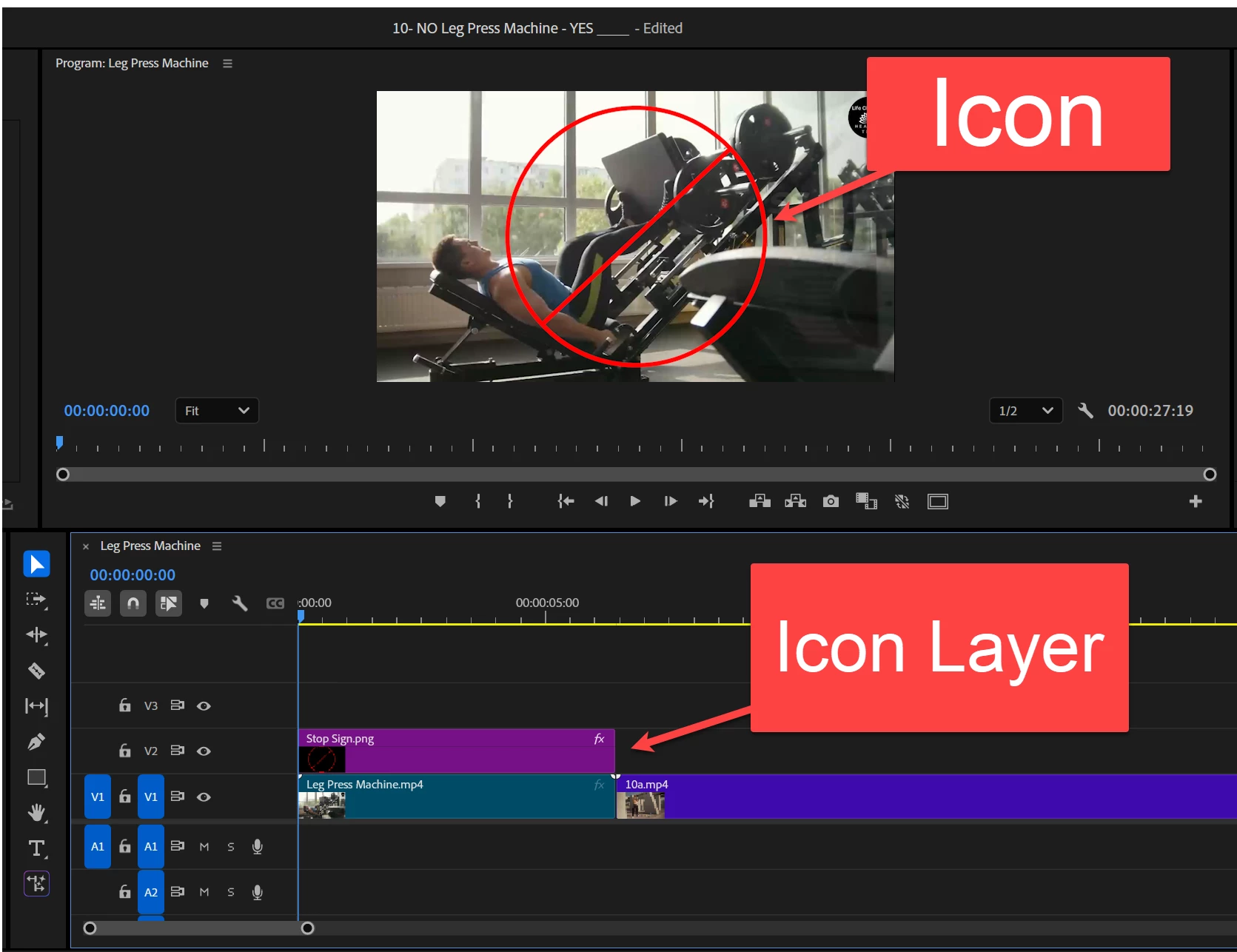
This YouTube video shows "How to put Text Behind an Object ". I wish to know, is there any way to put an icon behind image?

How to put Text Behind an Object
 

Correct answer Kevin-Monahan

Hi Maha,

Try this. Duplicate the clip on V3. Mask the object, like the guy on the weight machine. The icon will then appear behind the object. I hope that helps.


Thanks,
Kevin


2 replies

Ishan Y
Community Manager
Community Manager
May 12, 2025

Hi,

I think the method shown in the linked video might not work with the footage you're using. The keying effects can pick similar colors to separate them from the subject. In your screenshot, there are several different colors in the background that cannot be removed while keeping the pixels on the subject intact. I recommend going with masking in Premiere Pro. If that doesn't work, try using Rotobrush or Mocha AE in After Effects.


Thanks,

Ishan

Please tag me (@) in your replies so that it notifies me and helps me respond promptly.
Peru Bob
Community Expert
Community Expert
May 9, 2025

Place the icon on a track below the video.

In this case, move your video to V2 and move the icon to V1. 

MahaB82A
MahaB82AAuthor
Legend
May 9, 2025

I tried this before but it didn't work.

Kevin-Monahan
Community Manager
Kevin-MonahanCommunity ManagerCorrect answer
Community Manager
May 9, 2025

Hi Maha,

Try this. Duplicate the clip on V3. Mask the object, like the guy on the weight machine. The icon will then appear behind the object. I hope that helps.


Thanks,
Kevin


Kevin Monahan - Sr. Community & Engagement Strategist – Pro Video and Audio

