
Question
Encore Do Not Transcode setting
I have been experimenting with DVD authoring via Adobe Encore CS6.
I notice in the Project windows there is a "Do not transcode" setting. This is exactly what I need because I have about 18 short 4 minute videos that have been encoded already to the DVD compliant specifications. I do not want them re-encoded again.

In the Build window, I have it set to Format DVD and output to DVD Folder. I ran the Check Project with the "Timeline Bitrate Too High" checked and it was all OK. I then ran Build and this happens:
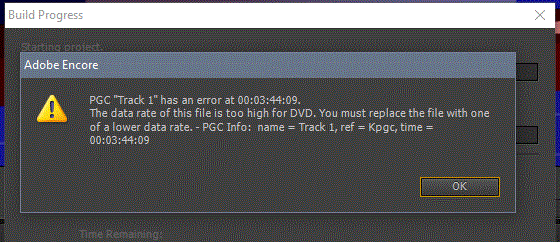
Is there a way to over ride the "Do Not Transcode" setting to a higher bitrate or completely disable it's checking please?


 AdChoices