Answered
Encore giving error after writing and burn first copy
see screenshot of what pops up, any ideas?
Thanks
B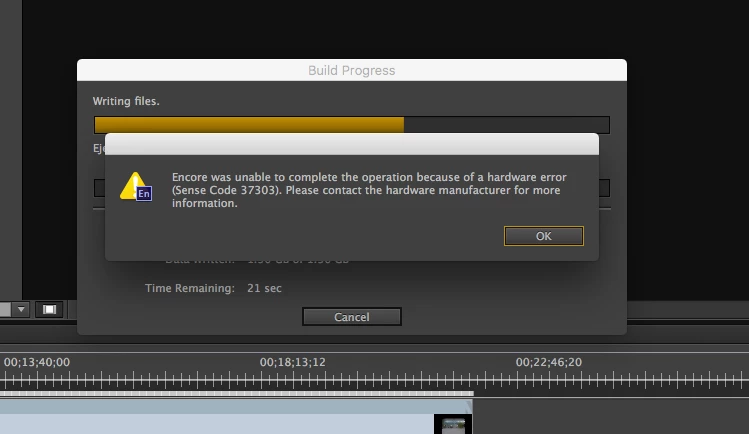
see screenshot of what pops up, any ideas?
Thanks
B
That MAY be a hardware code
Set your Encore DVD/BluRay output to an ISO file or to a folder on your hard drive https://forums.adobe.com/thread/2150198 and then use the FREE Imgburn to write files or folders or ISO to disc for DVD or BluRay (send the author a PayPal donation if you like his program)
Read http://forums.adobe.com/thread/1322583 for notes on installing Imgburn WITHOUT any toolbar add-ons... Set Imgburn to use the slowest burn speed your drive and media will use... I set my burn speed to 1x and let Imgburn adjust to the actual minimum
If you get the same/similar error with Imgburn, you have a hardware problem
Already have an account? Login
Enter your E-mail address. We'll send you an e-mail with instructions to reset your password.
 AdChoices